Text&ampWriting

AutoForm

Eliminate manual data entry with AutoForm. Turn PDFs, spreadsheets & files into structured data and auto-fill any form instantly with AI

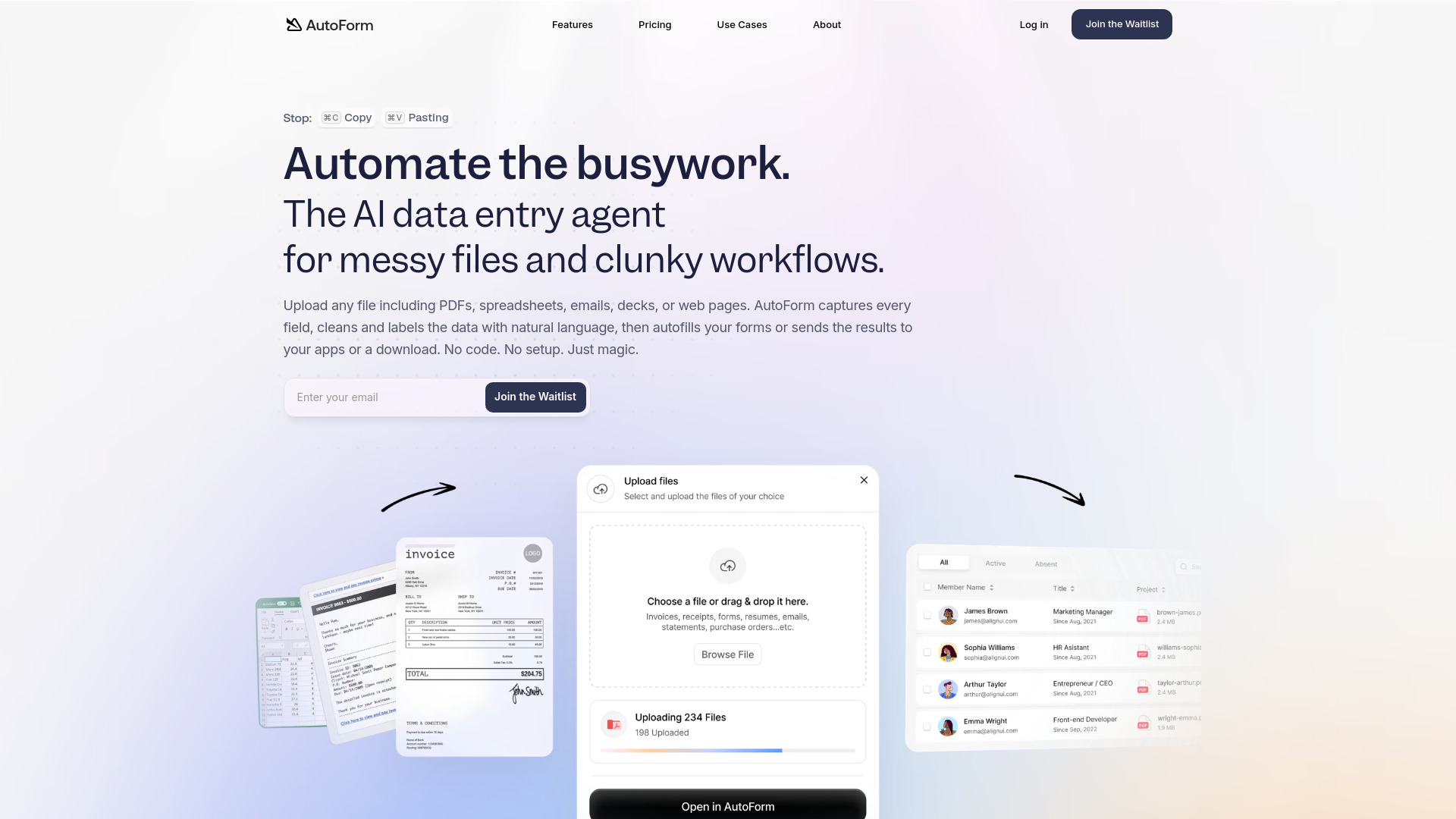
AutoForm website preview

What is AutoForm?

AutoForm is an AI data entry platform designed to turn business documents into organized, usable information. Instead of manually copying details from PDFs, spreadsheets, emails, and websites, teams can use AutoForm to extract relevant fields, clean the results, and prepare data for their next workflow. Its combination of PDF extraction, document processing, and auto-fill form capabilities helps reduce repetitive administrative work without requiring users to build custom software.

From processing invoices to organizing application records, AutoForm brings document extraction and form automation into a single workflow. Businesses can use the platform to structure information, reuse previously processed documents, and move extracted data into the tools they already work with.

How to Use AutoForm

Start by uploading a document or providing supported content, such as a PDF, spreadsheet, email, presentation, or web page. AutoForm analyzes the material, identifies relevant information, and organizes the extracted fields according to your requirements. Natural language instructions can help guide how information is cleaned, labeled, and formatted, reducing the need to prepare every source manually.

Once processing is complete, review the output before downloading it, using it to populate forms, or passing it to a connected application. This review step is particularly useful when working with unclear scans, inconsistent layouts, or sensitive business records. Frequently used documents can be saved in Libraries, making information easier to retrieve and reuse. Teams can also refine their preferred structures over time to support more consistent results across recurring tasks.

Key Features of AutoForm

  • AI Data Extraction and Organization: Converts information from business documents into structured fields. AutoForm helps identify, label, and clean extracted content so teams spend less time reformatting data before using it.
  • Automated Form Filling: Uses extracted information to populate forms and reduce repetitive typing. This supports workflows such as customer registration, application processing, and internal record creation while helping minimize copy-and-paste mistakes.
  • API and Webhook Connectivity: Supports automated data handoffs between document processing and downstream systems. Teams can use integration options to connect extraction results with CRM platforms, accounting tools, and other business applications.
  • Reusable Document Libraries: Keeps processed materials organized for future reference. Libraries help teams access previous documents and reuse relevant information rather than starting from scratch for every request.
  • Configurable Data Outputs: Allows users to guide how extracted information should be arranged and transformed. This flexibility helps align results with internal naming conventions, required fields, and business-specific formatting rules.
  • Bulk Document Processing: Supports workflows involving multiple documents, helping teams manage recurring workloads such as invoice batches, candidate applications, legal records, and manufacturing documentation with less manual handling.

Why Choose AutoForm?

AutoForm is built around a practical objective: making document information easier to use. Traditional text recognition can leave teams with extracted text that still requires sorting, cleanup, and manual transfer. AutoForm extends the workflow beyond text capture by helping organize information into meaningful fields and preparing it for forms, exports, or connected systems.

Its no-code approach makes everyday document automation accessible to business users, while API and Webhook options provide additional flexibility for technical teams. Organizations can begin with a focused task, such as PDF invoice extraction, and explore broader automation as their requirements develop. The potential benefits include less repetitive data entry, more consistent records, and faster movement of information between departments. Actual results will depend on document quality, workflow design, and the level of review required.

Use Cases and Applications

Customer-facing teams can use AutoForm to extract information from onboarding documents, registration forms, and contracts, then prepare those details for internal records or follow-up forms. Legal professionals can organize information from subpoenas, court documents, and related correspondence, helping staff locate case references, dates, and requested actions. Human resources teams can convert resumes and job applications into structured candidate records for easier review and transfer into recruitment workflows.

In finance and accounting, AutoForm can help capture invoice details such as supplier names, line items, amounts, and payment terms. Real estate teams can organize information from property records, transaction paperwork, and disclosure documents. Insurance operations can extract policy references, incident information, and supporting details from claims materials. Manufacturers can use document extraction to structure bills of materials and related engineering information, reducing repeated manual transcription between source documents and operational systems.

Product source: AutoForm official website. Check the provider for current plans, limits and availability.

FAQ

AutoForm questions and answers

Product context and practical checks for evaluating AutoForm.

What is AutoForm used for?

Eliminate manual data entry with AutoForm. Turn PDFs, spreadsheets & files into structured data and auto-fill any form instantly with AI

How do I get started with AutoForm?

Start by uploading a document or providing supported content, such as a PDF, spreadsheet, email, presentation, or web page. AutoForm analyzes the material, identifies relevant information, and organizes the extracted fields according to your requirements. Natural language instructions can help guide how information is cleaned, labeled, and formatted, reducing the need to prepare every source manually.Once processing is complete, review the output before downloading it, using it to populate forms, or passing it to a connected application. This review step is particularly useful when working with unclear scans, inconsistent layouts, or sensitive business records. Frequently used documents can be saved in Libraries, making information easier to retrieve and reuse. Teams can also refine their preferred structures over time to support more consistent results across recurring tasks.

Which capabilities are described for AutoForm?

AI Data Extraction and Organization: Converts information from business documents into structured fields. AutoForm helps identify, label, and clean extracted content so teams spend less time reformatting data before using it. Automated Form Filling: Uses extracted information to populate forms and reduce repetitive typing. This supports workflows such as customer registration, application processing, and internal record creation while helping minimize copy-and-paste mistakes. API and Webhook Connectivity: Supports automated data handoffs between document processing and downstream systems. Teams can use integration options to connect extraction results with CRM platforms, accounting tools, and other business applications. Reusable Document Libraries: Keeps processed materials organized for future reference. Libraries help teams access previous documents and reuse relevant information rather than starting from scratch for every request. Configurable Data Outputs: Allows users to guide how extracted information should be arranged and transformed. This flexibility helps align results with internal naming conventions, required fields, and business-specific formatting rules. Bulk Document Processing: Supports workflows involving multiple documents, helping teams manage recurring workloads such as invoice batches, candidate applications, legal records, and manufacturing documentation with less manual handling.

What projects can I evaluate AutoForm for?

Customer-facing teams can use AutoForm to extract information from onboarding documents, registration forms, and contracts, then prepare those details for internal records or follow-up forms. Legal professionals can organize information from subpoenas, court documents, and related correspondence, helping staff locate case references, dates, and requested actions. Human resources teams can convert resumes and job applications into structured candidate records for easier review and transfer into recruitment workflows.In finance and accounting, AutoForm can help capture invoice details such as supplier names, line items, amounts, and payment terms. Real estate teams can organize information from property records, transaction paperwork, and disclosure documents. Insurance operations can extract policy references, incident information, and supporting details from claims materials. Manufacturers can use document extraction to structure bills of materials and related engineering information, reducing repeated manual transcription between source documents and operational systems.

How does AutoForm handle ai data extraction and organization?

AI Data Extraction and Organization: Converts information from business documents into structured fields. AutoForm helps identify, label, and clean extracted content so teams spend less time reformatting data before using it.

How does AutoForm handle automated form filling?

Automated Form Filling: Uses extracted information to populate forms and reduce repetitive typing. This supports workflows such as customer registration, application processing, and internal record creation while helping minimize copy-and-paste mistakes.

What should I compare before choosing a AutoForm plan?

Check AutoForm’s current pricing page for included usage, renewal terms and any credit charges. Compare the cost of a usable result, including retries, rather than assuming that account registration includes free usage.

What inputs should I prepare for a AutoForm trial?

Check supported documents, datasets and source access. Establish whether the product can inspect your actual material rather than answer from general knowledge.

How can I check the quality of a AutoForm result?

Follow citations to the original source, recalculate important numbers and check the date and scope of the evidence. Distinguish an explanation from a verified result.

Where is the official AutoForm website?

The website linked from this profile is https://autoform.ai. Use the provider’s own documentation, account area and support channels to confirm current product details.

Visit AutoForm