AI Email Assistant

Auri.AI

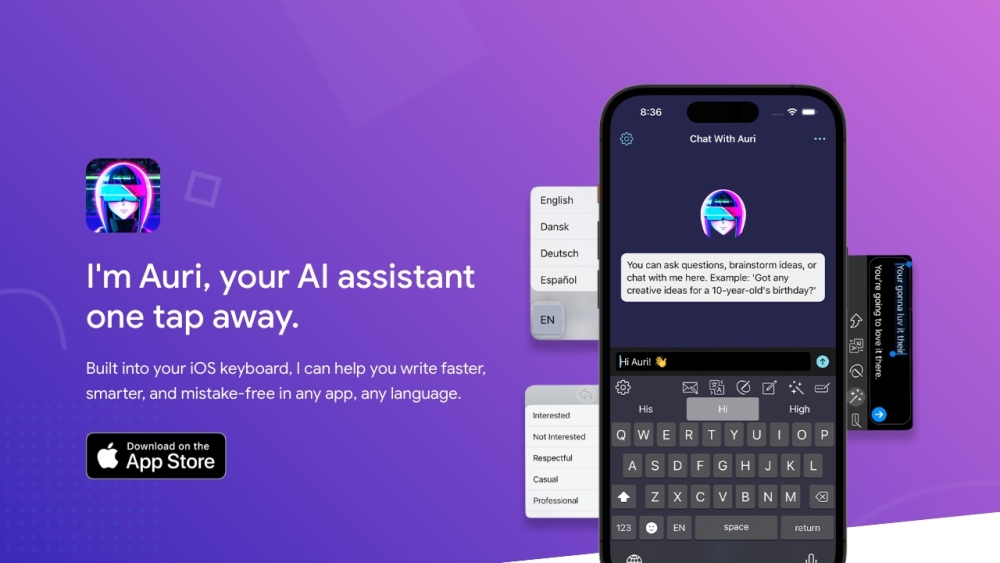
Auri AI is a multilingual AI Keyboard, supercharged AI Chat, Smart Notes, and Transcription app that helps users write faster, smarter, and mistake-free in any app and any language.

Auri.AI website preview

Auri.AI Website screenshot

Discover Auri.AI

Auri AI is a versatile app that integrates a multilingual AI keyboard, advanced AI chat, smart note-taking, and cutting-edge transcription capabilities, enabling users to write efficiently and accurately across various applications and languages.

Getting Started with Auri.AI

To begin using Auri AI, download the app on your iPhone, iPad, Mac, or Apple Watch. Set Auri AI as your default keyboard to unlock features like writing, translating, paraphrasing, grammar checking, voice recording, and transcribing. Additionally, you can interact with the AI assistant for questions, brainstorming, or learning.

Key Features of Auri.AI

Multilingual AI Keyboard

Enhanced AI Chat

Smart Notes

Advanced Transcription

Practical Applications of Auri.AI

Writing blogs, essays, emails, and more

Correcting grammar and spelling mistakes

Translating text in over 20 languages

Paraphrasing sentences and paragraphs

Recording and transcribing voice memos

Creating meeting notes

Boosting productivity and writing efficiency

  • Join the Auri.AI Community on Discord

    Join our Auri.AI Discord community: https://discord.gg/GT599PA6d7. For more details, click here(/discord/gt599pa6d7).

  • Contact Auri.AI Support

    For customer service, reach out to us at: [email protected].

  • About Auri.AI

    Auri.AI is a product of Upstate Media Inc.

  • Follow Auri.AI on Twitter

    Stay updated with Auri.AI on Twitter: https://twitter.com/auri_ai.

Product source: Auri.AI official website. Check the provider for current plans, limits and availability.

FAQ

Auri.AI questions and answers

Product context and practical checks for evaluating Auri.AI.

What is Auri.AI used for?

Auri AI is a multilingual AI Keyboard, supercharged AI Chat, Smart Notes, and Transcription app that helps users write faster, smarter, and mistake-free in any app and any language.

How do I get started with Auri.AI?

To begin using Auri AI, download the app on your iPhone, iPad, Mac, or Apple Watch. Set Auri AI as your default keyboard to unlock features like writing, translating, paraphrasing, grammar checking, voice recording, and transcribing. Additionally, you can interact with the AI assistant for questions, brainstorming, or learning.

Which capabilities are described for Auri.AI?

Multilingual AI KeyboardEnhanced AI ChatSmart NotesAdvanced Transcription

What projects can I evaluate Auri.AI for?

Writing blogs, essays, emails, and moreCorrecting grammar and spelling mistakesTranslating text in over 20 languagesParaphrasing sentences and paragraphsRecording and transcribing voice memosCreating meeting notesBoosting productivity and writing efficiency Join the Auri.AI Community on Discord Join our Auri.AI Discord community: https://discord.gg/GT599PA6d7. For more details, click here(/discord/gt599pa6d7). Contact Auri.AI Support For customer service, reach out to us at: [email protected]. About Auri.AI Auri.AI is a product of Upstate Media Inc. Follow Auri.AI on Twitter Stay updated with Auri.AI on Twitter: https://twitter.com/auri_ai.

What should I compare before choosing a Auri.AI plan?

Check Auri.AI’s current pricing page for included usage, renewal terms and any credit charges. Compare the cost of a usable result, including retries, rather than assuming that account registration includes free usage.

What inputs should I prepare for a Auri.AI trial?

Look for text prompts, image references, masks or sketches as appropriate. Compare composition control, supported upload types and the ability to revise a selected area.

How can I check the quality of a Auri.AI result?

Inspect text, hands, edges, reflections and repeated objects at full size. Check that important product or brand details survive editing.

Which export options should I check in Auri.AI?

Compare pixel dimensions, transparency, file formats and any enlargement options. Confirm that the downloaded result works in your design or publishing software.

What is a practical way to test Auri.AI against alternatives?

Prepare a brief with a subject, composition, lighting and required output size. Test a first generation and a targeted revision to see how much control you retain.

Where is the official Auri.AI website?

The website linked from this profile is https://auri.ai. Use the provider’s own documentation, account area and support channels to confirm current product details.

Visit Auri.AI