AI Builder

AppStruct

Build web, mobile & desktop apps—no code needed. AppStruct leverages AI to accelerate development, simplify design, and deploy faster. Start building today.

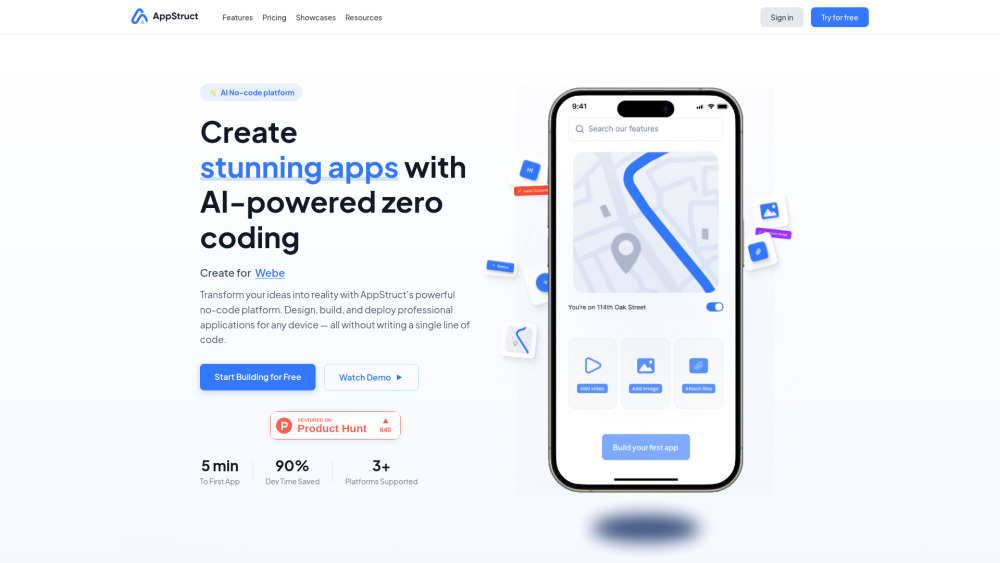
AppStruct website preview

AppStruct Website screenshot

Introducing AppStruct: Build Anything—No Code Required

AppStruct redefines digital creation: an intelligent, unified no-code platform engineered to craft native-grade web apps, iOS and Android mobile applications, cross-platform desktop software, and interactive Telegram Mini Apps—all from a single intuitive interface. Powered by generative AI and purpose-built for speed, clarity, and scalability, AppStruct turns vision into value in minutes—not months. No coding expertise needed. Just your idea, our AI co-pilot, and drag-and-drop precision.

How AppStruct Works: Simplicity Meets Intelligence

Start with a blank canvas—or choose from 100+ industry-optimized templates. Sketch your UI, define user flows visually, and let AppStruct’s AI interpret wireframes, sketches, or even natural language prompts into functional components. Adjust logic with visual connectors, configure real-time data sources, and preview across devices instantly. When ready, publish directly to the Apple App Store, Google Play, web hosting, or your own domain—with one click and zero DevOps overhead.

Why Developers, Founders & Teams Choose AppStruct

AI-Powered No-Code Engine

Drag-and-Drop Visual Studio (with Live Preview)

Zero-Config Backend: Database, Auth, APIs & Hosting Built-In

One-Click Cross-Platform Publishing (iOS, Android, Web, Desktop, Telegram)

Smart Motion Designer: Auto-generated, performant animations

AI Component Recognition: Turn Figma files, screenshots, or text specs into live UI blocks

AppStruct Browser Extension: Capture, convert, and clone any webpage into editable app components

True Multi-Target Deployment: Compile once, run everywhere—no code forks or platform-specific tweaks

Real-World Impact, Real-Time Results

Launch MVPs, internal tools, or customer-facing apps—without hiring engineers.

Turn pitch decks, mockups, or whiteboard sketches into shippable products in under an hour.

Scale custom business solutions—from HR portals to field service dashboards—with enterprise-grade reliability.

Distribute branded mobile experiences on app stores—fully compliant, certified, and ready for growth.

Product source: AppStruct official website. Check the provider for current plans, limits and availability.

FAQ

AppStruct questions and answers

Product context and practical checks for evaluating AppStruct.

What is AppStruct used for?

Build web, mobile & desktop apps—no code needed. AppStruct leverages AI to accelerate development, simplify design, and deploy faster. Start building today.

How do I get started with AppStruct?

Start with a blank canvas—or choose from 100+ industry-optimized templates. Sketch your UI, define user flows visually, and let AppStruct’s AI interpret wireframes, sketches, or even natural language prompts into functional components. Adjust logic with visual connectors, configure real-time data sources, and preview across devices instantly. When ready, publish directly to the Apple App Store, Google Play, web hosting, or your own domain—with one click and zero DevOps overhead.

What should I compare before choosing a AppStruct plan?

Check AppStruct’s current pricing page for included usage, renewal terms and any credit charges. Compare the cost of a usable result, including retries, rather than assuming that account registration includes free usage.

What inputs should I prepare for a AppStruct trial?

Look for text prompts, image references, masks or sketches as appropriate. Compare composition control, supported upload types and the ability to revise a selected area.

How can I check the quality of a AppStruct result?

Inspect text, hands, edges, reflections and repeated objects at full size. Check that important product or brand details survive editing.

Which export options should I check in AppStruct?

Compare pixel dimensions, transparency, file formats and any enlargement options. Confirm that the downloaded result works in your design or publishing software.

What is a practical way to test AppStruct against alternatives?

Prepare a brief with a subject, composition, lighting and required output size. Test a first generation and a targeted revision to see how much control you retain.

What should I review before uploading material to AppStruct?

Read the provider’s rules on access, retention, deletion and use of uploaded material. Start with a non-confidential sample that you have permission to use.

How can I check whether AppStruct fits my existing workflow?

List the steps before and after using AppStruct, including preparation, review and export. Test that complete sequence and check whether handoffs require manual conversion or another paid service.

Where is the official AppStruct website?

The website linked from this profile is https://appstruct.ai. Use the provider’s own documentation, account area and support channels to confirm current product details.

Visit AppStruct