Text&ampWriting

AnyImg AI

Turn text into striking artwork, photos, and designs with AnyImg AI, a free AI image generator and editor powered by models like Flux.

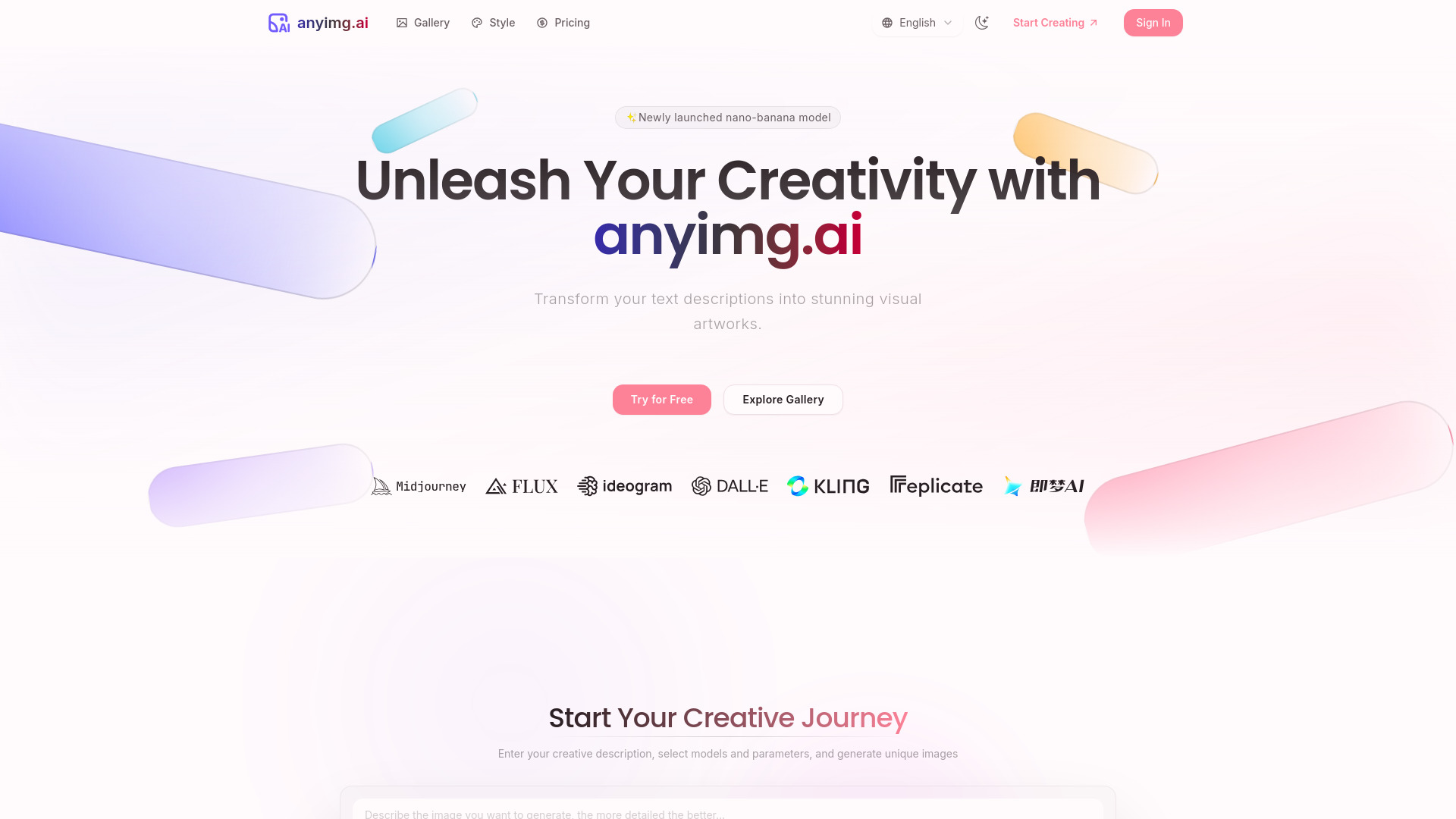
AnyImg AI website preview

What Is AnyImg AI?

AnyImg AI is a free, browser-based AI image generator and editor powered by Flux. Describe the visual you have in mind, and the tool turns your prompt into an image you can refine as your idea takes shape. You can use it to create illustrations, photo-style images, concept art, or design drafts. It works for a quick personal project as well as for professional teams that want to explore several visual directions before committing to one.

How to Create and Edit Images With AnyImg AI

Start by entering a text prompt that describes the subject, setting, and look you want. Choose Flux or another available option, such as google/nono-banana, then set the image dimensions, style, and quality for your project. A square layout might suit a social post, while a wide composition gives you room for a website banner. Click Generate to see how the model interprets your description.

Use the first result as a draft. If the subject looks right but the scene feels too dark, try changing the lighting in your prompt while keeping the rest of the description intact. You could ask for soft window light, a pale background, or a closer crop. AnyImg AI lets you edit an image or generate a new variation, so you can compare results and carry forward the details that work.

Key Features of AnyImg AI

  • Flux and multiple model options. AnyImg AI offers Flux and google/nono-banana alongside a ChatGPT integration. Try the same prompt with different models to see how each handles details such as texture, lighting, and composition.
  • Text-to-image generation. Describe a scene in everyday language to create a custom visual. A prompt like “a blue ceramic mug on a maple desk, soft morning light, overhead view” gives the generator a subject, a setting, and a camera angle to work with.
  • Controls for style, size, and quality. Set the dimensions based on where the image will appear and adjust the style to fit the project. These controls help you develop everything from a rough concept for an internal review to a detailed illustration for an article.
  • Image editing and variations. Revisit an existing result to refine the framing, palette, or mood. Generating variations helps you compare small changes in the same concept before settling on a version.

Generation and editing are available in the same browser workflow. A designer can test several compositions before a review, while a content creator can develop a custom header image and make a variation sized for social media.

Why Choose AnyImg AI?

AnyImg AI gives you a quick way to see whether an idea works on screen. You can open the generator in your browser, create an image from a short brief, and refine it while the project is still taking shape. Free access to core generation features makes it practical to try a few styles, compare model outputs, or prepare visuals for an early presentation.

The same workflow fits into an existing design process. Use generated images as references in a creative brief, compare visual directions in a team review, or develop a draft before preparing an asset for publication. AnyImg AI is also listed in the AI Top Tools directory.

Use Cases for AI-Generated Images

Marketing teams can develop concepts for ads, campaign graphics, and social posts by keeping the subject and color palette consistent across prompts. Bloggers and other content creators can make article covers or illustrations that depict a specific scene from a story. Product teams can visualize packaging ideas, explore colors and materials, or put together a mockup for an early design review. For personal projects, the generator can help you make a mood board, illustrate a fictional setting, or experiment with a style you have never tried.

Product source: AnyImg AI official website. Check the provider for current plans, limits and availability.

FAQ

AnyImg AI questions and answers

Product context and practical checks for evaluating AnyImg AI.

What is AnyImg AI used for?

Turn text into striking artwork, photos, and designs with AnyImg AI, a free AI image generator and editor powered by models like Flux.

How do I get started with AnyImg AI?

Start by entering a text prompt that describes the subject, setting, and look you want. Choose Flux or another available option, such as google/nono-banana, then set the image dimensions, style, and quality for your project. A square layout might suit a social post, while a wide composition gives you room for a website banner. Click Generate to see how the model interprets your description.Use the first result as a draft. If the subject looks right but the scene feels too dark, try changing the lighting in your prompt while keeping the rest of the description intact. You could ask for soft window light, a pale background, or a closer crop. AnyImg AI lets you edit an image or generate a new variation, so you can compare results and carry forward the details that work.

Which capabilities are described for AnyImg AI?

Flux and multiple model options. AnyImg AI offers Flux and google/nono-banana alongside a ChatGPT integration. Try the same prompt with different models to see how each handles details such as texture, lighting, and composition. Text-to-image generation. Describe a scene in everyday language to create a custom visual. A prompt like “a blue ceramic mug on a maple desk, soft morning light, overhead view” gives the generator a subject, a setting, and a camera angle to work with. Controls for style, size, and quality. Set the dimensions based on where the image will appear and adjust the style to fit the project. These controls help you develop everything from a rough concept for an internal review to a detailed illustration for an article. Image editing and variations. Revisit an existing result to refine the framing, palette, or mood. Generating variations helps you compare small changes in the same concept before settling on a version. Generation and editing are available in the same browser workflow. A designer can test several compositions before a review, while a content creator can develop a custom header image and make a variation sized for social media.

What projects can I evaluate AnyImg AI for?

Marketing teams can develop concepts for ads, campaign graphics, and social posts by keeping the subject and color palette consistent across prompts. Bloggers and other content creators can make article covers or illustrations that depict a specific scene from a story. Product teams can visualize packaging ideas, explore colors and materials, or put together a mockup for an early design review. For personal projects, the generator can help you make a mood board, illustrate a fictional setting, or experiment with a style you have never tried.

How does AnyImg AI handle flux and multiple model options.?

Flux and multiple model options. AnyImg AI offers Flux and google/nono-banana alongside a ChatGPT integration. Try the same prompt with different models to see how each handles details such as texture, lighting, and composition.

How does AnyImg AI handle text-to-image generation.?

Text-to-image generation. Describe a scene in everyday language to create a custom visual. A prompt like “a blue ceramic mug on a maple desk, soft morning light, overhead view” gives the generator a subject, a setting, and a camera angle to work with.

What should I compare before choosing a AnyImg AI plan?

Check AnyImg AI’s current pricing page for included usage, renewal terms and any credit charges. Compare the cost of a usable result, including retries, rather than assuming that account registration includes free usage.

What inputs should I prepare for a AnyImg AI trial?

Look for text prompts, image references, masks or sketches as appropriate. Compare composition control, supported upload types and the ability to revise a selected area.

How can I check the quality of a AnyImg AI result?

Inspect text, hands, edges, reflections and repeated objects at full size. Check that important product or brand details survive editing.

Where is the official AnyImg AI website?

The website linked from this profile is https://anyimg.ai. Use the provider’s own documentation, account area and support channels to confirm current product details.

Visit AnyImg AI