AI Builder

AiTransform

AiTransform: Enhance your skills with our offline AI toolset. Enjoy advanced neural networks and machine learning, all while protecting your privacy.

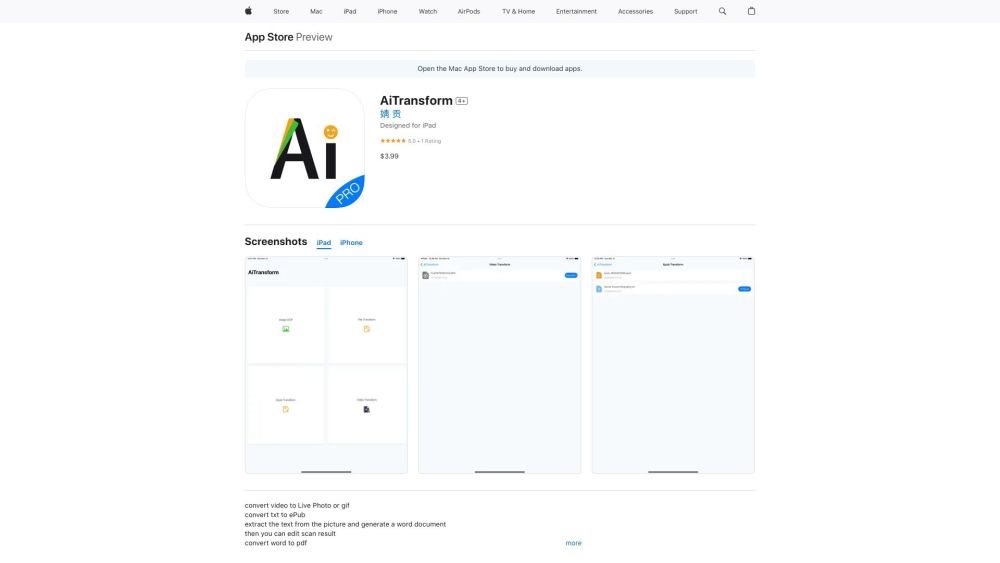
AiTransform website preview

AiTransform Website screenshot

What is AiTransform?

AiTransform is a sophisticated artificial intelligence toolset designed with neural networks and machine learning algorithms. It operates entirely offline to ensure the utmost privacy for users while delivering high-quality AI services.

How to use AiTransform?

AiTransform can extract text from images and generate Word documents, which you can then edit as needed. It also converts Word files to PDF and transforms TXT ebooks into ePub format. Additionally, AiTransform can convert videos into Live Photos or GIFs, and you can easily share these generated files on social media or other platforms.

AiTransform's Core Features

Text extraction from images

Creation of Word documents

Editing scanned text results

Conversion of Word files to PDF

Transformation of TXT ebooks to ePub

Conversion of videos to Live Photos or GIFs

AiTransform's Use Cases

Extracting text from pictures

Creating editable Word documents from scans

Converting Word documents to PDF

Transforming TXT ebooks to ePub

Converting videos to Live Photos or GIFs

Sharing generated files on social media

Product source: AiTransform official website. Check the provider for current plans, limits and availability.

FAQ

AiTransform questions and answers

Product context and practical checks for evaluating AiTransform.

What is AiTransform used for?

AiTransform: Enhance your skills with our offline AI toolset. Enjoy advanced neural networks and machine learning, all while protecting your privacy.

How do I get started with AiTransform?

AiTransform can extract text from images and generate Word documents, which you can then edit as needed. It also converts Word files to PDF and transforms TXT ebooks into ePub format. Additionally, AiTransform can convert videos into Live Photos or GIFs, and you can easily share these generated files on social media or other platforms.

Which capabilities are described for AiTransform?

Text extraction from imagesCreation of Word documentsEditing scanned text resultsConversion of Word files to PDFTransformation of TXT ebooks to ePubConversion of videos to Live Photos or GIFs

What projects can I evaluate AiTransform for?

Extracting text from picturesCreating editable Word documents from scansConverting Word documents to PDFTransforming TXT ebooks to ePubConverting videos to Live Photos or GIFsSharing generated files on social media

What should I compare before choosing a AiTransform plan?

Check AiTransform’s current pricing page for included usage, renewal terms and any credit charges. Compare the cost of a usable result, including retries, rather than assuming that account registration includes free usage.

What inputs should I prepare for a AiTransform trial?

Check supported documents, datasets and source access. Establish whether the product can inspect your actual material rather than answer from general knowledge.

How can I check the quality of a AiTransform result?

Follow citations to the original source, recalculate important numbers and check the date and scope of the evidence. Distinguish an explanation from a verified result.

Which export options should I check in AiTransform?

Look for usable citations, tables, downloadable data and reproducible steps. A clear answer should let another person inspect how the conclusion was reached.

What is a practical way to test AiTransform against alternatives?

Choose a question with known sources and a checkable result. Compare citation accuracy, omissions and reproducibility rather than response length.

Where is the official AiTransform website?

The website linked from this profile is https://apps.apple.com/us/app/aitransform/id6447690790. Use the provider’s own documentation, account area and support channels to confirm current product details.

Visit AiTransform