Text&ampWriting

Nano Banana AI

Nano Banana AI creates photorealistic images from text with 95% accuracy. Edit naturally and keep characters consistent

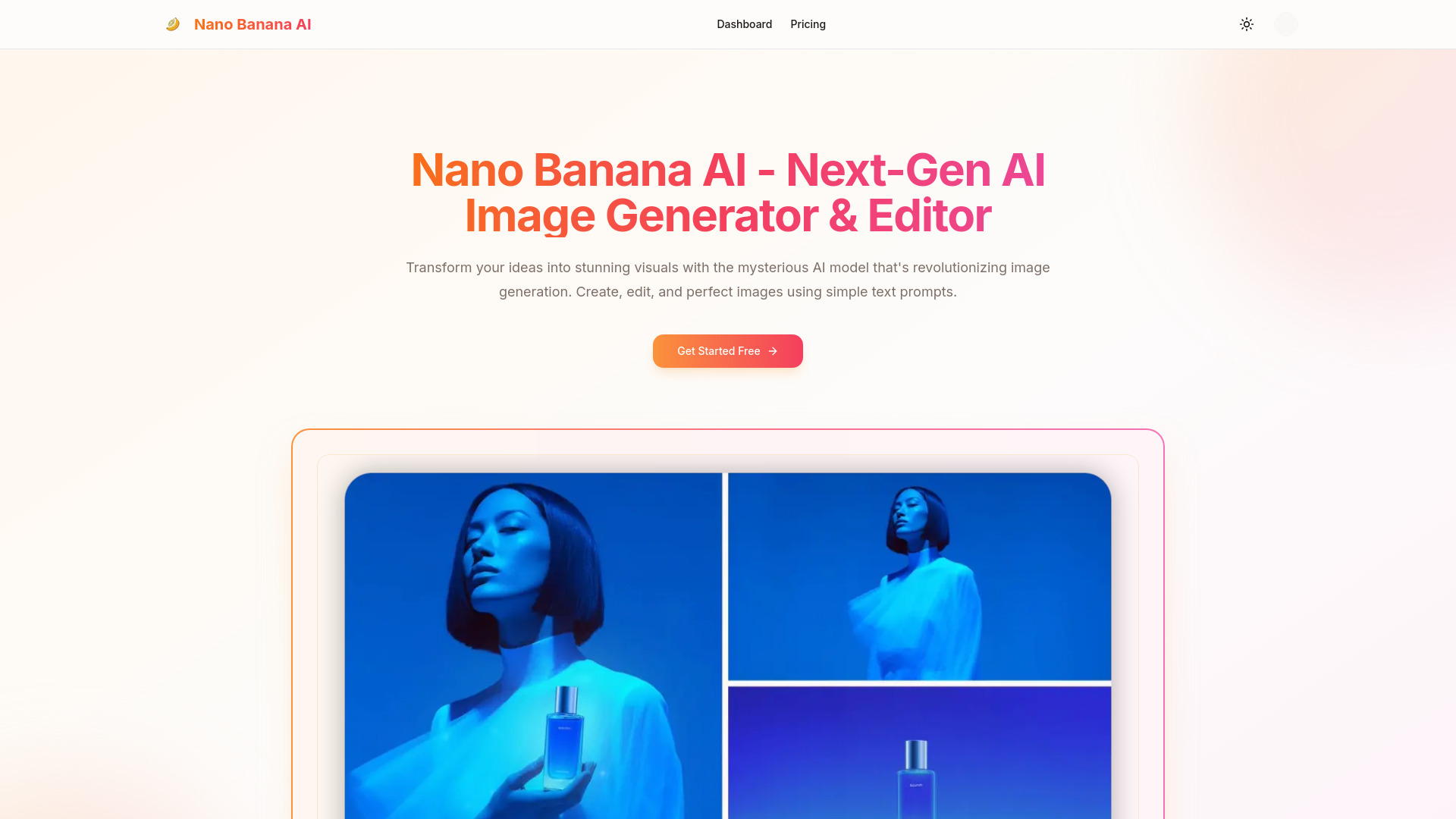
Nano Banana AI website preview

What is Nano Banana AI?

Nano Banana AI is an AI image generator and editor designed to turn written ideas into detailed visuals and help users modify existing pictures through conversational instructions. Its focus on photorealistic images and consistent editing makes it useful for projects where realistic details and a recognizable visual identity matter. From portraits and product scenes to campaign concepts and character illustrations, the tool offers a flexible starting point for creating images without building every element manually.

For designers, marketers, and independent creators, Nano Banana AI brings image generation and refinement into a connected workflow. You can describe a new composition, work from an uploaded photo, or request targeted changes to an existing result. This approach makes it easier to explore creative directions while keeping attention on the subject, setting, and details that define your project.

How to Use Nano Banana AI

Begin with a text prompt that explains what you want to see. Include the main subject, environment, composition, lighting, and preferred style. For example, a product photography prompt might describe a skincare bottle on a stone surface beside a window, with soft daylight and a neutral background. If you want to edit a picture, upload your reference image and describe the changes you would like to make.

Review the generated image, then refine it with focused instructions. Requests such as “soften the shadows,” “change the background to a modern office,” or “keep the person’s appearance while updating their jacket” help communicate your priorities. For a series of related images, reuse reference pictures and repeat essential character or product details. Clear prompts and careful review can improve continuity, although complex scenes may require several adjustments before they match your expectations.

Key Features of Nano Banana AI

  • Photorealistic Image Generation: Create visuals that aim for a photographic appearance, with attention to textures, lighting, materials, and depth. Detailed prompts help guide the look of portraits, lifestyle scenes, and product concepts.
  • Editing Through Everyday Language: Describe the changes you need in plain words. Adjust backgrounds, colors, atmosphere, or selected visual details through an accessible process that supports both beginners and experienced creators.
  • Consistent Character Editing: Use reference images and repeated descriptions to help preserve recognizable facial features, clothing, and styling across related scenes. This is valuable when developing recurring characters or coordinated visual content.
  • Portrait Refinement: Explore changes to portrait lighting, framing, backgrounds, and appearance. Review facial details closely to ensure that expressions, proportions, and skin textures suit the intended result.
  • Flexible Creative Styles: Develop ideas in photographic, illustrated, painterly, or stylized formats. Experimenting with different treatments can help you identify an appropriate direction for a campaign, presentation, or personal project.
  • Rapid Visual Exploration: Generate and revise alternative compositions within the same creative process. Comparing different settings, lighting choices, and arrangements helps teams evaluate ideas before investing in final production.

These capabilities can reduce repetitive work during concept development and content preparation. The practical benefit depends on the complexity of the request, the quality of reference materials, and how much refinement the final image needs. A clear brief helps make each round of generation more purposeful.

Why Choose Nano Banana AI?

Nano Banana AI appeals to creators who want a straightforward way to move between visual ideas and image edits. Instead of translating every request into a sequence of manual editing operations, users can describe the desired outcome directly. This makes it easier to test a new background, explore a different mood, or develop several interpretations of an initial concept.

Its emphasis on photorealism and visual consistency is especially relevant for projects involving repeated subjects. A recognizable character, a coordinated product collection, or a series of campaign images benefits from stable details across variations. Reference images and precise instructions can support that goal, while final review helps identify any changes that need correction. Explore Nano Banana AI and other image creation tools on aitop-tools.com to compare options for your workflow.

Use Cases and Applications

Marketing teams can use Nano Banana AI to explore campaign visuals, seasonal promotions, and product presentation ideas. A single concept can be developed into several versions with different surroundings, compositions, or lighting treatments. E-commerce teams may find it useful for planning lifestyle imagery and testing background options, while checking that product shape, color, labels, and other identifying details remain accurate. Social media creators can also develop thumbnails, post graphics, and visual themes suited to different channels.

Writers, game developers, and illustrators can use consistent character editing to explore recurring figures across settings and narrative moments. Photographers can experiment with alternative treatments before deciding which edits to complete for delivery. Agencies can prepare visual concepts that help clients compare creative directions, and educators can develop illustrations for lessons or presentations. Across these applications, the tool supports exploration and iteration, with human review guiding the selection of images suitable for publication.

Product source: Nano Banana AI official website. Check the provider for current plans, limits and availability.

FAQ

Nano Banana AI questions and answers

Product context and practical checks for evaluating Nano Banana AI.

What is Nano Banana AI used for?

Nano Banana AI creates photorealistic images from text with 95% accuracy. Edit naturally and keep characters consistent

How do I get started with Nano Banana AI?

Begin with a text prompt that explains what you want to see. Include the main subject, environment, composition, lighting, and preferred style. For example, a product photography prompt might describe a skincare bottle on a stone surface beside a window, with soft daylight and a neutral background. If you want to edit a picture, upload your reference image and describe the changes you would like to make.Review the generated image, then refine it with focused instructions. Requests such as “soften the shadows,” “change the background to a modern office,” or “keep the person’s appearance while updating their jacket” help communicate your priorities. For a series of related images, reuse reference pictures and repeat essential character or product details. Clear prompts and careful review can improve continuity, although complex scenes may require several adjustments before they match your expectations.

Which capabilities are described for Nano Banana AI?

Photorealistic Image Generation: Create visuals that aim for a photographic appearance, with attention to textures, lighting, materials, and depth. Detailed prompts help guide the look of portraits, lifestyle scenes, and product concepts. Editing Through Everyday Language: Describe the changes you need in plain words. Adjust backgrounds, colors, atmosphere, or selected visual details through an accessible process that supports both beginners and experienced creators. Consistent Character Editing: Use reference images and repeated descriptions to help preserve recognizable facial features, clothing, and styling across related scenes. This is valuable when developing recurring characters or coordinated visual content. Portrait Refinement: Explore changes to portrait lighting, framing, backgrounds, and appearance. Review facial details closely to ensure that expressions, proportions, and skin textures suit the intended result. Flexible Creative Styles: Develop ideas in photographic, illustrated, painterly, or stylized formats. Experimenting with different treatments can help you identify an appropriate direction for a campaign, presentation, or personal project. Rapid Visual Exploration: Generate and revise alternative compositions within the same creative process. Comparing different settings, lighting choices, and arrangements helps teams evaluate ideas before investing in final production. These capabilities can reduce repetitive work during concept development and content preparation. The practical benefit depends on the complexity of the request, the quality of reference materials, and how much refinement the final image needs. A clear brief helps make each round of generation more purposeful.

What projects can I evaluate Nano Banana AI for?

Marketing teams can use Nano Banana AI to explore campaign visuals, seasonal promotions, and product presentation ideas. A single concept can be developed into several versions with different surroundings, compositions, or lighting treatments. E-commerce teams may find it useful for planning lifestyle imagery and testing background options, while checking that product shape, color, labels, and other identifying details remain accurate. Social media creators can also develop thumbnails, post graphics, and visual themes suited to different channels.Writers, game developers, and illustrators can use consistent character editing to explore recurring figures across settings and narrative moments. Photographers can experiment with alternative treatments before deciding which edits to complete for delivery. Agencies can prepare visual concepts that help clients compare creative directions, and educators can develop illustrations for lessons or presentations. Across these applications, the tool supports exploration and iteration, with human review guiding the selection of images suitable for publication.

How does Nano Banana AI handle photorealistic image generation?

Photorealistic Image Generation: Create visuals that aim for a photographic appearance, with attention to textures, lighting, materials, and depth. Detailed prompts help guide the look of portraits, lifestyle scenes, and product concepts.

How does Nano Banana AI handle editing through everyday language?

Editing Through Everyday Language: Describe the changes you need in plain words. Adjust backgrounds, colors, atmosphere, or selected visual details through an accessible process that supports both beginners and experienced creators.

What should I compare before choosing a Nano Banana AI plan?

Check Nano Banana AI’s current pricing page for included usage, renewal terms and any credit charges. Compare the cost of a usable result, including retries, rather than assuming that account registration includes free usage.

What inputs should I prepare for a Nano Banana AI trial?

Look for text prompts, image references, masks or sketches as appropriate. Compare composition control, supported upload types and the ability to revise a selected area.

How can I check the quality of a Nano Banana AI result?

Inspect text, hands, edges, reflections and repeated objects at full size. Check that important product or brand details survive editing.

Where is the official Nano Banana AI website?

The website linked from this profile is https://ainanobanana.ai. Use the provider’s own documentation, account area and support channels to confirm current product details.

Visit Nano Banana AI