Table of contents
AICUT : AI Faceless Videos, Pricing, Reviews, Features, Alternatives
AICUT: AI-powered tool for creating engaging faceless short videos—fast, affordable, and packed with features. See pricing, reviews & top alternatives!
Directory : Captions or Subtitle, AI Content Generator, Text to Video, AI Tiktok Assistant, AI Social Media Assistant
What Is AICUT? — AI-Powered Faceless Video Generation
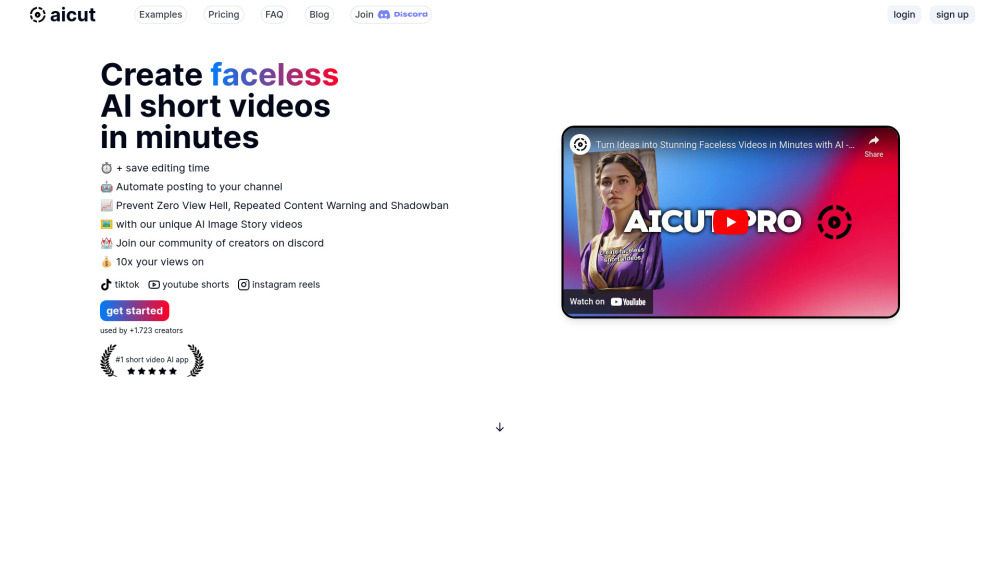
AICUT is a next-generation AI platform engineered to transform plain text into polished, algorithmically optimized faceless short-form videos—no camera, no crew, no editing skills required. Leveraging multimodal AI, it intelligently synthesizes dynamic visuals, natural-sounding voice narration, on-screen captions, royalty-free background music, and scene transitions—tailored specifically for high-engagement platforms like TikTok, YouTube Shorts, and Instagram Reels.
Getting Started with AICUT in 3 Simple Steps
First, input your topic or paste a script—or prompt AICUT’s built-in AI writer to draft one from scratch. Next, select from pre-designed templates, adjust tone (e.g., energetic, professional, playful), and fine-tune voice, pacing, and visual themes. Finally, preview your video in real time, make quick edits if needed, then export or auto-publish directly to your connected social accounts.
Key Capabilities of AICUT
One-click faceless video generation from text prompts
Granular customization: voices, fonts, animations, music libraries & branding overlays
Native optimization for vertical short-form algorithms (TikTok, YouTube Shorts, Reels)
Bulk creation + scheduled publishing across multiple channels
Who Uses AICUT — Real-World Applications
Content creators scaling consistent output without showing their face
Affiliate marketers, educators, and SaaS brands producing explainer clips at scale
Frequently Asked Questions (FAQ)
-
What is AICUT?
-
Can I customize the style of my content with AICUT?
-
How long does it take to generate videos with AICUT?
-
Does AICUT offer analytics or performance insights?
-
Join the AICUT Community on Discord
Connect with fellow creators, get early feature access, and receive live support: https://discord.gg/QNScX8GuYS. For full community updates and announcements, visit our dedicated Discord hub.
-
Need Help? Contact AICUT Support
Reach out to our responsive support team for billing questions, technical troubleshooting, or refund requests: [email protected]
-
Log In to Your AICUT Account
Already subscribed? Access your dashboard and manage projects here: https://www.aicut.pro/login
-
Create Your Free AICUT Account
Start building faceless videos today—no credit card required for the free tier: https://www.aicut.pro/sign-up
-
Explore AICUT Pricing Plans
Compare features, limits, and value across Starter, Pro, and Team plans: https://www.aicut.pro/#pricing
-
Follow AICUT on Facebook
Stay updated with tips, tutorials, and platform news: https://www.facebook.com/aicut.pro
-
Watch AICUT Tutorials on YouTube
Learn advanced workflows and hidden features: https://www.youtube.com/@aicut-pro
-
Get Inspired on TikTok
See real examples of AI-generated faceless videos in action: https://www.tiktok.com/@aicutpro
-
Follow AICUT on X (Twitter)
Breaking updates, AI trends, and creator spotlights: https://twitter.com/aicutpro
-
Connect on Instagram
Visual inspiration, behind-the-scenes, and user-generated highlights: https://www.instagram.com/aicut.pro
Expanded FAQ
What is AICUT?
AICUT is an end-to-end AI video studio designed exclusively for faceless content. It interprets written content—whether blog excerpts, product descriptions, or script outlines—and renders them into scroll-stopping, algorithm-friendly short videos using generative AI visuals, speech synthesis, smart captioning, and adaptive audio layering.
How to use AICUT?
Begin by entering your core message or selecting a template category (e.g., “How-To,” “Top 5 List,” “Product Review”). Let AICUT suggest or refine your script, then choose your preferred narrator, visual theme (minimalist, cinematic, animated, etc.), and pacing. Preview frame-by-frame or full-length, tweak timing or emphasis points, and publish—or download in HD MP4 format.
Can I customize the style of my content with AICUT?
Absolutely. AICUT goes beyond presets: you can upload brand assets (logos, fonts, color palettes), assign specific voice actors per project, adjust caption animation styles (typewriter, slide-in, highlight), and even set mood-based music filters (upbeat, calm, suspenseful) that dynamically sync with video segments.
How long does it take to generate videos with AICUT?
From script to shareable video: under 90 seconds for standard-length Shorts (30–60 sec). Batch processing supports up to 10 videos simultaneously, and scheduled posts queue automatically—even during off-hours—ensuring consistent, timely delivery without manual intervention.
Does AICUT offer analytics or performance insights?
Yes. The Pro and Team plans include integrated engagement metrics: estimated watch time, predicted CTR, caption readability scores, and A/B testing tools for voiceovers or thumbnails—helping you iterate faster and optimize for retention and conversion.