Text&ampWriting

AI Animate Image

Turn photos into cinematic animations with AI Animate Image, powered by Veo 3, Kling & Runway. Animate instantly

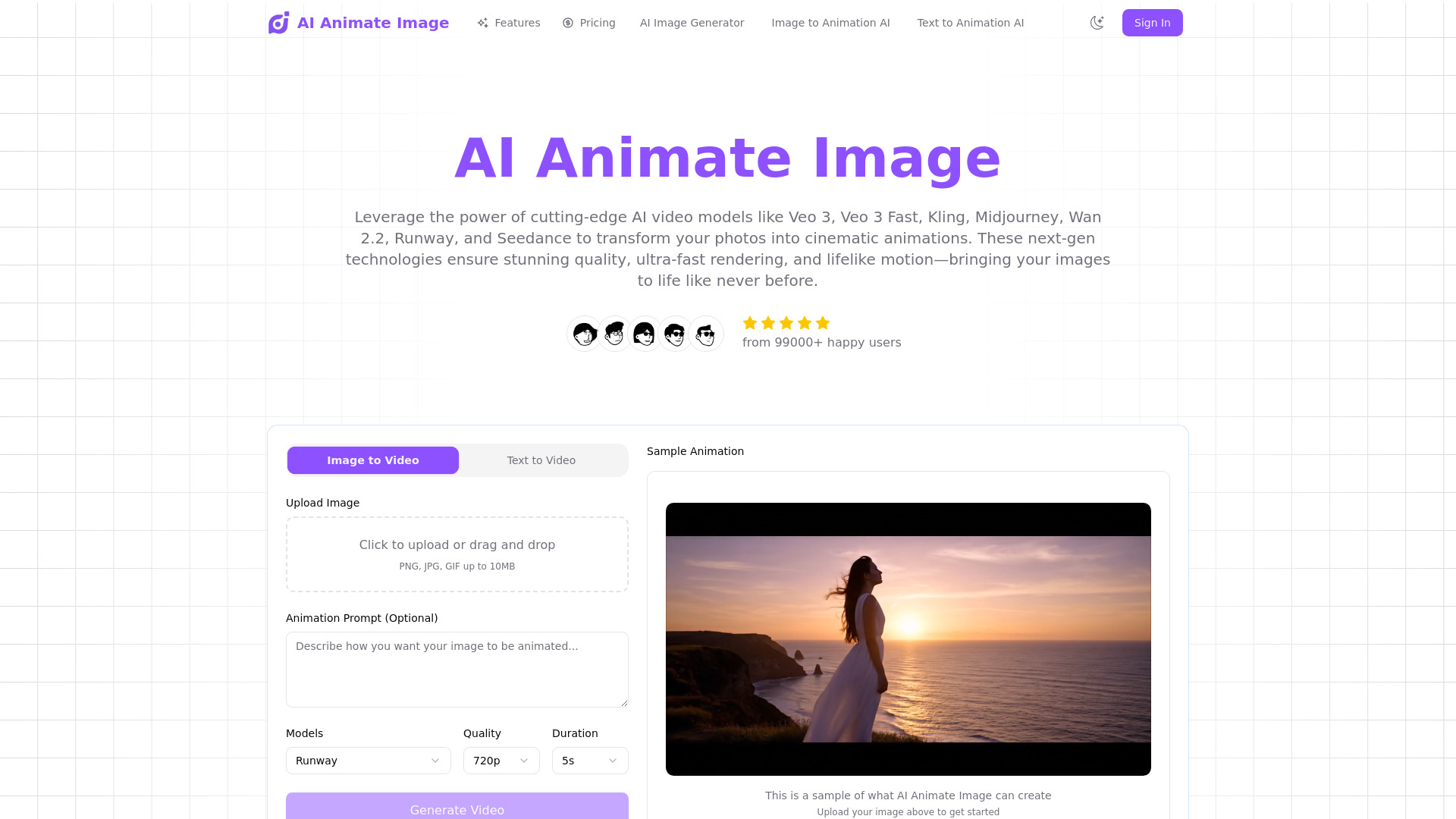
AI Animate Image website preview

What Is AI Animate Image?

AI Animate Image is an online photo animation tool that turns still pictures into cinematic AI animations. Using AI video models such as Veo 3, Kling, and Runway, the platform helps bring portraits, product shots, landscapes, and other visual assets to life. Creators can explore image-to-video production directly in a browser, without downloading animation software or learning complex editing techniques. By analyzing the subjects and composition of an uploaded photo, AI Animate Image generates movement that gives existing visuals a fresh sense of depth, atmosphere, and storytelling potential.

How to Use AI Animate Image

Creating an animation begins with uploading a photo in a supported format, including JPEG, PNG, WebP, TIFF, or BMP. Choose a clear image with a well-defined subject to give the AI a useful starting point. The platform examines the picture’s visual structure and uses its AI video generation capabilities to introduce motion. Once processing is complete, preview the result to see how the movement works with your original image, then download the animation for your intended project.

For stronger results, experiment with different compositions and subjects. A portrait can provide a starting point for subtle character movement, while a landscape may lend itself to atmospheric animation or a cinematic sense of motion. Product photographs offer another way to explore more dynamic visual presentations. Review each output carefully, paying attention to subject consistency and movement, and refine your approach as you discover which images work best for your creative goals.

Key Features of AI Animate Image

  • AI Image-to-Video Generation: Turn static photographs into moving visuals with AI video models including Veo 3, Kling, and Runway. These tools support a range of creative directions for adding motion and cinematic character to existing images.
  • Browser-Based Creation: Access the animation workflow online without installing dedicated desktop software. This makes it convenient to work with photo assets wherever you have a compatible browser and an internet connection.
  • Simple Upload-to-Download Workflow: Move through image upload, AI generation, preview, and download in an approachable sequence. The process helps beginners explore animation while giving experienced creators a practical way to develop visual ideas.
  • Support for Popular Image Formats: Upload JPEG, PNG, WebP, TIFF, and BMP files. Compatibility with these common formats makes it easier to use photos from existing content libraries, design projects, and photography workflows.
  • Cinematic Creative Possibilities: Explore motion, atmosphere, and visual storytelling from a single source image. Animated results can provide useful material for social content, presentations, promotional projects, and other video-focused creative work.

Why Choose AI Animate Image?

AI Animate Image offers an accessible starting point for people who want to turn photos into animations without building every movement manually. Traditional animation can involve timelines, keyframes, and specialized production knowledge. An AI-assisted workflow reduces the amount of hands-on setup needed to explore a moving version of an existing picture. For independent creators, marketing teams, and creative professionals, that convenience can make animation a more practical part of everyday content production.

The platform also helps extend the creative value of images you already have. A product photograph, campaign visual, or carefully composed portrait can become the foundation for a new animated asset. Previewing the generated result lets you assess whether its motion and style suit your message before adding it to a broader project. As with any AI-generated video, the final appearance can vary with the source image and generation settings, so thoughtful image selection and output review remain valuable parts of the process.

Use Cases and Applications

AI Animate Image can support a variety of personal and professional creative projects. E-commerce teams can explore animated presentations of product photography for promotional content. Social media creators can turn selected still images into short moving visuals for posts and video edits. Marketers can test animation concepts using existing campaign assets, while designers and agencies can develop visual ideas for client presentations. Landscapes and travel photos can become atmospheric storytelling elements, and portraits can serve as starting points for character-focused experiments. Animated images can also add visual interest to educational materials, business presentations, and digital portfolios. For each application, choose source material that matches the message and review the generated movement before sharing the finished work.

Product source: AI Animate Image official website. Check the provider for current plans, limits and availability.

FAQ

AI Animate Image questions and answers

Product context and practical checks for evaluating AI Animate Image.

What is AI Animate Image used for?

Turn photos into cinematic animations with AI Animate Image, powered by Veo 3, Kling & Runway. Animate instantly

How do I get started with AI Animate Image?

Creating an animation begins with uploading a photo in a supported format, including JPEG, PNG, WebP, TIFF, or BMP. Choose a clear image with a well-defined subject to give the AI a useful starting point. The platform examines the picture’s visual structure and uses its AI video generation capabilities to introduce motion. Once processing is complete, preview the result to see how the movement works with your original image, then download the animation for your intended project.For stronger results, experiment with different compositions and subjects. A portrait can provide a starting point for subtle character movement, while a landscape may lend itself to atmospheric animation or a cinematic sense of motion. Product photographs offer another way to explore more dynamic visual presentations. Review each output carefully, paying attention to subject consistency and movement, and refine your approach as you discover which images work best for your creative goals.

Which capabilities are described for AI Animate Image?

AI Image-to-Video Generation: Turn static photographs into moving visuals with AI video models including Veo 3, Kling, and Runway. These tools support a range of creative directions for adding motion and cinematic character to existing images. Browser-Based Creation: Access the animation workflow online without installing dedicated desktop software. This makes it convenient to work with photo assets wherever you have a compatible browser and an internet connection. Simple Upload-to-Download Workflow: Move through image upload, AI generation, preview, and download in an approachable sequence. The process helps beginners explore animation while giving experienced creators a practical way to develop visual ideas. Support for Popular Image Formats: Upload JPEG, PNG, WebP, TIFF, and BMP files. Compatibility with these common formats makes it easier to use photos from existing content libraries, design projects, and photography workflows. Cinematic Creative Possibilities: Explore motion, atmosphere, and visual storytelling from a single source image. Animated results can provide useful material for social content, presentations, promotional projects, and other video-focused creative work.

What projects can I evaluate AI Animate Image for?

AI Animate Image can support a variety of personal and professional creative projects. E-commerce teams can explore animated presentations of product photography for promotional content. Social media creators can turn selected still images into short moving visuals for posts and video edits. Marketers can test animation concepts using existing campaign assets, while designers and agencies can develop visual ideas for client presentations. Landscapes and travel photos can become atmospheric storytelling elements, and portraits can serve as starting points for character-focused experiments. Animated images can also add visual interest to educational materials, business presentations, and digital portfolios. For each application, choose source material that matches the message and review the generated movement before sharing the finished work.

How does AI Animate Image handle ai image-to-video generation?

AI Image-to-Video Generation: Turn static photographs into moving visuals with AI video models including Veo 3, Kling, and Runway. These tools support a range of creative directions for adding motion and cinematic character to existing images.

How does AI Animate Image handle browser-based creation?

Browser-Based Creation: Access the animation workflow online without installing dedicated desktop software. This makes it convenient to work with photo assets wherever you have a compatible browser and an internet connection.

What should I compare before choosing a AI Animate Image plan?

Check AI Animate Image’s current pricing page for included usage, renewal terms and any credit charges. Compare the cost of a usable result, including retries, rather than assuming that account registration includes free usage.

What inputs should I prepare for a AI Animate Image trial?

Compare text prompts, reference frames, source footage and audio support. Check duration, aspect ratio and whether the tool lets you keep a subject consistent between shots.

How can I check the quality of a AI Animate Image result?

Watch the entire clip for motion errors, distorted objects, changing identities, lip-sync problems and abrupt transitions. Inspect the downloaded file as well as the preview.

Where is the official AI Animate Image website?

The website linked from this profile is https://www.aianimateimage.org. Use the provider’s own documentation, account area and support channels to confirm current product details.

Visit AI Animate Image