AI Image Enhancer

AI Image Enlarger

AI Image Enlarger: Upscale & enhance images online with no quality loss. Enlarge JPG/PNG for free using advanced AI for perfect resolution and clarity.

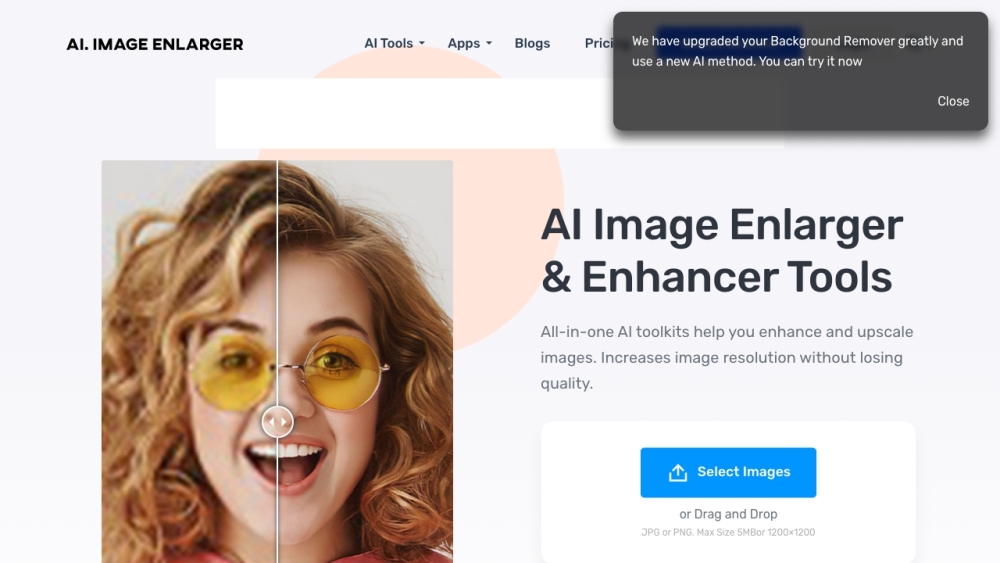
AI Image Enlarger website preview

AI Image Enlarger Website screenshot

Understanding AI Image Enlarger

AI Image Enlarger is a free, web-based tool leveraging advanced AI algorithms to upscale and enhance smaller images while preserving their quality. It is designed to allow users to increase the size of JPG and PNG images without sacrificing clarity or resolution.

Steps to Use AI Image Enlarger

Using AI Image Enlarger is straightforward. Start by uploading your image file in JPG or PNG format, ensuring it doesn't exceed the 1MB or 1200px limit. You can upload the image by dragging and dropping it onto the website or by clicking the 'Upload Images' button. Once uploaded, select the desired enlargement scale—200%, 400%, or 800%—and click 'Start' to commence the process. Upon completion, a 'Before' and 'After' comparison will display the improvements made to your image.

Key Features of AI Image Enlarger

Image Upscaling

Image Quality Enhancement

Preservation of Image Quality

Support for JPG and PNG Formats

Drag and Drop Functionality

Comparison of Original and Enhanced Images

Applications of AI Image Enlarger

Enhancing Small Images

Scaling Images for Print or Display

Improving Blurry or Low-Resolution Photos

Preparing Images for Design Projects

  • AI Image Enlarger Discord

    Join the AI Image Enlarger community on Discord: https://discord.gg/WfDKc58teP?ref=imglarger.com. For more information, click here(/discord/wfdkc58tep-1).

  • Customer Support & Contact Information

    For customer support, please contact us at [email protected]. Visit the contact us page(mailto:[email protected]) for additional contact options.

  • Company Information

    AI Image Enlarger is headquartered at OFFICE UNIT B ON 9/F THOMSON COMMERCIAL BUILDING 8 THOMSON ROAD HONG KONG.

  • User Account and Access

    To access AI Image Enlarger, visit the login page: https://imglarger.com/

  • Signing Up

    New users can sign up here: https://imglarger.com/

  • Pricing Information

    For details on pricing, visit: https://imglarger.com/pricing

Product source: AI Image Enlarger official website. Check the provider for current plans, limits and availability.

FAQ

AI Image Enlarger questions and answers

Product context and practical checks for evaluating AI Image Enlarger.

What is AI Image Enlarger used for?

AI Image Enlarger: Upscale & enhance images online with no quality loss. Enlarge JPG/PNG for free using advanced AI for perfect resolution and clarity.

How do I get started with AI Image Enlarger?

Open the official AI Image Enlarger website and identify the workflow that matches your task. Prepare a brief with a subject, composition, lighting and required output size. Test a first generation and a targeted revision to see how much control you retain.

Which capabilities are described for AI Image Enlarger?

Image UpscalingImage Quality EnhancementPreservation of Image QualitySupport for JPG and PNG FormatsDrag and Drop FunctionalityComparison of Original and Enhanced Images

What projects can I evaluate AI Image Enlarger for?

Enhancing Small ImagesScaling Images for Print or DisplayImproving Blurry or Low-Resolution PhotosPreparing Images for Design Projects AI Image Enlarger Discord Join the AI Image Enlarger community on Discord: https://discord.gg/WfDKc58teP?ref=imglarger.com. For more information, click here(/discord/wfdkc58tep-1). Customer Support & Contact Information For customer support, please contact us at [email protected]. Visit the contact us page(mailto:[email protected]) for additional contact options. Company Information AI Image Enlarger is headquartered at OFFICE UNIT B ON 9/F THOMSON COMMERCIAL BUILDING 8 THOMSON ROAD HONG KONG. User Account and Access To access AI Image Enlarger, visit the login page: https://imglarger.com/ Signing Up New users can sign up here: https://imglarger.com/ Pricing Information For details on pricing, visit: https://imglarger.com/pricing

What should I compare before choosing a AI Image Enlarger plan?

For details on pricing, visit: https://imglarger.com/pricing Confirm current prices and allowances on the provider’s website before purchasing.

What inputs should I prepare for a AI Image Enlarger trial?

Look for text prompts, image references, masks or sketches as appropriate. Compare composition control, supported upload types and the ability to revise a selected area.

How can I check the quality of a AI Image Enlarger result?

Inspect text, hands, edges, reflections and repeated objects at full size. Check that important product or brand details survive editing.

Which export options should I check in AI Image Enlarger?

Compare pixel dimensions, transparency, file formats and any enlargement options. Confirm that the downloaded result works in your design or publishing software.

What is a practical way to test AI Image Enlarger against alternatives?

Prepare a brief with a subject, composition, lighting and required output size. Test a first generation and a targeted revision to see how much control you retain.

Where is the official AI Image Enlarger website?

The website linked from this profile is https://imglarger.com. Use the provider’s own documentation, account area and support channels to confirm current product details.

Visit AI Image Enlarger