Writing Assistants

AI Cap’n - Chrome Extension

AI Cap’n - Chrome Extension: Your ChatGPT-powered AI assistant for browsing. Boost productivity, answer questions, and enhance online experience seamlessly!

AI Cap’n - Chrome Extension website preview

AI Cap’n - Chrome Extension Website screenshot

What is AI Cap’n - Chrome Extension?

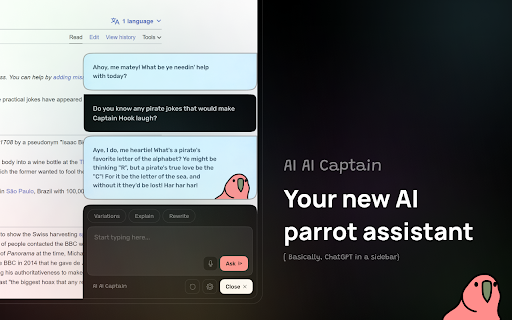
AI Cap’n is an innovative Chrome extension powered by ChatGPT that brings intelligent AI assistance directly to your browser through a convenient sidebar.

How to Use AI Cap’n - Chrome Extension?

You can easily access AI Cap’n with a simple keyboard shortcut, quickly copy conversations with just one click, switch between light and dark modes, and integrate your own OpenAI API key for a personalized experience.

Core Features of AI Cap’n - Chrome Extension

1-Click Copy of Chat Conversations

Use Cases for AI Cap’n - Chrome Extension

Instant AI-Powered Support While You Browse

Product source: AI Cap’n - Chrome Extension official website. Check the provider for current plans, limits and availability.

FAQ

AI Cap’n - Chrome Extension questions and answers

Product context and practical checks for evaluating AI Cap’n - Chrome Extension.

What is AI Cap’n - Chrome Extension used for?

AI Cap’n - Chrome Extension: Your ChatGPT-powered AI assistant for browsing. Boost productivity, answer questions, and enhance online experience seamlessly!

How do I get started with AI Cap’n - Chrome Extension?

You can easily access AI Cap’n with a simple keyboard shortcut, quickly copy conversations with just one click, switch between light and dark modes, and integrate your own OpenAI API key for a personalized experience.

Which capabilities are described for AI Cap’n - Chrome Extension?

1-Click Copy of Chat Conversations

What projects can I evaluate AI Cap’n - Chrome Extension for?

Instant AI-Powered Support While You Browse

What should I compare before choosing a AI Cap’n - Chrome Extension plan?

Check AI Cap’n - Chrome Extension’s current pricing page for included usage, renewal terms and any credit charges. Compare the cost of a usable result, including retries, rather than assuming that account registration includes free usage.

What inputs should I prepare for a AI Cap’n - Chrome Extension trial?

Identify the files, text or account connections your task needs. Confirm that the product accepts those inputs and offers controls for reviewing its work.

How can I check the quality of a AI Cap’n - Chrome Extension result?

Test one representative task and inspect the result for accuracy and completeness. Record where manual corrections or extra tools are needed.

Which export options should I check in AI Cap’n - Chrome Extension?

Check export formats, integrations and whether you can keep using your work outside the service. Test a real export before committing to a longer plan.

What is a practical way to test AI Cap’n - Chrome Extension against alternatives?

Choose one task with a clear success condition. Keep the input consistent, record the time spent reviewing and compare the complete workflow cost.

Where is the official AI Cap’n - Chrome Extension website?

The website linked from this profile is https://chromewebstore.google.com/detail/aicapn-your-new-ai-parrot/kmpmlfoagnmljgccjmnkgbcmagjcelid. Use the provider’s own documentation, account area and support channels to confirm current product details.

Visit AI Cap’n - Chrome Extension