Table of contents
Aeon : AI Video Creation, Use Cases, Pricing, Reviews, Features
Aeon: AI-powered video creation platform for publishers—scalable, intuitive, and built for growth. Explore use cases, pricing, reviews, features & alternatives.
Directory : Captions or Subtitle, AI Script Writing, AI Content Generator, AI Video Editor, Text to Video, AI Video Generator, Text-to-Speech, E-commerce Assistant, AI Advertising Assistant, AI Social Media Assistant, AI Ad Creative Assistant, AI Video Recording, Newsletter
What Is Aeon?
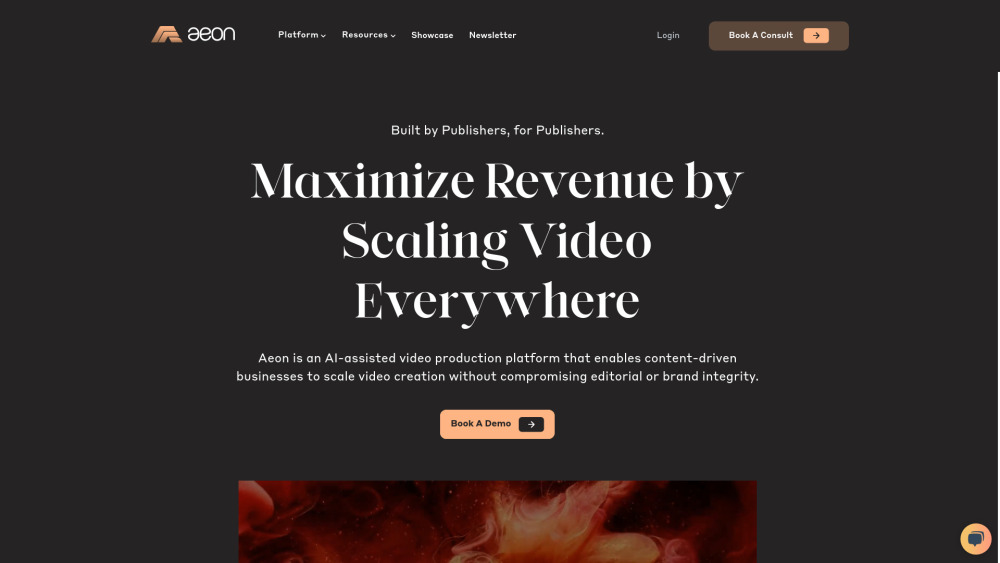
Aeon is a next-generation AI video creation platform built for marketers, content teams, and digital publishers who need high-quality, on-brand videos—fast. By transforming plain text into polished, platform-optimized videos in minutes, Aeon eliminates manual editing bottlenecks without compromising creative control or brand consistency.
Getting Started with Aeon
Using Aeon is intuitive: paste your script or article, choose your preferred voice, music style, aspect ratio, and branding assets—and hit generate. Your AI-powered video is ready in under 90 seconds, with no design or coding expertise required.
Key Features of Aeon
Smart Text-to-Video Engine
AI-Generated Royalty-Free Music
Auto-Sync Captions & Subtitles
One-Click Vertical & Square Cropping
Pre-Set Social Templates (TikTok, Instagram Reels, YouTube Shorts, LinkedIn)
Custom Voice Cloning & Tone Adjustment
Real-World Use Cases for Aeon
Scale social media content production—turn blog posts, newsletters, or product updates into scroll-stopping short-form videos
Accelerate e-commerce storytelling—generate dynamic, conversion-focused demo reels for Shopify, Amazon, or DTC brands
Frequently Asked Questions
-
What is Aeon?
-
Do I need video editing skills to use Aeon?
-
How does Aeon optimize videos for different social platforms?
-
Can I edit or personalize AI-generated videos after creation?
-
Aeon Support & Contact Information
For technical assistance, billing inquiries, or refund requests, visit the official Aeon contact page.
-
About Project Aeon
Company Name: Project Aeon Inc. Headquarters: 300 Corporate Pointe, Suite 400, Culver City, CA 90230, USA
Learn about our mission, leadership team, and vision at Aeon’s Leadership page.
-
Log In to Your Aeon Account
Access your dashboard and start creating: Aeon Login Portal
-
Follow Aeon on LinkedIn
Stay updated on product launches and industry insights: Aeon LinkedIn
-
Connect with Aeon on X (Twitter)
Get real-time tips, updates, and community highlights: Aeon on X
-
Explore Aeon’s Developer Resources
View open-source tools and integrations: Aeon GitHub
FAQ from Aeon
What is Aeon?
Aeon is an intelligent AI video creation platform that empowers marketing teams and publishers to produce professional-grade, platform-native videos directly from text—streamlining workflows while reinforcing brand voice and visual identity.
How to use Aeon?
Simply enter your source content (e.g., blog excerpt, product description, or script), select your desired format and tone, and let Aeon’s generative engine render a finished video—ready for review, fine-tuning, or publishing.
Do I need video editing skills to use Aeon?
No. Aeon is designed for non-designers. Its guided interface and smart defaults mean anyone—from copywriters to growth managers—can create compelling videos without learning timelines, keyframes, or codecs.
How does Aeon ensure videos are optimized for social media?
Aeon auto-detects platform requirements (resolution, duration, aspect ratio, caption placement) and applies best-practice formatting rules—so your TikTok video looks native, your LinkedIn post loads fast, and your YouTube Shorts retain engagement.
Can I customize the videos created by Aeon?
Absolutely. Every generated video includes full access to a lightweight editor—adjust timing, swap visuals, tweak captions, change music, insert logos, and export multiple variants—all within the browser.
`, ``, ``, `
- `, `