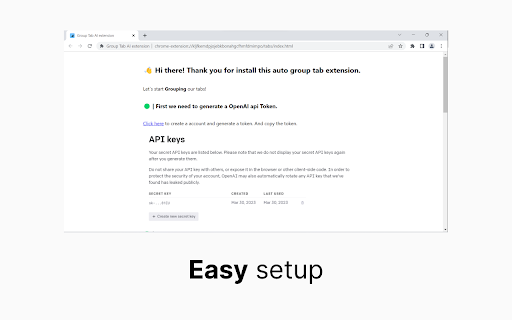
Take control of your browser tabs with Tab Groups - an AI-powered Chrome extension that organizes your browsing experience effortlessly.
Explore a specific workflow
Explore tab organization tools through the product profiles below. The collection groups applications around a shared task. Product scope can overlap, so compare the specific workflow each tool describes rather than the category name alone.
Identify the files, text or account connections your task needs. Confirm that the product accepts those inputs and offers controls for reviewing its work.
Test one representative task and inspect the result for accuracy and completeness. Record where manual corrections or extra tools are needed.
Take control of your browser tabs with Tab Groups - an AI-powered Chrome extension that organizes your browsing experience effortlessly.

Effortlessly manage your browsing with Tab Grouping AI: an intelligent Chrome extension that uses AI to organize and streamline your tabs. Boost productivity today!

TabCrunch - Chrome Extension: Harness AI for smart, efficient tab management. Organize, search, and streamline your browsing with ease using language models!

Tab Grouping AI - Chrome Extension: Organize your tabs effortlessly with AI-powered grouping. Boost productivity with smart, automatic tab organization.

Streamline your browsing with Chrome Tab and Bookmark Organizer—effortlessly manage tabs and bookmarks for a clutter-free, productive experience.

TabMaster - Chrome Extension: The tool for browsing organization. Manage tabs effortlessly, boost productivity, and stay focused!
FAQ
Practical answers to help you take the next step.
The collection groups applications around a shared task. Product scope can overlap, so compare the specific workflow each tool describes rather than the category name alone.
Identify the files, text or account connections your task needs. Confirm that the product accepts those inputs and offers controls for reviewing its work.
Test one representative task and inspect the result for accuracy and completeness. Record where manual corrections or extra tools are needed.
Choose one task with a clear success condition. Keep the input consistent, record the time spent reviewing and compare the complete workflow cost.
Take control of your browser tabs with Tab Groups - an AI-powered Chrome extension that organizes your browsing experience effortlessly.
Read about Tab Groups - Chrome ExtensionEffortlessly manage your browsing with Tab Grouping AI: an intelligent Chrome extension that uses AI to organize and streamline your tabs. Boost productivity today!
Read about Tab Grouping AITabCrunch - Chrome Extension: Harness AI for smart, efficient tab management. Organize, search, and streamline your browsing with ease using language models!
Read about TabCrunch - Chrome ExtensionStreamline your browsing with Chrome Tab and Bookmark Organizer—effortlessly manage tabs and bookmarks for a clutter-free, productive experience.
Read about Chrome Tab and Bookmark OrganizerTabMaster - Chrome Extension: The tool for browsing organization. Manage tabs effortlessly, boost productivity, and stay focused!
Read about TabMasterCheck export formats, integrations and whether you can keep using your work outside the service. Test a real export before committing to a longer plan.