
Transform any song into a artwork with song2art. Effortlessly create and customize unique visuals inspired by your favorite music online!
Explore a specific workflow
Explore preferences tools through the product profiles below. The collection groups applications around a shared task. Product scope can overlap, so compare the specific workflow each tool describes rather than the category name alone.
Identify the files, text or account connections your task needs. Confirm that the product accepts those inputs and offers controls for reviewing its work.
Test one representative task and inspect the result for accuracy and completeness. Record where manual corrections or extra tools are needed.
Transform any song into a artwork with song2art. Effortlessly create and customize unique visuals inspired by your favorite music online!

Cook Now: Personalized AI Meal Planning with RecipeGenius. Get tailored meal plans and recipes instantly with our AI-powered generator—cook smarter, not harder!

Claire Matchmaker: Discover and connect with compatible partners tailored perfectly to your unique preferences. Your ideal match is just a click away!

Discover the perfect gift every time with Intelli.gift: an AI-powered advisor offering personalized suggestions tailored to your recipient’s tastes.
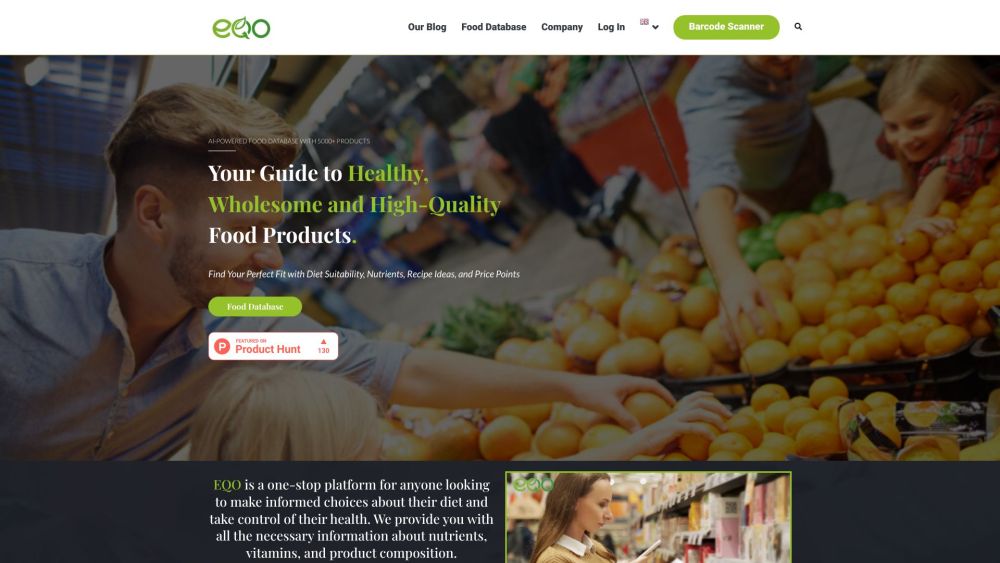
EQO Label: AI-powered nutrient database providing detailed info on vitamins and food composition. Make informed dietary choices and take control of your health.
FAQ
Practical answers to help you take the next step.
The collection groups applications around a shared task. Product scope can overlap, so compare the specific workflow each tool describes rather than the category name alone.
Identify the files, text or account connections your task needs. Confirm that the product accepts those inputs and offers controls for reviewing its work.
Test one representative task and inspect the result for accuracy and completeness. Record where manual corrections or extra tools are needed.
Choose one task with a clear success condition. Keep the input consistent, record the time spent reviewing and compare the complete workflow cost.
Transform any song into a artwork with song2art. Effortlessly create and customize unique visuals inspired by your favorite music online!
Read about song2artCook Now: Personalized AI Meal Planning with RecipeGenius. Get tailored meal plans and recipes instantly with our AI-powered generator—cook smarter, not harder!
Read about Cook NowClaire Matchmaker: Discover and connect with compatible partners tailored perfectly to your unique preferences. Your ideal match is just a click away!
Read about Claire MatchmakerDiscover the perfect gift every time with Intelli.gift: an AI-powered advisor offering personalized suggestions tailored to your recipient’s tastes.
Read about Intelli.giftEQO Label: AI-powered nutrient database providing detailed info on vitamins and food composition. Make informed dietary choices and take control of your health.
Read about EQO LabelCheck export formats, integrations and whether you can keep using your work outside the service. Test a real export before committing to a longer plan.