
DeepShare: An experimental all-in-one community for discovering, sharing, and discussing high-quality, deep-content—thoughtfully curated, not algorithmically flooded.
Explore a specific workflow
Explore markdown tools through the product profiles below. The collection groups applications around a shared task. Product scope can overlap, so compare the specific workflow each tool describes rather than the category name alone.
Identify the files, text or account connections your task needs. Confirm that the product accepts those inputs and offers controls for reviewing its work.
Test one representative task and inspect the result for accuracy and completeness. Record where manual corrections or extra tools are needed.
DeepShare: An experimental all-in-one community for discovering, sharing, and discussing high-quality, deep-content—thoughtfully curated, not algorithmically flooded.

Save ChatGPT for Chrome - The ultimate extension for effortless ChatGPT dialogue archiving. Easily save, manage, and revisit your conversations anytime!

ChatGPT Markdown Exporter - Chrome Extension: Easily convert chat records into Markdown for smooth documentation and content sharing.
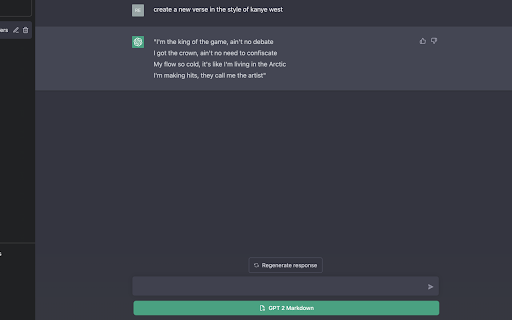
GPT2Markdown Chrome Extension: Easily save and store your ChatGPT conversations in Markdown format for organization and future reference.
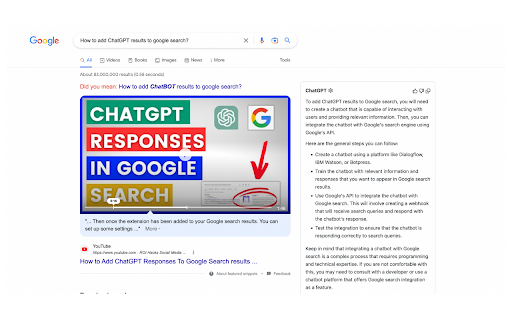
Enhance your browsing with ChatGPT Extension – AI-powered chat & search for Chrome. Enjoy assistance, instant answers, and smarter searches.
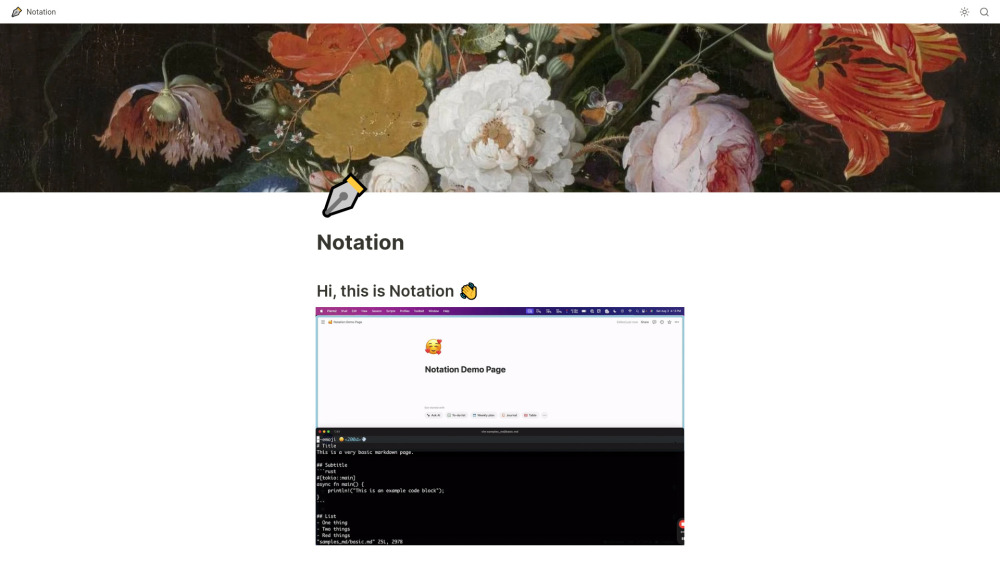
Notation: Effortlessly write Markdown docs and publish them directly in Notion. Streamline your workflow with integration and simplicity.

Craft stylish, professional resumes effortlessly with Text To Resume - Arible. Our AI-powered tool designs standout resumes to boost your career!

Boost productivity with Znote! Turn notes into micro apps, automate tasks, secure with passwords, and code efficiently. Link, prototype, and organize effortlessly.

AgentLabs: Open-source, full-featured UI for rapid AI Assistant development. Build chat-based AI Assistants effortlessly with our comprehensive toolkit.
Sure, please provide the information about the product named '' so I can craft a compelling product description for you.

MarkDX is a Markdown editor that uses AI to make your Markdown standard.

Transform presentations with Insou.ai: an AI copilot for storytelling, markdown-powered slides, and workflow. Elevate your collaboration efficiency.

Instyll: Streamlined Markdown Notes for Enhanced Writing. Focus on your ideas, not the process. Simplify note-taking and elevate your writing experience with Instyll.

Inke: AI-Powered Markdown-Like Web Editor with Local Data Storage. Effortlessly create, edit, and save your content locally with advanced AI features.
FAQ
Practical answers to help you take the next step.
The collection groups applications around a shared task. Product scope can overlap, so compare the specific workflow each tool describes rather than the category name alone.
Identify the files, text or account connections your task needs. Confirm that the product accepts those inputs and offers controls for reviewing its work.
Test one representative task and inspect the result for accuracy and completeness. Record where manual corrections or extra tools are needed.
Choose one task with a clear success condition. Keep the input consistent, record the time spent reviewing and compare the complete workflow cost.
DeepShare: An experimental all-in-one community for discovering, sharing, and discussing high-quality, deep-content—thoughtfully curated, not algorithmically flooded.
Read about DeepShareSave ChatGPT for Chrome - The ultimate extension for effortless ChatGPT dialogue archiving. Easily save, manage, and revisit your conversations anytime!
Read about Save ChatGPT for ChromeChatGPT Markdown Exporter - Chrome Extension: Easily convert chat records into Markdown for smooth documentation and content sharing.
Read about ChatGPT Markdown ExporterGPT2Markdown Chrome Extension: Easily save and store your ChatGPT conversations in Markdown format for organization and future reference.
Read about GPT2Markdown Chrome ExtensionEnhance your browsing with ChatGPT Extension – AI-powered chat & search for Chrome. Enjoy assistance, instant answers, and smarter searches.
Read about ChatGPT Extension - ChromeNotation: Effortlessly write Markdown docs and publish them directly in Notion. Streamline your workflow with integration and simplicity.
Read about Notation