
Nero Software: The ultimate multimedia solution for CD burning, video editing, data backup, and photo management. Elevate your digital experience today!
Explore a specific workflow
Explore download videos tools through the product profiles below. These tools help create, edit or repurpose moving images. Text-to-video, image animation and video editing solve different tasks, so start with the source material you already have.
Compare text prompts, reference frames, source footage and audio support. Check duration, aspect ratio and whether the tool lets you keep a subject consistent between shots.
Watch the entire clip for motion errors, distorted objects, changing identities, lip-sync problems and abrupt transitions. Inspect the downloaded file as well as the preview.
Nero Software: The ultimate multimedia solution for CD burning, video editing, data backup, and photo management. Elevate your digital experience today!
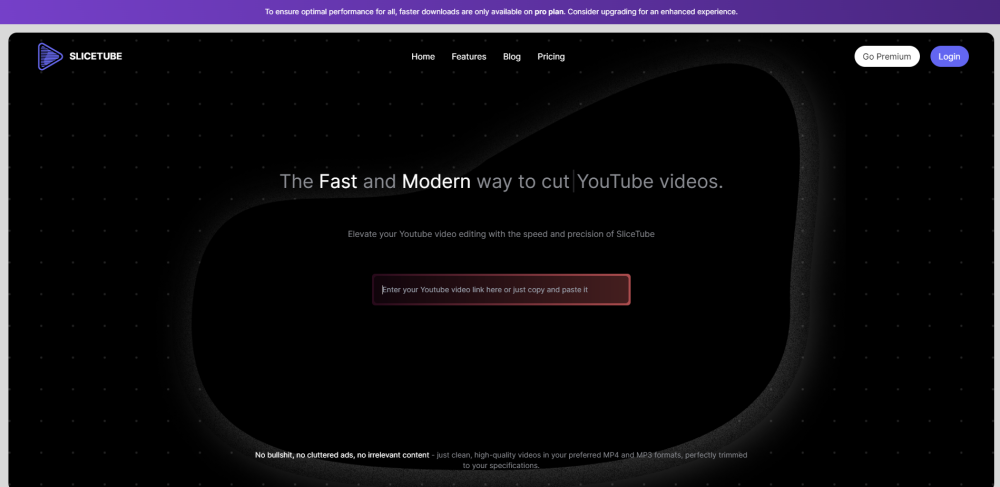
SliceTube: Effortlessly download and trim YouTube videos in any format. A sleek, no-frills tool for easy video management. Try SliceTube today!

You-tldr: Instantly summarize, download, and search YouTube videos in multiple languages. Get the key points fast and easily interact with content!
FAQ
Practical answers to help you take the next step.
These tools help create, edit or repurpose moving images. Text-to-video, image animation and video editing solve different tasks, so start with the source material you already have.
Compare text prompts, reference frames, source footage and audio support. Check duration, aspect ratio and whether the tool lets you keep a subject consistent between shots.
Watch the entire clip for motion errors, distorted objects, changing identities, lip-sync problems and abrupt transitions. Inspect the downloaded file as well as the preview.
Use a short shot with one subject and one camera movement. Keep the prompt and duration constant, then compare usable seconds and the number of regenerations.
Nero Software: The ultimate multimedia solution for CD burning, video editing, data backup, and photo management. Elevate your digital experience today!
Read about Nero SoftwareSliceTube: Effortlessly download and trim YouTube videos in any format. A sleek, no-frills tool for easy video management. Try SliceTube today!
Read about SliceTubeYou-tldr: Instantly summarize, download, and search YouTube videos in multiple languages. Get the key points fast and easily interact with content!
Read about You-tldrCheck export resolution, frame rate, aspect ratio, audio tracks and watermark rules. A good preview is not a substitute for an export that fits your publishing channel.
Run the same small task in each shortlisted product. Compare the price per usable result, usage limits, regeneration costs and time spent correcting the output. Confirm current terms with the provider.
Check who can access uploaded material, how long it is retained and how deletion works. Use a non-confidential test file while evaluating a product.