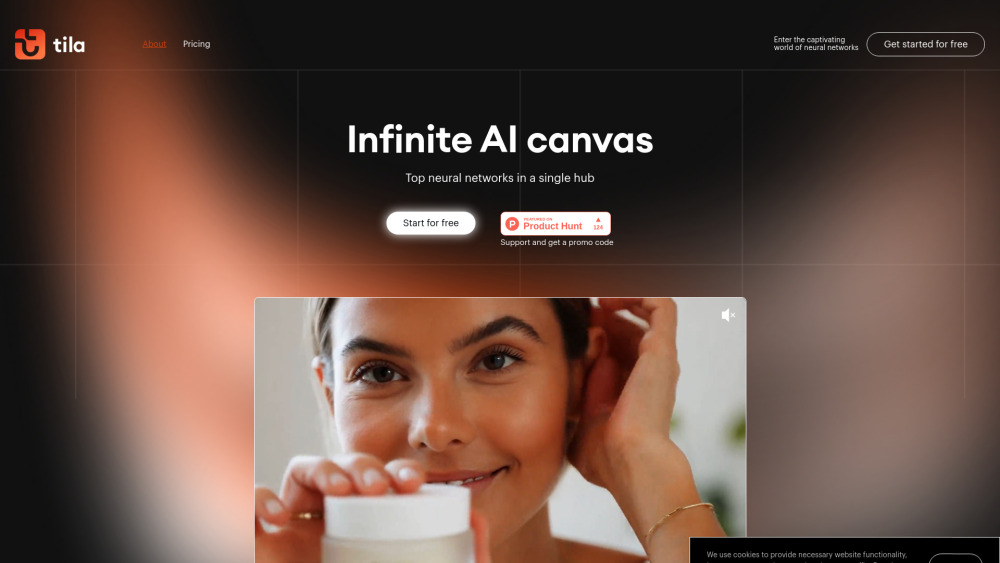
Tila Visual AI Workspace: Build multimodal AI projects & automate workflows—intuitively, visually, powerfully.
Explore a specific workflow
Explore ai app development tools through the product profiles below. Coding tools assist with tasks such as generation, explanation, review and debugging. Match the product to your language, repository and review process.
Compare repository access, context limits, supported languages and tool permissions. Check whether the assistant can read relevant files and run your existing checks.
Review the diff, run tests and inspect error handling and dependency changes. Generated code should meet the same review standard as a human contribution.
Tila Visual AI Workspace: Build multimodal AI projects & automate workflows—intuitively, visually, powerfully.

Build no-code AI apps in minutes with Imagica! No coding skills needed—just your creativity. Start creating smart solutions effortlessly today!

Promptblocks: The ultimate social prompt platform for AI developers. Save, refine, and share your prompts effortlessly with the community.

Introducing '', the ultimate solution for effortlessly managing your tasks and boosting productivity. Say goodbye to chaos and hello to efficiency!

Create AI-powered apps and custom GPTs for your business with Momen AI! Explore use cases, pricing, reviews, core features, and alternatives today!
FAQ
Practical answers to help you take the next step.
Coding tools assist with tasks such as generation, explanation, review and debugging. Match the product to your language, repository and review process.
Compare repository access, context limits, supported languages and tool permissions. Check whether the assistant can read relevant files and run your existing checks.
Review the diff, run tests and inspect error handling and dependency changes. Generated code should meet the same review standard as a human contribution.
Choose a small reproducible bug with an existing failing check. Measure whether the tool fixes the cause, preserves behavior and produces a reviewable change.
Tila Visual AI Workspace: Build multimodal AI projects & automate workflows—intuitively, visually, powerfully.
Read about Tila Visual AI WorkspaceBuild no-code AI apps in minutes with Imagica! No coding skills needed—just your creativity. Start creating smart solutions effortlessly today!
Read about ImagicaPromptblocks: The ultimate social prompt platform for AI developers. Save, refine, and share your prompts effortlessly with the community.
Read about PromptblocksIntroducing '', the ultimate solution for effortlessly managing your tasks and boosting productivity. Say goodbye to chaos and hello to efficiency!
Read about Product NameCreate AI-powered apps and custom GPTs for your business with Momen AI! Explore use cases, pricing, reviews, core features, and alternatives today!
Read about Momen AIPrefer changes you can inspect and keep in version control. Check whether code, tests and configuration can be exported without depending on a hosted preview.