Captions or Subtitle

Zeemo AI

Zeemo AI is a powerful caption generator that allows individuals and entrepreneurs to add subtitles to videos with ease. It offers accurate and fast transcription of audio to text, making it a valuable tool for content creators, educational institutions, media companies, and more.

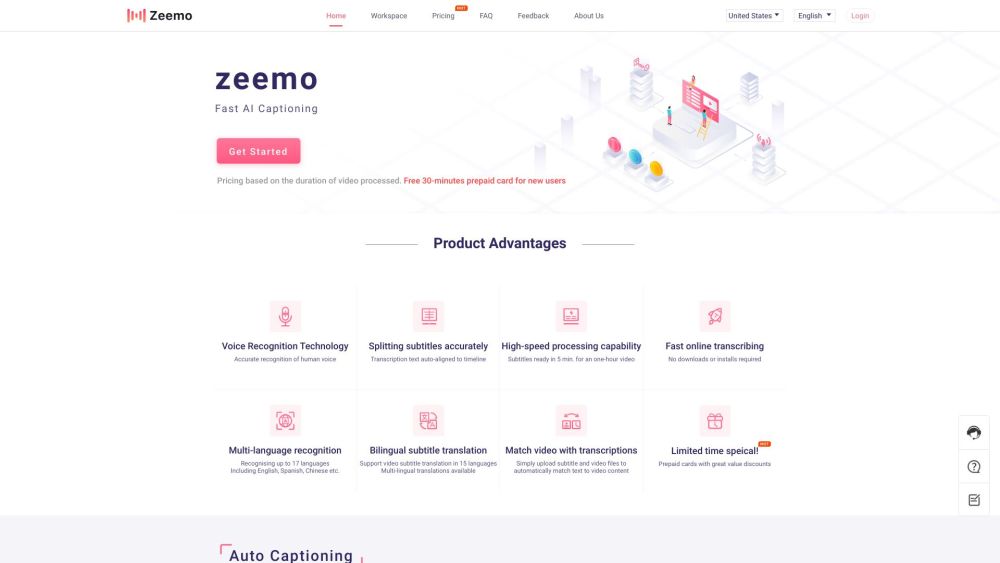
Zeemo AI website preview
html

Zeemo AI Website screenshot

Understanding Zeemo AI

Zeemo AI is an advanced tool designed for generating captions, allowing both individuals and businesses to easily add subtitles to their videos. It excels in converting audio to text with high accuracy and speed, making it indispensable for content creators, educational sectors, media companies, and more.

Steps to Use Zeemo AI

To create subtitles using Zeemo AI, follow these steps: (1) Upload your video. (2) Select the 'Caption' option to add, translate, or edit subtitles. (3) Export your captioned video or an SRT file. Zeemo AI is accessible via both a web browser and a mobile app, offering flexibility for users anywhere, anytime.

Key Features of Zeemo AI

Zeemo AI boasts the following main features: (1) Auto-subtitles with 98% accuracy in any language. (2) High-precision audio-to-text transcription. (3) Support for over 20 languages, broadening your audience reach. (4) Swift and efficient subtitling, saving you time. (5) Secure cloud storage for convenient content management. (6) An intuitive online video editor paired with an AI caption generator for a smooth user experience.

Practical Applications of Zeemo AI

Zeemo AI is perfect for: (1) Captioning videos for content creators, educational bodies, media firms, and online publishers. (2) Providing transcription services for legal records, interviews, music, and podcasts. (3) Adding subtitles to documentaries, short videos, and social media content on platforms like YouTube, TikTok, Reddit, Instagram, Twitter, and Facebook.

Product source: Zeemo AI official website. Check the provider for current plans, limits and availability.

FAQ

Zeemo AI questions and answers

Product context and practical checks for evaluating Zeemo AI.

What is Zeemo AI used for?

Zeemo AI is a powerful caption generator that allows individuals and entrepreneurs to add subtitles to videos with ease. It offers accurate and fast transcription of audio to text, making it a valuable tool for content creators, educational institutions, media companies, and more.

How do I get started with Zeemo AI?

Open the official Zeemo AI website and identify the workflow that matches your task. Use a short shot with one subject and one camera movement. Keep the prompt and duration constant, then compare usable seconds and the number of regenerations.

Which capabilities are described for Zeemo AI?

Zeemo AI boasts the following main features: (1) Auto-subtitles with 98% accuracy in any language. (2) High-precision audio-to-text transcription. (3) Support for over 20 languages, broadening your audience reach. (4) Swift and efficient subtitling, saving you time. (5) Secure cloud storage for convenient content management. (6) An intuitive online video editor paired with an AI caption generator for a smooth user experience.

What projects can I evaluate Zeemo AI for?

Zeemo AI is perfect for: (1) Captioning videos for content creators, educational bodies, media firms, and online publishers. (2) Providing transcription services for legal records, interviews, music, and podcasts. (3) Adding subtitles to documentaries, short videos, and social media content on platforms like YouTube, TikTok, Reddit, Instagram, Twitter, and Facebook. Zeemo AI on Reddit Explore Zeemo AI on Reddit: https://zeemo.ai/use-cases/social-media-platforms/reddit-caption Contact Zeemo AI Support For support and inquiries, visit our contact page. About Zeemo AI Zeemo AI is a product of Bluepulse Inc. Learn more on our about page. Zeemo AI Pricing Check out our pricing details here: https://zeemo.ai/pricing Zeemo AI on Facebook Find out how to add captions to Facebook videos: https://zeemo.ai/use-cases/social-media-platforms/add-captions-to-facebook-video Zeemo AI on YouTube Learn about transcribing YouTube videos: https://zeemo.ai/use-cases/social-media-platforms/transcribe-youtube-video Zeemo AI on TikTok Editing TikTok captions: https://zeemo.ai/use-cases/social-media-platforms/edit-tiktok-caption Zeemo AI on Twitter Adding captions to Twitter videos: https://zeemo.ai/use-cases/social-media-platforms/twitter-video-captions Zeemo AI on Instagram Captioning Instagram videos: https://zeemo.ai/use-cases/social-media-platforms/add-caption-to-instagram-video Zeemo AI on Reddit Discover more about Zeemo AI on Reddit: https://zeemo.ai/use-cases/social-media-platforms/reddit-caption

What should I compare before choosing a Zeemo AI plan?

Check out our pricing details here: https://zeemo.ai/pricing Confirm current prices and allowances on the provider’s website before purchasing.

What inputs should I prepare for a Zeemo AI trial?

Compare text prompts, reference frames, source footage and audio support. Check duration, aspect ratio and whether the tool lets you keep a subject consistent between shots.

How can I check the quality of a Zeemo AI result?

Watch the entire clip for motion errors, distorted objects, changing identities, lip-sync problems and abrupt transitions. Inspect the downloaded file as well as the preview.

Which export options should I check in Zeemo AI?

Check export resolution, frame rate, aspect ratio, audio tracks and watermark rules. A good preview is not a substitute for an export that fits your publishing channel.

What is a practical way to test Zeemo AI against alternatives?

Use a short shot with one subject and one camera movement. Keep the prompt and duration constant, then compare usable seconds and the number of regenerations.

Where is the official Zeemo AI website?

The website linked from this profile is https://zeemo.ai/. Use the provider’s own documentation, account area and support channels to confirm current product details.

Visit Zeemo AI