Writing Assistants

YT Copycat

YT Copycat is an AI-powered tool that allows users to convert any YouTube video into diverse written content. It uses GPT-4 and supports over 30 languages to unlock the written potential of YouTube videos. With YT Copycat, users can easily create detailed blog posts, insightful tweets, and engaging newsletters from YouTube videos.

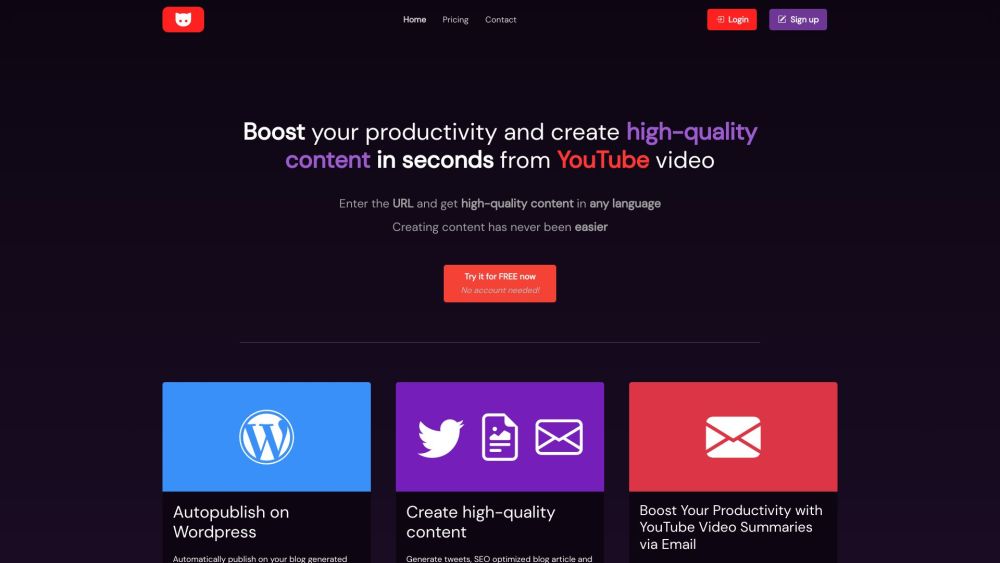
YT Copycat website preview

YT Copycat Website screenshot

Introducing YT Copycat: Revolutionizing Content Creation

YT Copycat introduces a cutting-edge AI-powered solution that transforms YouTube videos into a plethora of written content options. Leveraging the advanced capabilities of GPT-4, this tool supports over 30 languages, opening up a world of creative possibilities for users. With YT Copycat, crafting detailed blog posts, engaging newsletters, and insightful tweets from YouTube videos has never been easier.

Unlocking the Potential: How to Utilize YT Copycat

Utilizing YT Copycat is a breeze. Simply follow these steps: 1. Input the URL of the YouTube video you wish to convert. 2. Allow the tool to extract the content seamlessly. 3. Within moments, receive the converted text content ready for use.

YT Copycat's Key Features at a Glance

- Seamless conversion of YouTube videos into detailed blog posts, tweets, or newsletters

- Extensive language support covering over 30 languages

- Productivity enhancements: Subscribe to YouTube channels, receive email summaries, and automate blog updates by linking WordPress

- Harness the power of AI for content creation with GPT-4

- Generate long-form articles exceeding 1500 words

- Convenient storage of content in your member space for quick access

- Delivering high-quality results with plagiarism scores of up to 98%

Diverse Applications of YT Copycat

- Empowering content creators to expand their creative horizons

- Enabling YouTube channel owners to streamline blog updates

- Providing individuals with email summaries of their favorite YouTube channels

- Catering to anyone in need of top-notch written content derived from YouTube videos

  • Contact YT Copycat Support

    For more details and support, please visit the contact us page.

  • Access YT Copycat: Login Now

    Sign in to YT Copycat: Login Here

  • Join YT Copycat: Sign up Today

    Create your account: Sign up Now

  • YT Copycat Pricing Details

    Explore our pricing plans: View Pricing

Product source: YT Copycat official website. Check the provider for current plans, limits and availability.

FAQ

YT Copycat questions and answers

Product context and practical checks for evaluating YT Copycat.

What is YT Copycat used for?

YT Copycat is an AI-powered tool that allows users to convert any YouTube video into diverse written content. It uses GPT-4 and supports over 30 languages to unlock the written potential of YouTube videos. With YT Copycat, users can easily create detailed blog posts, insightful tweets, and engaging newsletters from YouTube videos.

How do I get started with YT Copycat?

Utilizing YT Copycat is a breeze. Simply follow these steps: 1. Input the URL of the YouTube video you wish to convert. 2. Allow the tool to extract the content seamlessly. 3. Within moments, receive the converted text content ready for use.

Which capabilities are described for YT Copycat?

- Seamless conversion of YouTube videos into detailed blog posts, tweets, or newsletters- Extensive language support covering over 30 languages- Productivity enhancements: Subscribe to YouTube channels, receive email summaries, and automate blog updates by linking WordPress- Harness the power of AI for content creation with GPT-4- Generate long-form articles exceeding 1500 words- Convenient storage of content in your member space for quick access- Delivering high-quality results with plagiarism scores of up to 98%

What projects can I evaluate YT Copycat for?

- Empowering content creators to expand their creative horizons- Enabling YouTube channel owners to streamline blog updates- Providing individuals with email summaries of their favorite YouTube channels- Catering to anyone in need of top-notch written content derived from YouTube videos Contact YT Copycat Support For more details and support, please visit the contact us page. Access YT Copycat: Login Now Sign in to YT Copycat: Login Here Join YT Copycat: Sign up Today Create your account: Sign up Now YT Copycat Pricing Details Explore our pricing plans: View Pricing

What should I compare before choosing a YT Copycat plan?

Explore our pricing plans: View Pricing Confirm current prices and allowances on the provider’s website before purchasing.

What inputs should I prepare for a YT Copycat trial?

Compare text prompts, reference frames, source footage and audio support. Check duration, aspect ratio and whether the tool lets you keep a subject consistent between shots.

How can I check the quality of a YT Copycat result?

Watch the entire clip for motion errors, distorted objects, changing identities, lip-sync problems and abrupt transitions. Inspect the downloaded file as well as the preview.

Which export options should I check in YT Copycat?

Check export resolution, frame rate, aspect ratio, audio tracks and watermark rules. A good preview is not a substitute for an export that fits your publishing channel.

What is a practical way to test YT Copycat against alternatives?

Use a short shot with one subject and one camera movement. Keep the prompt and duration constant, then compare usable seconds and the number of regenerations.

Where is the official YT Copycat website?

The website linked from this profile is https://ytcopycat.com/xht7u. Use the provider’s own documentation, account area and support channels to confirm current product details.

Visit YT Copycat