AI Advertising Assistant

YouTube Email Finder

YouTube Email Finder Chrome Extension: Unlock hidden email contacts on YouTube with AI. Simplify outreach and grow your network effortlessly!

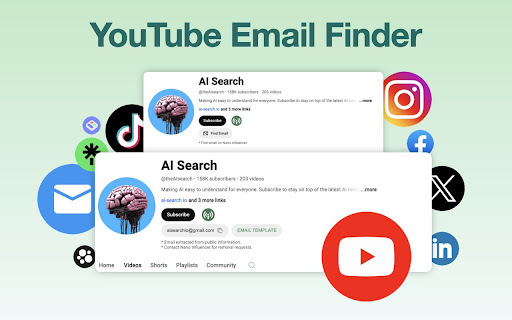
YouTube Email Finder website preview

YouTube Email Finder - Chrome Extension Website screenshot

What is YouTube Email Finder AI Chrome Extension?

The YouTube Email Finder AI Chrome Extension is an advanced tool that helps users discover concealed email addresses associated with YouTube channels. This AI-based solution provides a monthly free usage quota and collects email data from publicly available information on social media platforms.

How to Use the YouTube Email Finder AI Chrome Extension?

To use the YouTube Email Finder, simply input the name of the YouTube channel you are interested in, and the AI-powered bot will search for and reveal any hidden email addresses linked to that channel.

Key Features of the YouTube Email Finder AI Chrome Extension

Retrieve hidden email addresses from YouTube channels

Leverages AI for accurate and efficient email extraction

Monthly free usage quota available

Applications of the YouTube Email Finder AI Chrome Extension

Identify influencer emails for marketing outreach

Generate leads and enhance sales through collected email contacts

Product source: YouTube Email Finder official website. Check the provider for current plans, limits and availability.

FAQ

YouTube Email Finder questions and answers

Product context and practical checks for evaluating YouTube Email Finder.

What is YouTube Email Finder used for?

YouTube Email Finder Chrome Extension: Unlock hidden email contacts on YouTube with AI. Simplify outreach and grow your network effortlessly!

How do I get started with YouTube Email Finder?

To use the YouTube Email Finder, simply input the name of the YouTube channel you are interested in, and the AI-powered bot will search for and reveal any hidden email addresses linked to that channel.

Which capabilities are described for YouTube Email Finder?

Retrieve hidden email addresses from YouTube channelsLeverages AI for accurate and efficient email extractionMonthly free usage quota available

What projects can I evaluate YouTube Email Finder for?

Identify influencer emails for marketing outreachGenerate leads and enhance sales through collected email contacts

What should I compare before choosing a YouTube Email Finder plan?

Check YouTube Email Finder’s current pricing page for included usage, renewal terms and any credit charges. Compare the cost of a usable result, including retries, rather than assuming that account registration includes free usage.

What inputs should I prepare for a YouTube Email Finder trial?

Compare support for source documents, style instructions, outlines and length limits. Check whether citations link to real material rather than merely looking like references.

How can I check the quality of a YouTube Email Finder result?

Verify names, dates, quotations and factual claims against the original sources. Edit tone, remove repetition and make sure the text answers the intended reader’s question.

Which export options should I check in YouTube Email Finder?

Check export to plain text, Markdown, documents or your publishing system. Formatting, headings and working links matter when moving a draft into production.

What is a practical way to test YouTube Email Finder against alternatives?

Use a real brief and a short source document. Compare factual accuracy, structure and editing time rather than accepting the longest or most confident draft.

Where is the official YouTube Email Finder website?

The website linked from this profile is https://chromewebstore.google.com/detail/youtube-email-finder/pmafjeghchhihekeniifdnagkiagijbn. Use the provider’s own documentation, account area and support channels to confirm current product details.

Visit YouTube Email Finder