Table of contents
YourAIScroll: Export & Organize AI Chat History Securely
YourAIScroll: Seamlessly export & organize AI chat history across ChatGPT, Claude, Gemini & more—in one secure, searchable hub.
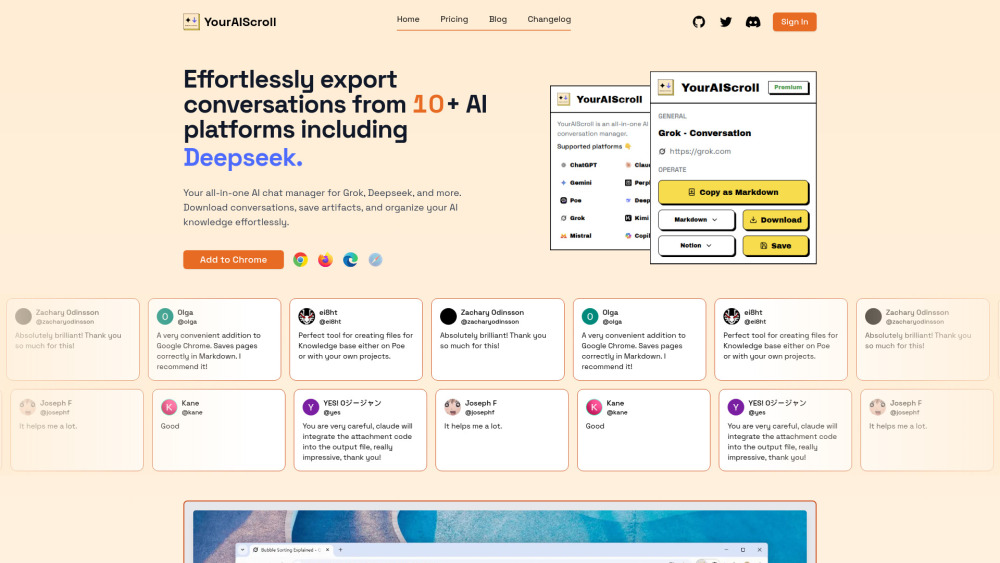
Introducing YourAIScroll: Secure, Structured AI Conversation Management
YourAIScroll empowers professionals, researchers, and AI power users to securely capture, organize, and repurpose their AI interactions—without compromising privacy or workflow efficiency. Unlike generic clipboard tools, it’s purpose-built to preserve rich context across 10+ leading AI platforms: Grok, Deepseek, Gemini, ChatGPT, Claude, Perplexity, Poe, Copilot, Kimi, and Mistral. It intelligently retains not just text—but layered artifacts: ChatGPT Canvas sketches, Claude-generated flowcharts and SVG visuals, interactive dashboards, embedded web citations, and even dynamic Mermaid diagrams. Every export is customizable—choose Copy for quick reuse, JSON for developer integration, Markdown for documentation, HTML for presentation-ready archives, or Text for universal compatibility—and leverage one-click sync directly into Notion for seamless knowledge base building.
Getting Started in Seconds
Install the lightweight YourAIScroll browser extension (Chrome, Firefox, and Edge supported), log in once, and begin exporting instantly. No manual copying, no fragmented screenshots—just a single click per conversation to save, structure, and secure your AI dialogue history. The interface adapts to each platform’s unique layout, automatically detecting and preserving multi-modal content like code blocks, mathematical notation (LaTeX), tabular data, and diagram source code—ready for reuse, versioning, or archival.
Why Teams & Individuals Choose YourAIScroll
Cross-platform chat history export—no vendor lock-in
Full-fidelity preservation of ChatGPT Canvas sessions, including drawings, annotations, and interactive elements
Claude Artifact support: capture flowcharts, SVG graphics, and live dashboards as editable, reusable assets
Citation-aware exports—retain source links, timestamps, and AI model metadata for research integrity
Multi-format flexibility: Copy, JSON, Text, Markdown, HTML—with semantic formatting intact
Intelligent extraction: isolate executable code snippets with syntax highlighting
Structured table recovery: convert AI-rendered grids into clean CSV-compatible Markdown or HTML
LaTeX & Mermaid parsing: extract and validate mathematical formulas and diagram code for documentation pipelines
Notion-native sync: push conversations—including attachments and metadata—directly into your workspace with one click
Real-World Applications
Build auditable, searchable AI knowledge bases—ideal for engineering docs, academic research logs, or internal SOP repositories.
Accelerate technical writing by transforming AI-assisted drafts into structured Markdown or Notion pages—complete with citations and code blocks.
Maintain reproducible research trails: export conversations *with* cited sources and model versions for peer review or compliance.
Streamline collaboration: share polished, formatted AI outputs (e.g., Mermaid diagrams, LaTeX equations) without manual reformatting.
Automate documentation workflows—feed extracted tables, code, or diagrams directly into CI/CD pipelines or static site generators.
YourAIScroll Security & Support
-
How do I cancel my subscription?
-
Is my data safe?
-
Have other questions?
-
Join the Community
Connect with fellow users and developers in the YourAIScroll Discord: https://discord.gg/n29G5x3WQ9. For extended community resources, visit our Discord hub (/discord/n29g5x3wq9).
-
About Us
YourAIScroll is developed by YourAIScroll, a privacy-first team focused on empowering AI users with ownership over their digital dialogue history.
-
Get Started Today
Sign in to unlock full features: https://www.youraiscroll.com/auth/login
-
Follow Our Updates
Stay informed via Twitter: https://x.com/Jenqyanghou
-
Explore Open Source Tools
View our public repositories and contribute: https://github.com/Jenqyang
FAQ from YourAIScroll
What is YourAIScroll?
YourAIScroll is a secure, cross-platform tool that transforms how you archive, organize, and operationalize AI conversations. It goes beyond simple copy-paste—preserving visual artifacts, citations, and structured content across 10+ AI services, while ensuring your data never leaves your device unless explicitly exported.
How to use YourAIScroll?
Install the extension, authenticate once, and click the YourAIScroll icon while viewing any supported AI chat. Select your preferred format or destination (e.g., Notion), and your conversation—including code, tables, diagrams, and citations—is saved with fidelity and zero server-side processing.
How do I cancel my subscription?
Cancel anytime from your account dashboard. Your Premium access remains active through the end of your current billing period—no prorated refunds, no hidden fees.
Is my data safe?
Absolutely. YourAIScroll operates entirely client-side: no chat data is transmitted to or stored on our servers. All processing—including artifact detection, extraction, and formatting—occurs locally in your browser. We don’t track, log, or monetize your usage.
Have other questions?
We’re here to help. Reach out directly at [email protected]—responses typically within 24 business hours.