AI Photo &amp Image Generator

Xinva

Xinva: AI Designer Tool for Innovative Designs & Business Boost. Create stunning, AI-powered designs to boost productivity and sales in your print-on-demand business.

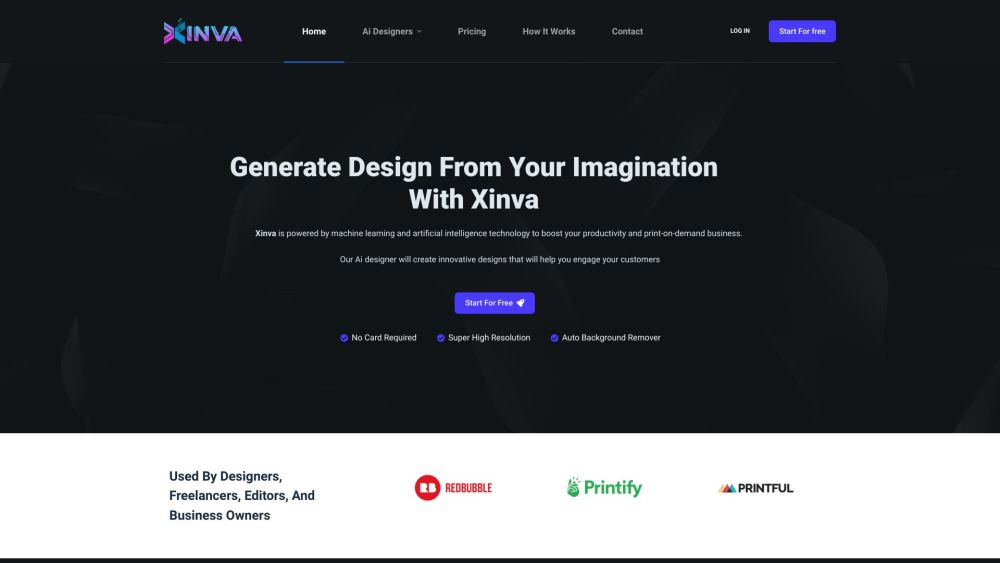
Xinva website preview

Xinva Website screenshot

What is Xinva?

Xinva is an advanced AI-powered design tool tailored to help users effortlessly create impressive designs. Utilizing cutting-edge machine learning and artificial intelligence, Xinva enhances productivity and is a game-changer for print-on-demand businesses. It creates innovative designs based on user prompts, fostering customer engagement and driving sales growth.

How to use Xinva?

To get started with Xinva, simply enter your design concept or idea into the prompt box. Hit the 'Generate' button, and Xinva will visualize your concept. If you wish to explore different design options or variations, you can click on the 'Regenerate' button. Once you are happy with a design, use the 'Remove BG' button to eliminate the background if needed, and then download your design using the 'Download' button. For additional inspiration, Xinva sends out weekly prompts straight to your inbox.

Xinva's Core Features

Advanced AI design creation

High-resolution output

Automatic background removal

Ideal for designers, freelancers, editors, and business owners

Innovative AI-generated designs

Enhances print-on-demand business

Reduces design time and costs

Expands product inventory

Boosts audience engagement

Increases sales and revenue

Xinva's Use Cases

Print-on-demand entrepreneurs

Graphic designers

Freelancers

Editors

Business owners

Product source: Xinva official website. Check the provider for current plans, limits and availability.

FAQ

Xinva questions and answers

Product context and practical checks for evaluating Xinva.

What is Xinva used for?

Xinva: AI Designer Tool for Innovative Designs & Business Boost. Create stunning, AI-powered designs to boost productivity and sales in your print-on-demand business.

How do I get started with Xinva?

To get started with Xinva, simply enter your design concept or idea into the prompt box. Hit the 'Generate' button, and Xinva will visualize your concept. If you wish to explore different design options or variations, you can click on the 'Regenerate' button. Once you are happy with a design, use the 'Remove BG' button to eliminate the background if needed, and then download your design using the 'Download' button. For additional inspiration, Xinva sends out weekly prompts straight to your inbox.

Which capabilities are described for Xinva?

Advanced AI design creationHigh-resolution outputAutomatic background removalIdeal for designers, freelancers, editors, and business ownersInnovative AI-generated designsEnhances print-on-demand businessReduces design time and costsExpands product inventoryBoosts audience engagementIncreases sales and revenue

What projects can I evaluate Xinva for?

Print-on-demand entrepreneursGraphic designersFreelancersEditorsBusiness owners Xinva Support Email & Customer Service Contact For more information, visit the Contact Us page. About Xinva Xinva is a subsidiary of MAXIMA AI Limited, registered in England and Wales with the Company Number: 14804831. For more details, visit the About Us page. Xinva Login Login to your account at https://app.xinva.ai/login. Xinva Sign Up Create an account at https://app.xinva.ai/register. Xinva Pricing View pricing details at https://xinva.ai/pricing. Xinva on Twitter Follow us on Twitter: https://twitter.com/xinva_ai. Xinva on Instagram Follow us on Instagram: https://instagram.com/the_xinva.

What should I compare before choosing a Xinva plan?

View pricing details at https://xinva.ai/pricing. Confirm current prices and allowances on the provider’s website before purchasing.

What inputs should I prepare for a Xinva trial?

Look for text prompts, image references, masks or sketches as appropriate. Compare composition control, supported upload types and the ability to revise a selected area.

How can I check the quality of a Xinva result?

Inspect text, hands, edges, reflections and repeated objects at full size. Check that important product or brand details survive editing.

Which export options should I check in Xinva?

Compare pixel dimensions, transparency, file formats and any enlargement options. Confirm that the downloaded result works in your design or publishing software.

What is a practical way to test Xinva against alternatives?

Prepare a brief with a subject, composition, lighting and required output size. Test a first generation and a targeted revision to see how much control you retain.

Where is the official Xinva website?

The website linked from this profile is https://xinva.ai. Use the provider’s own documentation, account area and support channels to confirm current product details.

Visit Xinva