AI Blog Writer

WriterZen

Boost your SEO with WriterZen: an AI-powered tool for keyword research and content creation, perfect for all SEO levels.

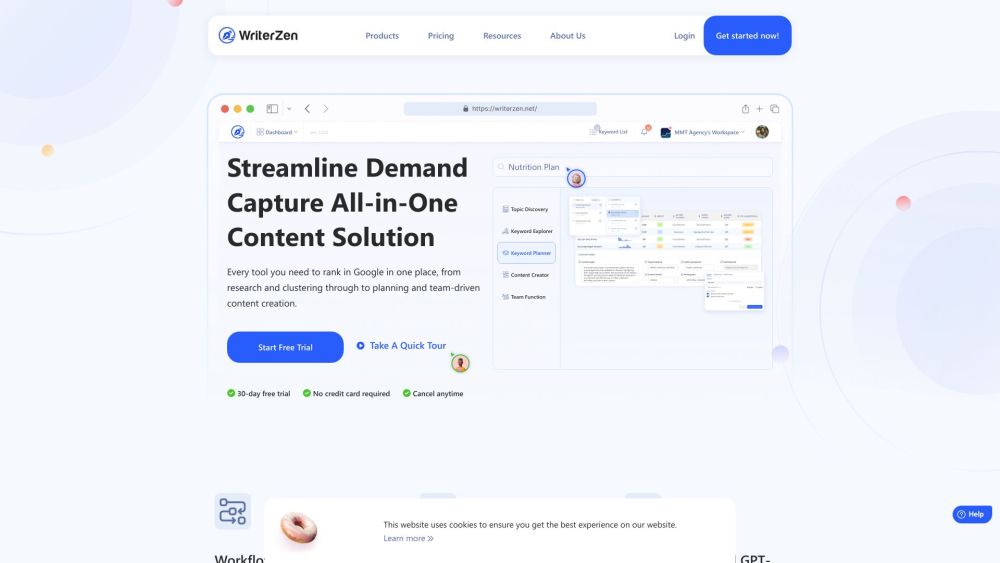
WriterZen website preview

WriterZen Website screenshot

What is WriterZen?

WriterZen is an innovative AI-driven content creation platform designed to enhance SEO performance. It offers an integrated workflow solution that ranges from keyword research to content development, suitable for users at all levels of SEO expertise.

How to use WriterZen?

Using WriterZen is straightforward. Begin by exploring the Products section to generate compelling content ideas and identify optimal keywords for your strategy. Next, utilize the Content Creator to develop and structure articles effectively. Leverage the A.I. Assistant, which is powered by OpenAI's GPT-3, to assist with writing. Use the Keyword Planner to refine your content strategy and collaborate efficiently with your team through the Team Function. Finally, ensure the originality of your content with the Plagiarism Checker.

WriterZen's Core Features

Topic Discovery

Keyword Explorer

Content Creator

A.I. Assistant

Keyword Planner

Team Function

Plagiarism Checker

WriterZen's Use Cases

SEO Best Practices

Gain insights on SEO best practices from industry experts in the Resources Academy.

Content Creation

Explore success stories from users in the Case Study section and find how-to guides and workflows in the Knowledge section.

Webinar Archive

Access a collection of webinars where experts discuss the optimal use of WriterZen.

Comprehensive Guides

Download free, detailed PDF guides for all skill levels in the eBook section.

Product source: WriterZen official website. Check the provider for current plans, limits and availability.

FAQ

WriterZen questions and answers

Product context and practical checks for evaluating WriterZen.

What is WriterZen used for?

Boost your SEO with WriterZen: an AI-powered tool for keyword research and content creation, perfect for all SEO levels.

How do I get started with WriterZen?

Using WriterZen is straightforward. Begin by exploring the Products section to generate compelling content ideas and identify optimal keywords for your strategy. Next, utilize the Content Creator to develop and structure articles effectively. Leverage the A.I. Assistant, which is powered by OpenAI's GPT-3, to assist with writing. Use the Keyword Planner to refine your content strategy and collaborate efficiently with your team through the Team Function. Finally, ensure the originality of your content with the Plagiarism Checker.

Which capabilities are described for WriterZen?

Topic DiscoveryKeyword ExplorerContent CreatorA.I. AssistantKeyword PlannerTeam FunctionPlagiarism Checker

What projects can I evaluate WriterZen for?

SEO Best PracticesGain insights on SEO best practices from industry experts in the Resources Academy.Content CreationExplore success stories from users in the Case Study section and find how-to guides and workflows in the Knowledge section.Webinar ArchiveAccess a collection of webinars where experts discuss the optimal use of WriterZen.Comprehensive GuidesDownload free, detailed PDF guides for all skill levels in the eBook section. WriterZen Support Email & Customer service contact & Refund contact etc. Contact WriterZen support at [email protected]. For more details, visit the contact us page. WriterZen Company WriterZen Company name: WriterZen. Address: 1 North Bridge Road, #18-06 High Street Centre, Singapore 179094. Learn more at the about us page. WriterZen Login Log in at WriterZen Login. WriterZen Sign up Register at WriterZen Sign up. WriterZen Pricing Check pricing details at WriterZen Pricing. WriterZen Facebook Follow on Facebook: WriterZen Facebook. WriterZen YouTube Subscribe on YouTube: WriterZen YouTube. WriterZen TikTok Follow on TikTok: WriterZen TikTok. WriterZen LinkedIn Connect on LinkedIn: WriterZen LinkedIn. WriterZen Twitter Follow on Twitter: WriterZen Twitter. WriterZen Instagram Follow on Instagram: WriterZen Instagram.

What should I compare before choosing a WriterZen plan?

Check pricing details at WriterZen Pricing. Confirm current prices and allowances on the provider’s website before purchasing.

What inputs should I prepare for a WriterZen trial?

Compare support for source documents, style instructions, outlines and length limits. Check whether citations link to real material rather than merely looking like references.

How can I check the quality of a WriterZen result?

Verify names, dates, quotations and factual claims against the original sources. Edit tone, remove repetition and make sure the text answers the intended reader’s question.

Which export options should I check in WriterZen?

Check export to plain text, Markdown, documents or your publishing system. Formatting, headings and working links matter when moving a draft into production.

What is a practical way to test WriterZen against alternatives?

Use a real brief and a short source document. Compare factual accuracy, structure and editing time rather than accepting the longest or most confident draft.

Where is the official WriterZen website?

The website linked from this profile is https://writerzen.net. Use the provider’s own documentation, account area and support channels to confirm current product details.

Visit WriterZen