AI Chatbot

WP Safe AI

WP Safe AI: Elevate your WordPress security with AI-powered protection. Detect, prevent, and secure your site from threats, effortlessly and in real-time.

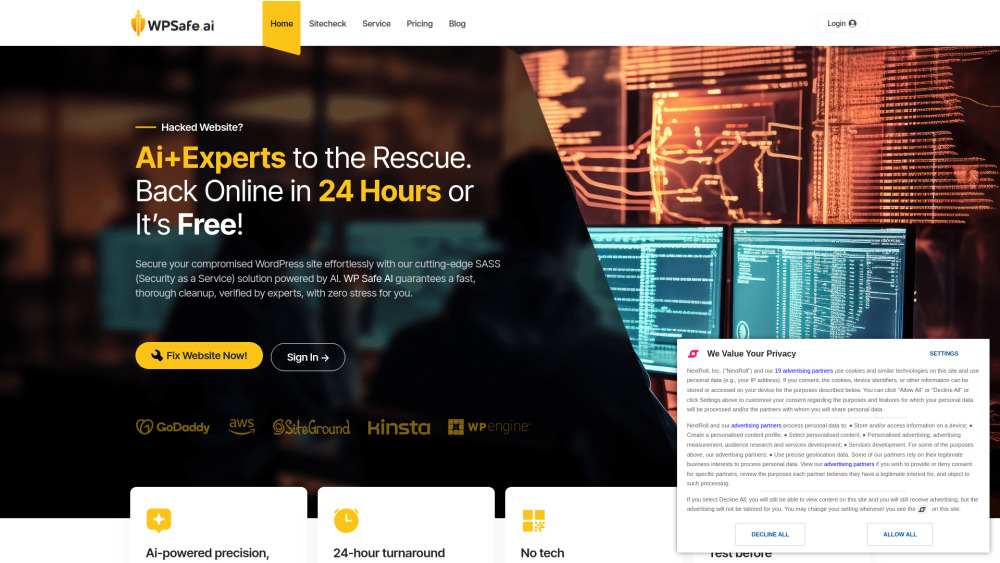
WP Safe AI website preview

WP Safe AI Website screenshot

Understanding WP Safe AI

WP Safe AI is a cutting-edge, AI-driven security solution specifically designed to protect WordPress websites. This robust tool promises to clean up your site within 24 hours, or you don't pay. With its advanced automation, secure environment for site assessments, and expert intervention for more challenging cases, WP Safe AI makes WordPress site recovery quick and straightforward.

How to Get Started with WP Safe AI

Using WP Safe AI is straightforward. All you need to do is visit the WP Safe AI website, sign up, and initiate a free scan. This process will help secure your WordPress site within 24 hours, giving you peace of mind.

Key Features of WP Safe AI

Automated Malware Removal

Safe Environment for Site Evaluation

Expert Assistance for Complex Issues

When to Use WP Safe AI

Restoring Hacked WordPress Sites

Effortlessly Securing WordPress Sites

Product source: WP Safe AI official website. Check the provider for current plans, limits and availability.

FAQ

WP Safe AI questions and answers

Product context and practical checks for evaluating WP Safe AI.

What is WP Safe AI used for?

WP Safe AI: Elevate your WordPress security with AI-powered protection. Detect, prevent, and secure your site from threats, effortlessly and in real-time.

How do I get started with WP Safe AI?

Using WP Safe AI is straightforward. All you need to do is visit the WP Safe AI website, sign up, and initiate a free scan. This process will help secure your WordPress site within 24 hours, giving you peace of mind.

Which capabilities are described for WP Safe AI?

Automated Malware RemovalSafe Environment for Site EvaluationExpert Assistance for Complex Issues

What should I compare before choosing a WP Safe AI plan?

Check out WP Safe AI's pricing here: https://wpsafe.ai/?utm_source=toolify#pricing-section. Confirm current prices and allowances on the provider’s website before purchasing.

What inputs should I prepare for a WP Safe AI trial?

Identify the files, text or account connections your task needs. Confirm that the product accepts those inputs and offers controls for reviewing its work.

How can I check the quality of a WP Safe AI result?

Test one representative task and inspect the result for accuracy and completeness. Record where manual corrections or extra tools are needed.

Which export options should I check in WP Safe AI?

Check export formats, integrations and whether you can keep using your work outside the service. Test a real export before committing to a longer plan.

What is a practical way to test WP Safe AI against alternatives?

Choose one task with a clear success condition. Keep the input consistent, record the time spent reviewing and compare the complete workflow cost.

What should I review before uploading material to WP Safe AI?

Read the provider’s rules on access, retention, deletion and use of uploaded material. Start with a non-confidential sample that you have permission to use.

Where is the official WP Safe AI website?

The website linked from this profile is https://wpsafe.ai. Use the provider’s own documentation, account area and support channels to confirm current product details.

Visit WP Safe AI