AI Productivity Tools

WorkViz

WorkViz is a performance tool designed specifically for remote teams. It helps visualize productivity and maximize team performance by providing insights into individual work patterns and identifying potential roadblocks. With the help of AI, WorkViz enables managers to foresee their team's full potential and take proactive steps to optimize productivity.

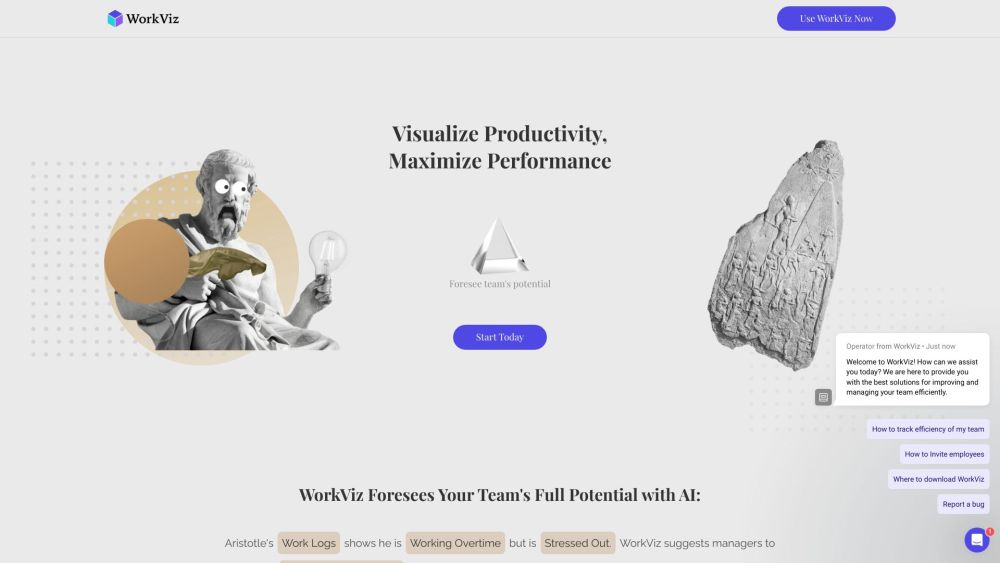
WorkViz website preview

WorkViz Website screenshot

What is WorkViz?

WorkViz is a specialized performance tool tailored for remote teams, designed to enhance productivity by visualizing work patterns and identifying potential obstacles. Utilizing AI, WorkViz provides managers with valuable insights to unlock their team's full potential and implement proactive measures to boost efficiency.

How to use WorkViz?

Begin using WorkViz by signing up for a free trial on their website. After registration, integrate WorkViz with your team's workflow systems and preferred applications. The tool will then automatically gather and analyze work logs, offering actionable insights. Managers can address obstacles, reassess workloads, and encourage necessary breaks. Additionally, WorkViz allows employees to share their feelings through emojis, fostering better team communication and collaboration.

Core Features of WorkViz

Automatic daily reports based on active time in integrated apps

Manager alerts for team members nearing work capacity

Proactive detection of obstacles to maintain productivity

AI-driven analysis of work logs to optimize workload and performance

Emoji-based sentiment expression for employee engagement

Enterprise-level code audits to ensure data security and privacy

Use Cases of WorkViz

Enhancing team productivity in remote work settings

Identifying and resolving productivity hindrances

Promoting employee well-being by managing workloads and suggesting breaks

Generating efficient daily reports with AI-curated data

Improving communication and collaboration among remote teams

Product source: WorkViz official website. Check the provider for current plans, limits and availability.

FAQ

WorkViz questions and answers

Product context and practical checks for evaluating WorkViz.

What is WorkViz used for?

WorkViz is a performance tool designed specifically for remote teams. It helps visualize productivity and maximize team performance by providing insights into individual work patterns and identifying potential roadblocks. With the help of AI, WorkViz enables managers to foresee their team's full potential and take proactive steps to optimize productivity.

How do I get started with WorkViz?

Begin using WorkViz by signing up for a free trial on their website. After registration, integrate WorkViz with your team's workflow systems and preferred applications. The tool will then automatically gather and analyze work logs, offering actionable insights. Managers can address obstacles, reassess workloads, and encourage necessary breaks. Additionally, WorkViz allows employees to share their feelings through emojis, fostering better team communication and collaboration.

Which capabilities are described for WorkViz?

Automatic daily reports based on active time in integrated appsManager alerts for team members nearing work capacityProactive detection of obstacles to maintain productivityAI-driven analysis of work logs to optimize workload and performanceEmoji-based sentiment expression for employee engagementEnterprise-level code audits to ensure data security and privacy

What projects can I evaluate WorkViz for?

Enhancing team productivity in remote work settingsIdentifying and resolving productivity hindrancesPromoting employee well-being by managing workloads and suggesting breaksGenerating efficient daily reports with AI-curated dataImproving communication and collaboration among remote teams WorkViz Support Email & Customer Service Contact For more contact information, visit the contact us page. WorkViz Company Company name: Worldforce Inc. WorkViz Login Login here: https://workviz.joinbrix.com/login/register WorkViz Sign up Sign up here: https://workviz.joinbrix.com/login/register WorkViz Facebook Follow on Facebook: https://www.facebook.com/people/Brix-Labs/pfbid021GF68WC1vDe4Vm9geXuZhTUeJ8QkFriJ29eJ9S4nfyE4RShU5wVRCXtJwbb5Cuj4l/?locale=hi_IN WorkViz LinkedIn Connect on LinkedIn: https://www.linkedin.com/company/joinbrix?trk=public_profile_topcard-current-company WorkViz Twitter Follow on Twitter: https://twitter.com/joinbrix?lang=en

What should I compare before choosing a WorkViz plan?

Check WorkViz’s current pricing page for included usage, renewal terms and any credit charges. Compare the cost of a usable result, including retries, rather than assuming that account registration includes free usage.

What inputs should I prepare for a WorkViz trial?

Look for text prompts, image references, masks or sketches as appropriate. Compare composition control, supported upload types and the ability to revise a selected area.

How can I check the quality of a WorkViz result?

Inspect text, hands, edges, reflections and repeated objects at full size. Check that important product or brand details survive editing.

Which export options should I check in WorkViz?

Compare pixel dimensions, transparency, file formats and any enlargement options. Confirm that the downloaded result works in your design or publishing software.

What is a practical way to test WorkViz against alternatives?

Prepare a brief with a subject, composition, lighting and required output size. Test a first generation and a targeted revision to see how much control you retain.

Where is the official WorkViz website?

The website linked from this profile is https://www.workviz.io. Use the provider’s own documentation, account area and support channels to confirm current product details.

Visit WorkViz