AI tool profile

Wordtune - Chrome Extension

Boost your productivity with Wordtune's Chrome Extension! Harness AI to enhance your writing, streamline tasks, and unleash your creativity effortlessly.

Wordtune - Chrome Extension website preview

Wordtune - Chrome Extension Website screenshot

What is the Wordtune AI Chrome Extension?

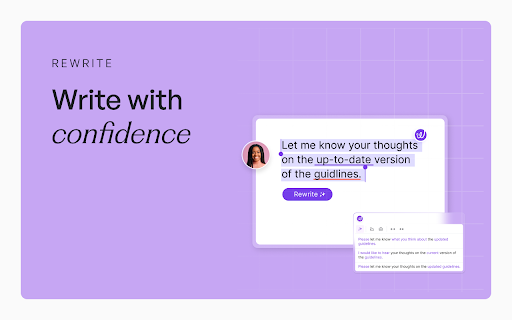
The Wordtune AI Chrome extension is an intelligent generative AI tool designed to enhance workplace productivity. It offers a variety of features, including Rewriting, Summarization, AI-assisted writing, Grammar corrections, Smart translations, and customizable tones and lengths.

How to Utilize the Wordtune AI Chrome Extension?

To get started with Wordtune, simply install the Chrome extension and access it on numerous websites and applications. You can select from features such as Rewriting, Summarization, AI writing assistance, Corrections, Smart translation, and adjustments for tone and length.

Core Features of the Wordtune AI Chrome Extension

Rewriting

Summarization

AI Writing Assistance

Grammar Corrections and Suggestions

Smart Translation

Adjustable Tones and Lengths

Use Cases for the Wordtune AI Chrome Extension

Enhancing Written Content Quality

Summarizing Articles and Videos

Boosting Overall Writing Efficiency

Product source: Wordtune - Chrome Extension official website. Check the provider for current plans, limits and availability.

FAQ

Wordtune - Chrome Extension questions and answers

Product context and practical checks for evaluating Wordtune - Chrome Extension.

What is Wordtune - Chrome Extension used for?

Boost your productivity with Wordtune's Chrome Extension! Harness AI to enhance your writing, streamline tasks, and unleash your creativity effortlessly.

How do I get started with Wordtune - Chrome Extension?

To get started with Wordtune, simply install the Chrome extension and access it on numerous websites and applications. You can select from features such as Rewriting, Summarization, AI writing assistance, Corrections, Smart translation, and adjustments for tone and length.

Which capabilities are described for Wordtune - Chrome Extension?

RewritingSummarizationAI Writing AssistanceGrammar Corrections and SuggestionsSmart TranslationAdjustable Tones and Lengths

What projects can I evaluate Wordtune - Chrome Extension for?

Enhancing Written Content QualitySummarizing Articles and VideosBoosting Overall Writing Efficiency

What should I compare before choosing a Wordtune - Chrome Extension plan?

Check Wordtune - Chrome Extension’s current pricing page for included usage, renewal terms and any credit charges. Compare the cost of a usable result, including retries, rather than assuming that account registration includes free usage.

What inputs should I prepare for a Wordtune - Chrome Extension trial?

Compare support for source documents, style instructions, outlines and length limits. Check whether citations link to real material rather than merely looking like references.

How can I check the quality of a Wordtune - Chrome Extension result?

Verify names, dates, quotations and factual claims against the original sources. Edit tone, remove repetition and make sure the text answers the intended reader’s question.

Which export options should I check in Wordtune - Chrome Extension?

Check export to plain text, Markdown, documents or your publishing system. Formatting, headings and working links matter when moving a draft into production.

What is a practical way to test Wordtune - Chrome Extension against alternatives?

Use a real brief and a short source document. Compare factual accuracy, structure and editing time rather than accepting the longest or most confident draft.

Where is the official Wordtune - Chrome Extension website?

The website linked from this profile is https://chromewebstore.google.com/detail/wordtune-generative-ai-pr/nllcnknpjnininklegdoijpljgdjkijc. Use the provider’s own documentation, account area and support channels to confirm current product details.

Visit Wordtune - Chrome Extension