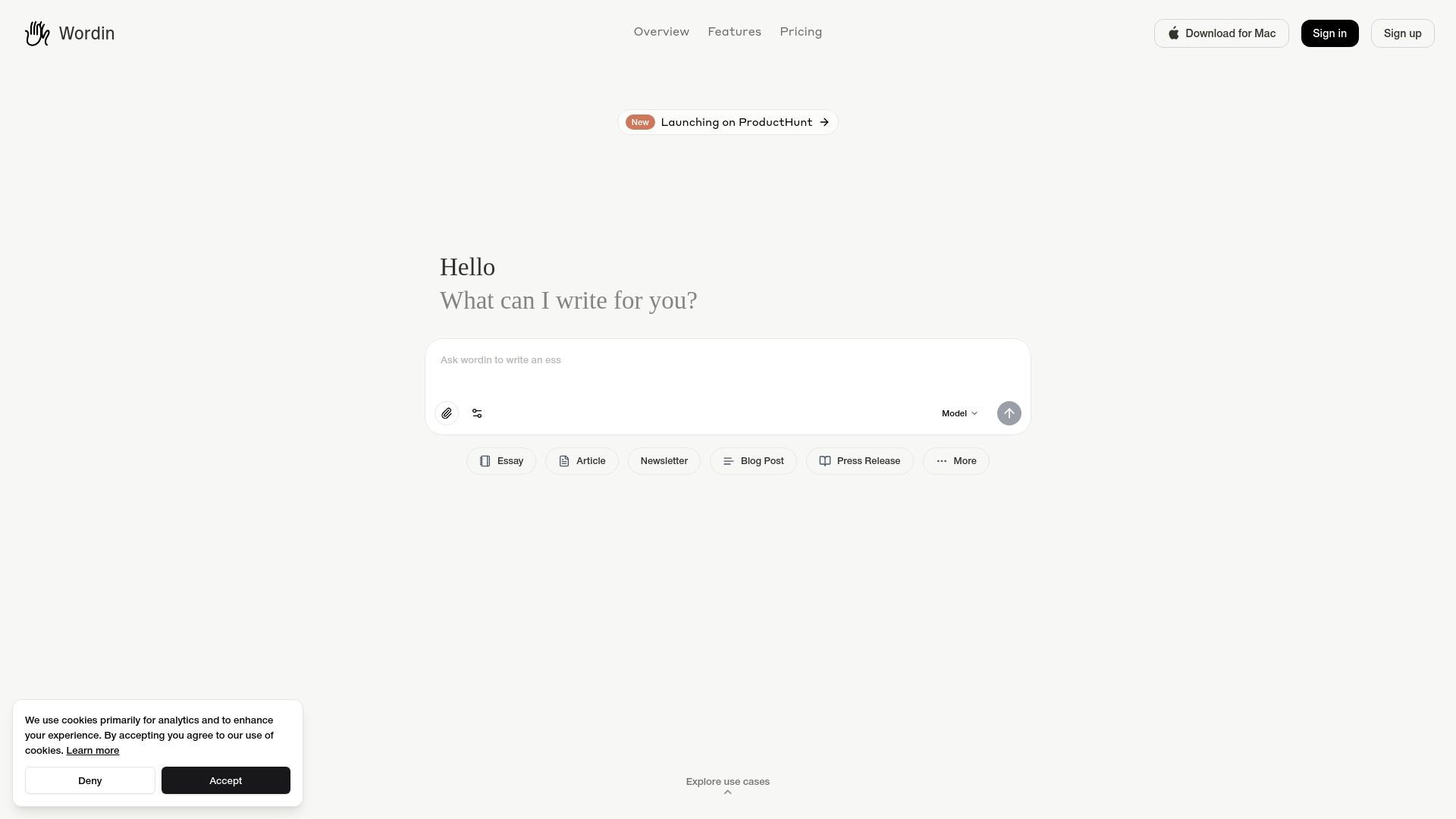
What is Wordin?
Wordin is an AI writing editor and intelligent writing agent built for people who create books, blogs, screenplays, and other long-form content. It places advanced writing assistance directly alongside your working document, helping you develop ideas, refine language, organize projects, and keep important details consistent as your work grows. Instead of treating every request as a separate prompt, Wordin works with the context of your document so its suggestions are better aligned with your subject, tone, characters, and goals.
Wordin combines the precision of a professional editor with the flexibility of an AI collaborator. Writers can use it to improve clarity, strengthen structure, explore alternative passages, or move forward when the next sentence is difficult to find. Its support extends beyond basic grammar correction, giving authors, bloggers, and screenwriters a practical way to manage the complete journey from an early idea to a polished draft.
How to Use Wordin
Getting started with Wordin is straightforward. Open a new project, write directly in the editor, or bring in an existing document to continue working on material you have already created. You can also provide relevant reference information so the AI understands the background, terminology, and direction of your project. As you write, the platform uses the available context to offer recommendations that fit the document rather than generic suggestions that feel disconnected from it.
Wordin includes two distinct ways to work with its AI capabilities. Co-pilot mode keeps the writer in the lead, offering feedback, revisions, brainstorming support, and answers whenever they are requested. Agent mode gives the AI a more active role, allowing it to help with broader writing tasks and handle connected steps based on the project's instructions. This makes it useful for both hands-on editing and larger assignments that require planning, research, or content development.
The project timeline adds another layer of organization. Writers can review progress, compare earlier versions, and move through the development of a document without losing track of important changes. Through the Agent Sidebar, users can request explanations, examine suggestions, explore research, and decide which recommendations belong in the final draft.
Key Features of Wordin
- Context-Aware Writing Editor: Work in a focused editor that understands the surrounding text and provides assistance suited to the document's subject, style, and intended audience. Wordin can help polish sentences, improve transitions, and make passages easier to read while preserving the writer's direction.
- Co-pilot and Agent Workflows: Choose the level of involvement that suits the task. Co-pilot mode supports collaborative editing and idea development, while Agent mode can assist with more extensive writing activities across a larger project.
- Research and Reference Support: Give the AI access to useful project information and research sources to support more informed drafting. This can help writers investigate topics, clarify details, and develop content with stronger context.
- Project Timeline and Version History: Follow the evolution of a manuscript, article, or screenplay through an organized timeline. Reviewing earlier drafts becomes easier, which is valuable when testing different structures or returning to an earlier idea.
- Agent Sidebar: Keep writing assistance close to the document through a dedicated workspace for questions, edits, explanations, and creative exploration. The sidebar helps users evaluate suggestions before applying them to their work.
These tools are designed to reduce the friction between thinking, drafting, and revising. Writers can spend less time switching between disconnected applications and more time shaping the ideas, arguments, scenes, and language that make their work distinctive. The result is a more organized process that supports both quick content tasks and ambitious projects that develop over weeks or months.
Why Choose Wordin?
Wordin is a strong choice for writers who want meaningful AI support while retaining ownership of their creative decisions. The platform fits into the writing process instead of asking users to abandon their existing document and work through isolated text-generation prompts. Because assistance is connected to the project, writers can ask for help with a particular paragraph, scene, chapter, or broader content objective while keeping the larger purpose in view.
Long-form writing often involves more than sentence-level editing. Authors need to remember character details, plot developments, settings, and chronology. Bloggers and content teams need to maintain an established tone and communicate accurately to a specific audience. Screenwriters must balance dialogue, action, pacing, and story structure. Wordin's combination of document context, agent support, and project tracking gives each type of writer a practical workspace for handling those demands.
The platform is also useful for writers who prefer different levels of guidance at different stages. During early development, it can help generate possibilities and organize material. During revision, it can identify unclear passages, suggest improvements, and support consistency checks. This flexibility allows Wordin to remain useful across the writing cycle without taking control away from the person creating the work.
Use Cases and Applications
Authors can use Wordin to outline a book, expand chapters, refine narrative voice, and review details across a large manuscript. Its project-focused features are especially helpful for novels, nonfiction books, memoirs, and other works where continuity matters. Screenwriters can use the editor to develop scenes, revise dialogue, explore story directions, and keep screenplay material organized as the script changes.
For bloggers and content marketers, Wordin can support topic research, article planning, first drafts, rewrites, and final editing. It can help produce newsletters, opinion pieces, landing page copy, press materials, and longer educational resources while following the intended brand voice. Editors and independent publishers may also use it to review submissions, improve readability, and manage multiple stages of a content project.
Wordin can assist with academic, technical, and professional writing as well. Students and researchers may use it to organize complex ideas and make explanations clearer, while technical teams can apply it to documentation, product guides, and process content. Its value comes from adapting the writing support to the document's purpose, whether the goal is storytelling, explanation, persuasion, or careful presentation of information.