Text to Image

WonderShare Virbo

Wondershare Virbo leverages AI to craft realistic avatar videos in 120+ languages, featuring 300+ avatars and customizable templates. Ideal for marketing, tutorials, and presentations, it eliminates the need for actors or crews, enabling effortless professional video creation. Transform your content with this innovative tool!

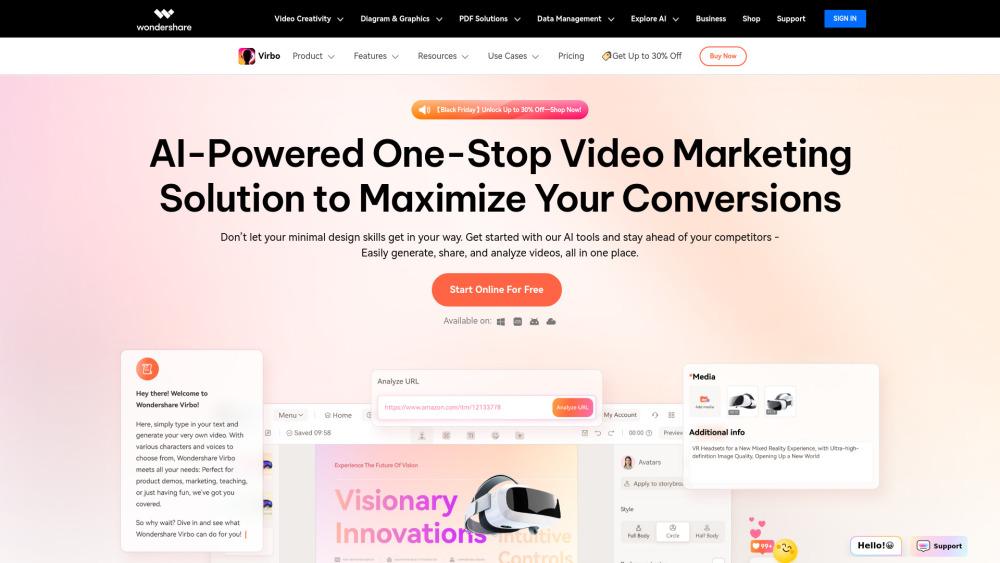
WonderShare Virbo website preview

WonderShare Virbo Website screenshot

What is WonderShare Virbo?

With its cutting-edge AI technology, WonderShare Virbo empowers users to produce highly realistic and personalized AI avatar videos. These avatars can represent a wide array of nationalities and speak in over 120 languages, making them perfect for various scenarios such as marketing campaigns, sales presentations, training modules, and educational content. By simply typing and clicking, you can generate professional-quality AI spokesperson videos without the need for expensive video production teams or actors. Virbo offers an extensive library of 300+ lifelike AI avatars that cater to different accents and linguistic needs. Moreover, it provides a rich selection of customizable templates designed to meet any creative requirement. Whether you're creating promotional material, product showcases, or instructional guides, Virbo ensures your message is delivered engagingly and effectively. It's like having your own personal video studio at your fingertips! Key Features:

  • AI Avatars: Over 300 realistic options.
  • AI Voices: More than 460 voice choices spanning 90 countries.
  • AI Video Translator: Supports more than 40 languages.
  • AI Script Generator: Seamlessly integrated with ChatGPT 4.0.
  • URL to Video: Convert links into polished advertisements effortlessly.
  • AI Talking Photo: Create lifelike talking avatars with precise lip-syncing.
  • Custom AI Avatars: Generate your very own digital twin.
  • AI Video Templates: Simplify the process of crafting professional-grade videos.
  • PPT to Video: Effortlessly transform PowerPoint presentations into dynamic visuals.
  • Text to Speech: Instantly convert written content into spoken word.
  • AI Image Generator: Produce captivating visuals from text or images.
  • AI Voice Cloning: Develop high-quality synthetic voices.
  • AI Dubbing: Add subtitles or dub existing videos into multiple languages.
  • AI Montage Maker: Assemble stunning storylines using media files.
  • AI Clip Maker: Automatically generate viral clips from longer footage.

How to use WonderShare Virbo?

For detailed instructions on how to utilize WonderShare Virbo, refer to this document: User Guide.

WonderShare Virbo's Core Features

AI Avatars: Over 300 lifelike avatars AI Voices: More than 460 voice choices for 90 countries AI Video Translator: Supports more than 40 languages AI Script Generator: Integrated with ChatGPT 4.0 URL to Video: Turn links into polished ads AI Talking Photo: Lifelike avatars with flawless lip-sync Custom AI Avatars: Create your digital twin AI Video Templates: Shortcut to professional videos PPT to Video: Ideal for sharing ideas Text to Speech: One-click conversion AI Image Generator: Stunning visuals from text/images AI Voice Cloning: High-quality synthetic voices AI Dubbing: Dub in all major languages AI Montage Maker: Create compelling narratives AI Clip Maker: Auto-create viral clips

WonderShare Virbo's Use Cases

AI Avatars: Over 300 lifelike avatars AI Voices: More than 460 voice choices for 90 countries AI Video Translator: Supports more than 40 languages AI Script Generator: Integrated with ChatGPT 4.0 URL to Video: Turn links into polished ads AI Talking Photo: Lifelike avatars with flawless lip-sync Custom AI Avatars: Create your digital twin AI Video Templates: Shortcut to professional videos PPT to Video: Ideal for sharing ideas Text to Speech: One-click conversion AI Image Generator: Stunning visuals from text/images AI Voice Cloning: High-quality synthetic voices AI Dubbing: Dub in all major languages AI Montage Maker: Create compelling narratives AI Clip Maker: Auto-create viral clips

  • WonderShare Virbo Support Email & Customer Service Contact & Refund Contact etc.

    For more contact information, please visit the contact us page().

  • WonderShare Virbo Company

    WonderShare Virbo Company Name: .

    WonderShare Virbo Company Address: .

    Learn more about WonderShare Virbo by visiting the about us page().

  • WonderShare Virbo Login

    Login Link: .

  • WonderShare Virbo Sign up

    Sign up Link: .

Product source: WonderShare Virbo official website. Check the provider for current plans, limits and availability.

FAQ

WonderShare Virbo questions and answers

Product context and practical checks for evaluating WonderShare Virbo.

What is WonderShare Virbo used for?

Wondershare Virbo leverages AI to craft realistic avatar videos in 120+ languages, featuring 300+ avatars and customizable templates. Ideal for marketing, tutorials, and presentations, it eliminates the need for actors or crews, enabling effortless professional video creation. Transform your content with this innovative tool!

How do I get started with WonderShare Virbo?

For detailed instructions on how to utilize WonderShare Virbo, refer to this document: User Guide.

Which capabilities are described for WonderShare Virbo?

AI Avatars: Over 300 lifelike avatars AI Voices: More than 460 voice choices for 90 countries AI Video Translator: Supports more than 40 languages AI Script Generator: Integrated with ChatGPT 4.0 URL to Video: Turn links into polished ads AI Talking Photo: Lifelike avatars with flawless lip-sync Custom AI Avatars: Create your digital twin AI Video Templates: Shortcut to professional videos PPT to Video: Ideal for sharing ideas Text to Speech: One-click conversion AI Image Generator: Stunning visuals from text/images AI Voice Cloning: High-quality synthetic voices AI Dubbing: Dub in all major languages AI Montage Maker: Create compelling narratives AI Clip Maker: Auto-create viral clips

What projects can I evaluate WonderShare Virbo for?

AI Avatars: Over 300 lifelike avatars AI Voices: More than 460 voice choices for 90 countries AI Video Translator: Supports more than 40 languages AI Script Generator: Integrated with ChatGPT 4.0 URL to Video: Turn links into polished ads AI Talking Photo: Lifelike avatars with flawless lip-sync Custom AI Avatars: Create your digital twin AI Video Templates: Shortcut to professional videos PPT to Video: Ideal for sharing ideas Text to Speech: One-click conversion AI Image Generator: Stunning visuals from text/images AI Voice Cloning: High-quality synthetic voices AI Dubbing: Dub in all major languages AI Montage Maker: Create compelling narratives AI Clip Maker: Auto-create viral clips WonderShare Virbo Support Email & Customer Service Contact & Refund Contact etc. For more contact information, please visit the contact us page(). WonderShare Virbo Company WonderShare Virbo Company Name: . WonderShare Virbo Company Address: . Learn more about WonderShare Virbo by visiting the about us page(). WonderShare Virbo Login Login Link: . WonderShare Virbo Sign up Sign up Link: .

What should I compare before choosing a WonderShare Virbo plan?

Check WonderShare Virbo’s current pricing page for included usage, renewal terms and any credit charges. Compare the cost of a usable result, including retries, rather than assuming that account registration includes free usage.

What inputs should I prepare for a WonderShare Virbo trial?

Compare text prompts, reference frames, source footage and audio support. Check duration, aspect ratio and whether the tool lets you keep a subject consistent between shots.

How can I check the quality of a WonderShare Virbo result?

Watch the entire clip for motion errors, distorted objects, changing identities, lip-sync problems and abrupt transitions. Inspect the downloaded file as well as the preview.

Which export options should I check in WonderShare Virbo?

Check export resolution, frame rate, aspect ratio, audio tracks and watermark rules. A good preview is not a substitute for an export that fits your publishing channel.

What is a practical way to test WonderShare Virbo against alternatives?

Use a short shot with one subject and one camera movement. Keep the prompt and duration constant, then compare usable seconds and the number of regenerations.

Where is the official WonderShare Virbo website?

The website linked from this profile is https://virbo.wondershare.com. Use the provider’s own documentation, account area and support channels to confirm current product details.

Visit WonderShare Virbo