Writing Assistants

Wing Virtual Assistant

Wing Virtual Assistant is a fully managed virtual assistant solution for businesses, startups, and executives. It provides dedicated virtual assistants who can help with a wide range of tasks, allowing businesses to delegate recurring and mission-critical tasks and focus on more important activities.

Wing Virtual Assistant website preview

Introducing Wing Virtual Assistant
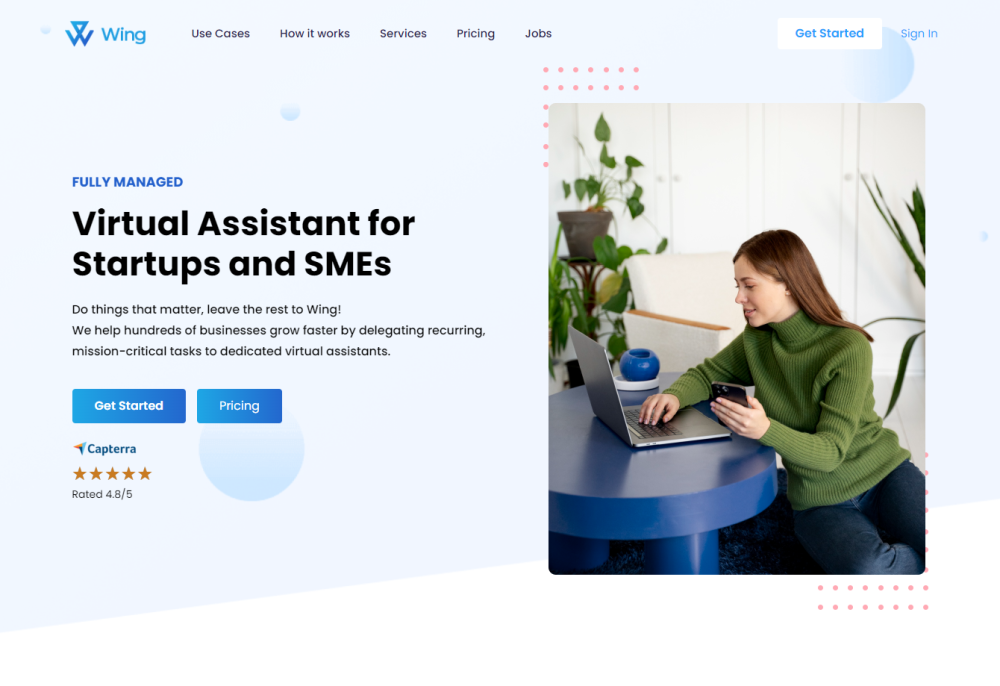
Wing Virtual Assistant Website screenshot

Are you looking for a reliable virtual assistant solution to streamline your business tasks? Look no further than Wing Virtual Assistant. Whether you are a business owner, startup, or executive, Wing Virtual Assistant offers a fully managed solution that provides dedicated virtual assistants to assist with a wide range of tasks.

Effortless Task Delegation with Wing

Using Wing Virtual Assistant is simple and convenient. Sign up on the website, submit your job description and requirements, and you will be assigned a dedicated Customer Success Manager who will help you delegate tasks to your virtual assistant. Communicate with your assistant through various channels such as the web app, mobile app, Slack integration, or a dedicated phone number. With the Wing task management app, Wink, tracking tasks and communicating with your assistant has never been easier.

Key Features of Wing Virtual Assistant

  • Dedicated virtual assistants

  • Unlimited work within agreed-upon hours

  • Fully managed service

  • Customer Success Manager

  • Complimentary Wing Task Management App

  • Built-in Video Messaging with Wink

  • Dedicated chat system for in-app messaging

  • Media library for marketing collateral

  • Secure password manager for sharing credentials

Discover the Versatility of Wing Virtual Assistant

Wing Virtual Assistant caters to a wide range of use cases, including general and admin tasks, personal and executive assistance, content moderation, industry-specific assistance, marketing support, sales and outreach, customer service, IT helpdesk support, and more. With US-based talent and bilingual assistants available, Wing Virtual Assistant ensures efficient support globally.

Connect with Wing Virtual Assistant

Product source: Wing Virtual Assistant official website. Check the provider for current plans, limits and availability.

FAQ

Wing Virtual Assistant questions and answers

Product context and practical checks for evaluating Wing Virtual Assistant.

What is Wing Virtual Assistant used for?

Wing Virtual Assistant is a fully managed virtual assistant solution for businesses, startups, and executives. It provides dedicated virtual assistants who can help with a wide range of tasks, allowing businesses to delegate recurring and mission-critical tasks and focus on more important activities.

How do I get started with Wing Virtual Assistant?

Open the official Wing Virtual Assistant website and identify the workflow that matches your task. Prepare a brief with a subject, composition, lighting and required output size. Test a first generation and a targeted revision to see how much control you retain.

Which capabilities are described for Wing Virtual Assistant?

Dedicated virtual assistants Unlimited work within agreed-upon hours Fully managed service Customer Success Manager Complimentary Wing Task Management App Built-in Video Messaging with Wink Dedicated chat system for in-app messaging Media library for marketing collateral Secure password manager for sharing credentials

What should I compare before choosing a Wing Virtual Assistant plan?

Check Wing Virtual Assistant’s current pricing page for included usage, renewal terms and any credit charges. Compare the cost of a usable result, including retries, rather than assuming that account registration includes free usage.

What inputs should I prepare for a Wing Virtual Assistant trial?

Look for text prompts, image references, masks or sketches as appropriate. Compare composition control, supported upload types and the ability to revise a selected area.

How can I check the quality of a Wing Virtual Assistant result?

Inspect text, hands, edges, reflections and repeated objects at full size. Check that important product or brand details survive editing.

Which export options should I check in Wing Virtual Assistant?

Compare pixel dimensions, transparency, file formats and any enlargement options. Confirm that the downloaded result works in your design or publishing software.

What is a practical way to test Wing Virtual Assistant against alternatives?

Prepare a brief with a subject, composition, lighting and required output size. Test a first generation and a targeted revision to see how much control you retain.

What should I review before uploading material to Wing Virtual Assistant?

Read the provider’s rules on access, retention, deletion and use of uploaded material. Start with a non-confidential sample that you have permission to use.

Where is the official Wing Virtual Assistant website?

The website linked from this profile is https://wingassistant.com. Use the provider’s own documentation, account area and support channels to confirm current product details.

Visit Wing Virtual Assistant