AI Recruiting

Whoz

Whoz: Streamline your projects with end-to-end staffing and global talent deployment, ensuring the right fit for every role, anywhere in the world.

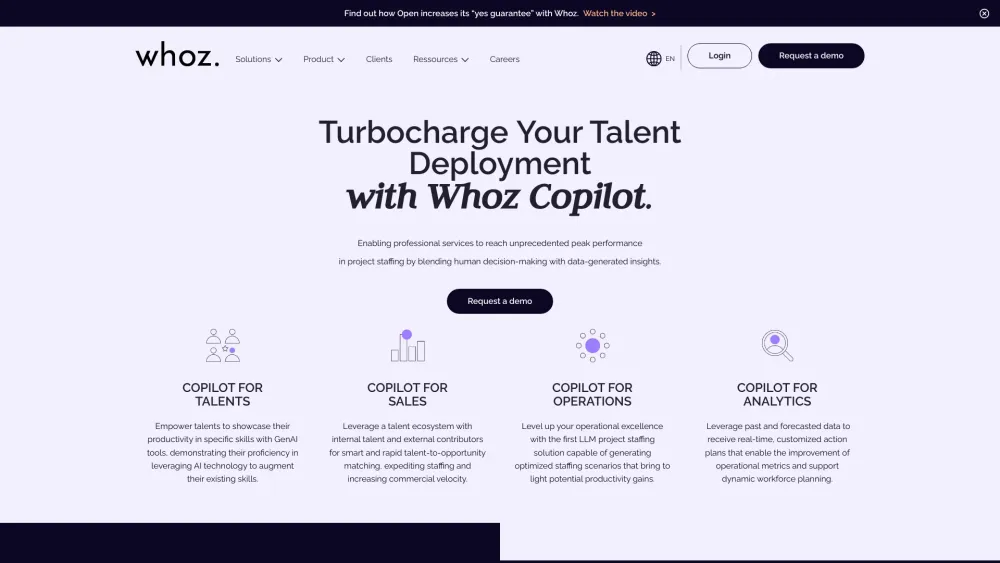
Whoz website preview

Whoz Website screenshot

What is Whoz?

Whoz is a cutting-edge, AI-driven platform designed for seamless project staffing and global talent deployment, specifically tailored for professional service industries.

How to use Whoz?

1. Establish an AI-powered talent network to source top-tier professionals. 2. Coordinate talent requests with precision, matching the best candidates to the right opportunities. 3. Foster talent growth by aligning roles with individual career aspirations and providing development pathways.

Whoz's Core Features

Talent Cloud: Centralized management of your organization's skills and expertise.

Business & Staffing Studio: Streamlined processes for project and team management.

Performance Analytics: Real-time insights to drive strategic growth and optimize operations.

Privacy by Design: Robust data protection and security standards embedded from the ground up.

Integrations & Workflows: Seamless connection with existing business tools and systems.

Whoz's Use Cases

Enhance operational efficiency across all key business functions.

Reduce deployment timelines by preparing talent pipelines in advance.

Minimize idle time between projects with advanced forecasting tools.

Maximize cross-deployment potential by identifying talent availability across departments.

Improve profit margins and delivery costs with predictive staffing solutions.

Save time for staffing managers through AI-generated insights and recommendations.

Decrease turnover rates by nurturing talent and aligning their goals with company objectives.

Drive skill-based transformations utilizing Whoz’s Professional Services Ontology™.

Product source: Whoz official website. Check the provider for current plans, limits and availability.

FAQ

Whoz questions and answers

Product context and practical checks for evaluating Whoz.

What is Whoz used for?

Whoz: Streamline your projects with end-to-end staffing and global talent deployment, ensuring the right fit for every role, anywhere in the world.

How do I get started with Whoz?

1. Establish an AI-powered talent network to source top-tier professionals. 2. Coordinate talent requests with precision, matching the best candidates to the right opportunities. 3. Foster talent growth by aligning roles with individual career aspirations and providing development pathways.

Which capabilities are described for Whoz?

Talent Cloud: Centralized management of your organization's skills and expertise.Business & Staffing Studio: Streamlined processes for project and team management.Performance Analytics: Real-time insights to drive strategic growth and optimize operations.Privacy by Design: Robust data protection and security standards embedded from the ground up.Integrations & Workflows: Seamless connection with existing business tools and systems.

What projects can I evaluate Whoz for?

Enhance operational efficiency across all key business functions.Reduce deployment timelines by preparing talent pipelines in advance.Minimize idle time between projects with advanced forecasting tools.Maximize cross-deployment potential by identifying talent availability across departments.Improve profit margins and delivery costs with predictive staffing solutions.Save time for staffing managers through AI-generated insights and recommendations.Decrease turnover rates by nurturing talent and aligning their goals with company objectives.Drive skill-based transformations utilizing Whoz’s Professional Services Ontology™. Whoz Support Email & Customer service contact & Refund contact etc. For more information, visit the contact us page(https://www.whoz.com/en/contact/) Whoz Company Learn more about Whoz by visiting the about us page(https://www.whoz.com/en/why-whoz/). Whoz Login Access your account through the Whoz Login Link: https://www.whoz.com/auth/realms/whoz/protocol/openid-connect/auth?client_id=whoz&response_type=code&redirect_uri=https://www.whoz.com/home Whoz LinkedIn Connect with Whoz on LinkedIn: https://www.linkedin.com/company/whozapp/

What should I compare before choosing a Whoz plan?

Check Whoz’s current pricing page for included usage, renewal terms and any credit charges. Compare the cost of a usable result, including retries, rather than assuming that account registration includes free usage.

What inputs should I prepare for a Whoz trial?

Identify the files, text or account connections your task needs. Confirm that the product accepts those inputs and offers controls for reviewing its work.

How can I check the quality of a Whoz result?

Test one representative task and inspect the result for accuracy and completeness. Record where manual corrections or extra tools are needed.

Which export options should I check in Whoz?

Check export formats, integrations and whether you can keep using your work outside the service. Test a real export before committing to a longer plan.

What is a practical way to test Whoz against alternatives?

Choose one task with a clear success condition. Keep the input consistent, record the time spent reviewing and compare the complete workflow cost.

Where is the official Whoz website?

The website linked from this profile is https://whoz.com. Use the provider’s own documentation, account area and support channels to confirm current product details.

Visit Whoz