Text&ampWriting

Webhookify

Simplify webhooks with Webhookify: instant URLs, real-time logs, and AI alerts. Connect 1,000+ platforms like Stripe and Shopify

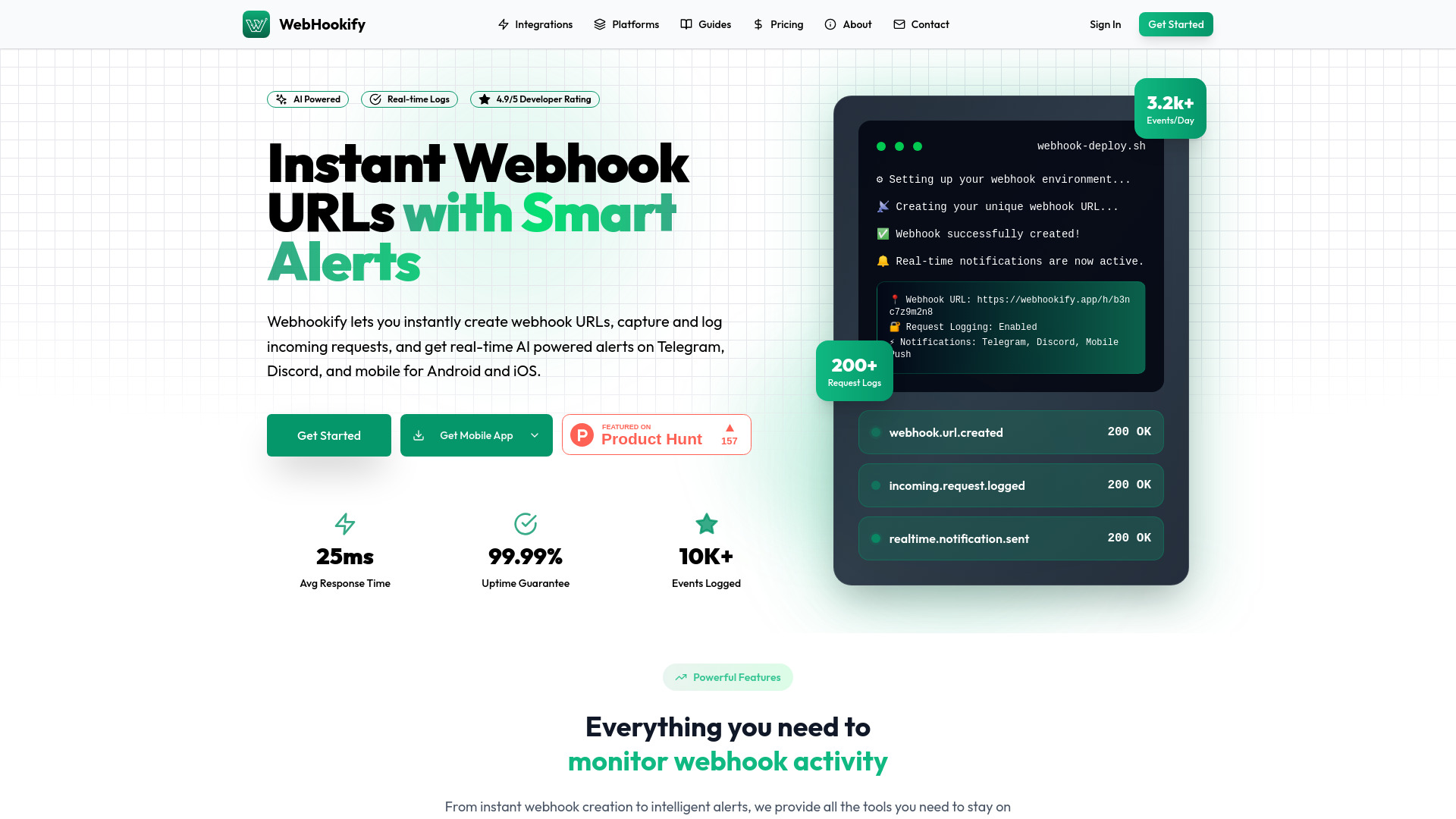
Webhookify website preview

What Is Webhookify?

Webhookify is an AI-powered webhook management platform that helps developers and businesses create webhook URLs, inspect incoming requests, and receive fast alerts about important events. Instead of building a dedicated system to collect and monitor webhook traffic, teams can use Webhookify to bring event logs and notifications into one place. The platform supports integrations with more than 1,000 services, including Stripe, Shopify, GitHub, and RevenueCat, while offering notification delivery through mobile, Slack, Discord, Telegram, and email. From failed payments to subscription changes and development updates, Webhookify makes webhook activity easier to follow without a complicated setup.

How to Use Webhookify

Start by creating a unique webhook URL in Webhookify. Next, open the webhook settings in the service you want to monitor and add that URL as an event destination. For example, you might connect Stripe payment events, Shopify order updates, GitHub repository activity, or RevenueCat subscription notifications. Once the connection is configured, incoming requests appear in Webhookify’s real-time logs, giving you a central location to review activity and investigate unexpected behavior. Choose your preferred notification channels so relevant alerts reach the tools you already use.

After completing the initial connection, refine your workflow with alert rules and request analysis. Where available, webhook transformation options can help adapt incoming data to your needs. AI-assisted notifications add context to event activity, helping you distinguish routine updates from situations that deserve a closer look. Reviewing your configuration regularly can also help keep alerts useful as your integrations and business requirements change.

Key Features of Webhookify

  • Instant Webhook URLs: Create a webhook endpoint quickly without deploying a separate server or managing receiving infrastructure. This simplifies the first step of connecting third-party event sources and gives teams a convenient destination for webhook traffic.
  • Real-Time Request Logs: Review incoming requests as they arrive, with details such as request headers, payloads, and timestamps. Centralized logging makes it easier to troubleshoot integrations, inspect event contents, and understand what a connected service has sent.
  • AI-Powered Event Alerts: Use intelligent notifications to bring attention to meaningful webhook activity. Contextual alerts can help teams recognize payment problems, subscription changes, and operational events without manually checking every incoming request.
  • Broad Integration Support: Connect services such as Stripe, Shopify, GitHub, and RevenueCat alongside a wider ecosystem of more than 1,000 supported platforms. A no-code receiving setup reduces the work involved in bringing multiple event sources together.
  • Webhook Request Analysis: Examine event data and request patterns to better understand integration behavior. Detailed inspection supports debugging, helps reveal recurring issues, and provides useful context when a workflow is not performing as expected.
  • Multi-Channel Notifications: Send alerts to mobile, Slack, Discord, Telegram, or email. Routing updates to familiar communication channels helps developers, support staff, and business teams stay informed without keeping the monitoring dashboard open.

Why Choose Webhookify?

Managing webhooks independently often involves more than creating an endpoint. Teams also need a way to record requests, inspect payloads, monitor activity, and notify the right people when something changes. Webhookify brings these tasks into a managed platform, reducing the infrastructure work associated with receiving and reviewing webhook events. Its combination of quick URL creation, live request visibility, and AI-assisted alerts is useful for teams that want clearer oversight of their integrations without building a monitoring system from scratch.

The platform also helps connect technical activity with everyday business decisions. A failed payment matters to a revenue team, a subscription cancellation may interest customer success, and a repository event may need a developer’s attention. With several notification channels available, Webhookify gives teams a practical way to bring those updates into their existing routines. For individual developers and larger organizations alike, the appeal is straightforward: less time searching through webhook activity and a clearer path to responding when an event needs attention.

Use Cases and Applications

Online stores can use Webhookify to follow Shopify order events and receive alerts about payment-related issues that may require customer support. SaaS businesses can monitor RevenueCat subscription updates to spot cancellations, renewals, and other account changes relevant to retention efforts. Development teams can connect GitHub webhooks to review repository activity and receive notifications about events associated with their development workflows. Businesses using Stripe can collect payment webhook requests in one location, inspect transaction-related payloads, and investigate failed payment notifications. Across these scenarios, real-time logs provide a useful record, while fast alerts help the appropriate team decide what to do next.

Product source: Webhookify official website. Check the provider for current plans, limits and availability.

FAQ

Webhookify questions and answers

Product context and practical checks for evaluating Webhookify.

What is Webhookify used for?

Simplify webhooks with Webhookify: instant URLs, real-time logs, and AI alerts. Connect 1,000+ platforms like Stripe and Shopify

How do I get started with Webhookify?

Start by creating a unique webhook URL in Webhookify. Next, open the webhook settings in the service you want to monitor and add that URL as an event destination. For example, you might connect Stripe payment events, Shopify order updates, GitHub repository activity, or RevenueCat subscription notifications. Once the connection is configured, incoming requests appear in Webhookify’s real-time logs, giving you a central location to review activity and investigate unexpected behavior. Choose your preferred notification channels so relevant alerts reach the tools you already use.After completing the initial connection, refine your workflow with alert rules and request analysis. Where available, webhook transformation options can help adapt incoming data to your needs. AI-assisted notifications add context to event activity, helping you distinguish routine updates from situations that deserve a closer look. Reviewing your configuration regularly can also help keep alerts useful as your integrations and business requirements change.

Which capabilities are described for Webhookify?

Instant Webhook URLs: Create a webhook endpoint quickly without deploying a separate server or managing receiving infrastructure. This simplifies the first step of connecting third-party event sources and gives teams a convenient destination for webhook traffic. Real-Time Request Logs: Review incoming requests as they arrive, with details such as request headers, payloads, and timestamps. Centralized logging makes it easier to troubleshoot integrations, inspect event contents, and understand what a connected service has sent. AI-Powered Event Alerts: Use intelligent notifications to bring attention to meaningful webhook activity. Contextual alerts can help teams recognize payment problems, subscription changes, and operational events without manually checking every incoming request. Broad Integration Support: Connect services such as Stripe, Shopify, GitHub, and RevenueCat alongside a wider ecosystem of more than 1,000 supported platforms. A no-code receiving setup reduces the work involved in bringing multiple event sources together. Webhook Request Analysis: Examine event data and request patterns to better understand integration behavior. Detailed inspection supports debugging, helps reveal recurring issues, and provides useful context when a workflow is not performing as expected. Multi-Channel Notifications: Send alerts to mobile, Slack, Discord, Telegram, or email. Routing updates to familiar communication channels helps developers, support staff, and business teams stay informed without keeping the monitoring dashboard open.

What projects can I evaluate Webhookify for?

Online stores can use Webhookify to follow Shopify order events and receive alerts about payment-related issues that may require customer support. SaaS businesses can monitor RevenueCat subscription updates to spot cancellations, renewals, and other account changes relevant to retention efforts. Development teams can connect GitHub webhooks to review repository activity and receive notifications about events associated with their development workflows. Businesses using Stripe can collect payment webhook requests in one location, inspect transaction-related payloads, and investigate failed payment notifications. Across these scenarios, real-time logs provide a useful record, while fast alerts help the appropriate team decide what to do next.

How does Webhookify handle instant webhook urls?

Instant Webhook URLs: Create a webhook endpoint quickly without deploying a separate server or managing receiving infrastructure. This simplifies the first step of connecting third-party event sources and gives teams a convenient destination for webhook traffic.

How does Webhookify handle real-time request logs?

Real-Time Request Logs: Review incoming requests as they arrive, with details such as request headers, payloads, and timestamps. Centralized logging makes it easier to troubleshoot integrations, inspect event contents, and understand what a connected service has sent.

What should I compare before choosing a Webhookify plan?

Check Webhookify’s current pricing page for included usage, renewal terms and any credit charges. Compare the cost of a usable result, including retries, rather than assuming that account registration includes free usage.

What inputs should I prepare for a Webhookify trial?

Identify the files, text or account connections your task needs. Confirm that the product accepts those inputs and offers controls for reviewing its work.

How can I check the quality of a Webhookify result?

Test one representative task and inspect the result for accuracy and completeness. Record where manual corrections or extra tools are needed.

Where is the official Webhookify website?

The website linked from this profile is https://webhookify.app. Use the provider’s own documentation, account area and support channels to confirm current product details.

Visit Webhookify