AI Tools Directory

WatchTower

WatchTower: DynamoDB Capacity Visualization Tool | Monitor & Optimize - Visualize, monitor, and optimize your DynamoDB capacity with ease and precision.

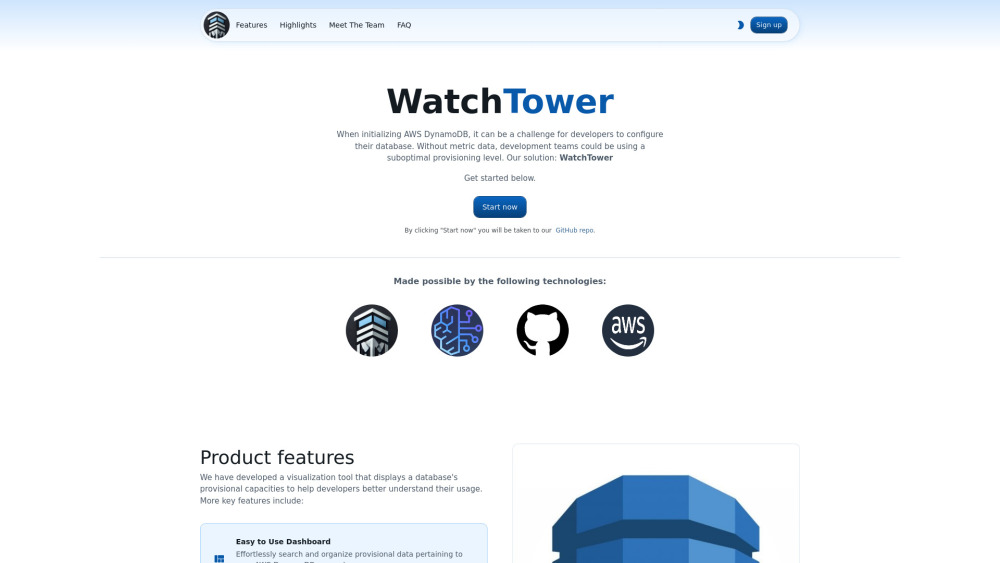
WatchTower website preview

WatchTower Website screenshot

What is WatchTower?

WatchTower is a cutting-edge tool specifically designed for DynamoDB users, offering a visual interface to effortlessly monitor and manage database capacity. With WatchTower, developers can easily gain comprehensive insights into how their database resources are being utilized, enabling smarter optimization decisions.

How to Use WatchTower?

Getting started with WatchTower is simple and intuitive. From the dashboard, users can browse and categorize their DynamoDB provisional data, retain previous analyses for future reference, and take advantage of AI-driven predictions to anticipate trends.

WatchTower's Key Features

User-Friendly Dashboard

Navigate through a clean and organized dashboard, designed to streamline your DynamoDB capacity management.

Save Analysis History

Keep a record of past capacity analyses, allowing for easy comparisons and future planning.

AI-Powered Insights

Harness the power of AI to predict and visualize future database needs, ensuring you stay ahead of potential challenges.

Practical Applications of WatchTower

Effortless DynamoDB Capacity Analysis

Quickly and accurately assess your AWS DynamoDB capacity to optimize performance.

Comprehensive Visual Analytics

Gain access to detailed visual reports that provide a clear view of your database usage patterns.

Product source: WatchTower official website. Check the provider for current plans, limits and availability.

FAQ

WatchTower questions and answers

Product context and practical checks for evaluating WatchTower.

What is WatchTower used for?

WatchTower: DynamoDB Capacity Visualization Tool | Monitor & Optimize - Visualize, monitor, and optimize your DynamoDB capacity with ease and precision.

How do I get started with WatchTower?

Getting started with WatchTower is simple and intuitive. From the dashboard, users can browse and categorize their DynamoDB provisional data, retain previous analyses for future reference, and take advantage of AI-driven predictions to anticipate trends.

Which capabilities are described for WatchTower?

User-Friendly Dashboard Navigate through a clean and organized dashboard, designed to streamline your DynamoDB capacity management. Save Analysis History Keep a record of past capacity analyses, allowing for easy comparisons and future planning. AI-Powered Insights Harness the power of AI to predict and visualize future database needs, ensuring you stay ahead of potential challenges.

What projects can I evaluate WatchTower for?

Effortless DynamoDB Capacity Analysis Quickly and accurately assess your AWS DynamoDB capacity to optimize performance. Comprehensive Visual Analytics Gain access to detailed visual reports that provide a clear view of your database usage patterns. About WatchTower WatchTower is committed to delivering innovative solutions for DynamoDB management. Learn more by visiting our About Us page. Follow Us on LinkedIn Stay updated with the latest developments by following WatchTower on LinkedIn: http://linkedin.com/company/watchtower-db Connect on Twitter Join the conversation and follow us on Twitter: https://x.com/WatchTower_DB Explore Our GitHub For technical details and to contribute, visit our GitHub page: https://github.com/oslabs-beta/watchtower

What should I compare before choosing a WatchTower plan?

Check WatchTower’s current pricing page for included usage, renewal terms and any credit charges. Compare the cost of a usable result, including retries, rather than assuming that account registration includes free usage.

What inputs should I prepare for a WatchTower trial?

Identify the files, text or account connections your task needs. Confirm that the product accepts those inputs and offers controls for reviewing its work.

How can I check the quality of a WatchTower result?

Test one representative task and inspect the result for accuracy and completeness. Record where manual corrections or extra tools are needed.

Which export options should I check in WatchTower?

Check export formats, integrations and whether you can keep using your work outside the service. Test a real export before committing to a longer plan.

What is a practical way to test WatchTower against alternatives?

Choose one task with a clear success condition. Keep the input consistent, record the time spent reviewing and compare the complete workflow cost.

Where is the official WatchTower website?

The website linked from this profile is https://watch-tower.co. Use the provider’s own documentation, account area and support channels to confirm current product details.

Visit WatchTower