AI Trip Planner

Wanderlust App

Wanderlust App: Discover the world through breathtaking photos, immersive guides, and hidden gems. Your ultimate travel companion awaits!

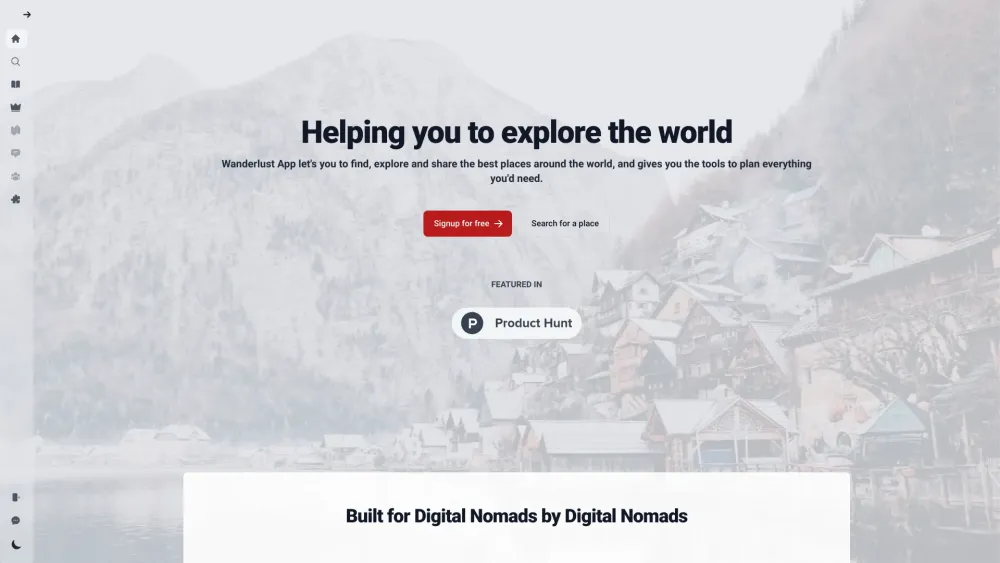
Wanderlust App website preview

Wanderlust App Website screenshot

Discover the Wanderlust App

Transform your browser's new tab page into a portal to the world with the Wanderlust App. Explore stunning destinations every time you open a new tab, and immerse yourself in the beauty of the globe, one photo at a time.

Getting Started with Wanderlust App

To begin your journey, install the Wanderlust App extension. Once activated, your new tab page will be reimagined with picturesque views from around the world. You can also explore different locations, create a personalized travel wishlist, and share your discoveries with friends.

Key Features of Wanderlust App

A Vast Library of High-Quality Images from Global Destinations

Advanced City Search Capabilities

Customizable Travel Bucket List

AI-Powered Travel Assistant

Virtual Passport for Tracking Your Journey

Share Your Favorite Locations with Others

Exclusive Local Recommendations from Experts

Engage with a Global Travel Community

Frequent Updates and New Features

Wanderlust App: Ideal for Every Traveler

Organize and Plan Your Adventures with Ease

Find Inspiration for Future Trips

Access Detailed Information on Dream Destinations

Create Interactive Travel Logs

Share Your Journeys and Tips with a Community

Get Authentic Local Tips

Connect with Fellow Travel Enthusiasts

  • Contact Wanderlust App Support

    For assistance, visit our contact page.

  • About Wanderlust App Company

    Wanderlust App is a trademark of WanderlustApp™.

  • Wanderlust App Login

    Log in at this link.

  • Wanderlust App Sign Up

    Create an account at this link.

  • Wanderlust App on Social Media

    Follow us on Facebook, Twitter, and Instagram.

Product source: Wanderlust App official website. Check the provider for current plans, limits and availability.

FAQ

Wanderlust App questions and answers

Product context and practical checks for evaluating Wanderlust App.

What is Wanderlust App used for?

Wanderlust App: Discover the world through breathtaking photos, immersive guides, and hidden gems. Your ultimate travel companion awaits!

How do I get started with Wanderlust App?

To begin your journey, install the Wanderlust App extension. Once activated, your new tab page will be reimagined with picturesque views from around the world. You can also explore different locations, create a personalized travel wishlist, and share your discoveries with friends.

Which capabilities are described for Wanderlust App?

A Vast Library of High-Quality Images from Global DestinationsAdvanced City Search CapabilitiesCustomizable Travel Bucket ListAI-Powered Travel AssistantVirtual Passport for Tracking Your JourneyShare Your Favorite Locations with OthersExclusive Local Recommendations from ExpertsEngage with a Global Travel CommunityFrequent Updates and New Features

What should I compare before choosing a Wanderlust App plan?

Check Wanderlust App’s current pricing page for included usage, renewal terms and any credit charges. Compare the cost of a usable result, including retries, rather than assuming that account registration includes free usage.

What inputs should I prepare for a Wanderlust App trial?

Look for text prompts, image references, masks or sketches as appropriate. Compare composition control, supported upload types and the ability to revise a selected area.

How can I check the quality of a Wanderlust App result?

Inspect text, hands, edges, reflections and repeated objects at full size. Check that important product or brand details survive editing.

Which export options should I check in Wanderlust App?

Compare pixel dimensions, transparency, file formats and any enlargement options. Confirm that the downloaded result works in your design or publishing software.

What is a practical way to test Wanderlust App against alternatives?

Prepare a brief with a subject, composition, lighting and required output size. Test a first generation and a targeted revision to see how much control you retain.

What should I review before uploading material to Wanderlust App?

Read the provider’s rules on access, retention, deletion and use of uploaded material. Start with a non-confidential sample that you have permission to use.

Where is the official Wanderlust App website?

The website linked from this profile is https://www.wanderlustapp.io. Use the provider’s own documentation, account area and support channels to confirm current product details.

Visit Wanderlust App