AI Music Generator

VocalRemover.co

Unleash your creativity with VocalRemover.co! High-quality stem separation for DJs, producers, and karaoke lovers. Remix or remove vocals effortlessly.

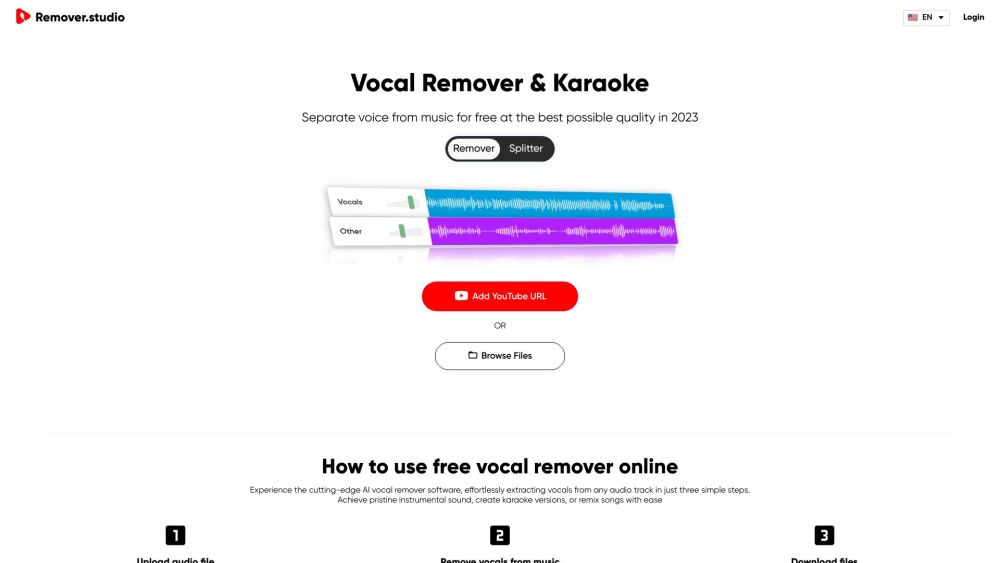
VocalRemover.co website preview

VocalRemover.co Website screenshot

What is VocalRemover.co?

VocalRemover.co is an innovative platform designed for DJs, music producers, and karaoke enthusiasts. It allows users to effortlessly separate songs into individual stems, providing high-quality outputs that can be used for remixing or isolating specific audio elements.

How to use VocalRemover.co?

Using VocalRemover.co is straightforward. Upload your audio file or enter a YouTube URL, and the AI-driven system will automatically extract the vocals from the music. After processing, you can download the instrumental, karaoke version, or background track.

VocalRemover.co's Core Features

Exceptional vocal removal quality

State-of-the-art AI technology

Compatibility with various audio formats

Control over specific instrument tracks

In-song lyric display

VocalRemover.co's Use Cases

Remix creation

Music production

Karaoke performances

Instrument isolation

Custom sound manipulation

Product source: VocalRemover.co official website. Check the provider for current plans, limits and availability.

FAQ

VocalRemover.co questions and answers

Product context and practical checks for evaluating VocalRemover.co.

What is VocalRemover.co used for?

Unleash your creativity with VocalRemover.co! High-quality stem separation for DJs, producers, and karaoke lovers. Remix or remove vocals effortlessly.

How do I get started with VocalRemover.co?

Using VocalRemover.co is straightforward. Upload your audio file or enter a YouTube URL, and the AI-driven system will automatically extract the vocals from the music. After processing, you can download the instrumental, karaoke version, or background track.

Which capabilities are described for VocalRemover.co?

Exceptional vocal removal qualityState-of-the-art AI technologyCompatibility with various audio formatsControl over specific instrument tracksIn-song lyric display

What projects can I evaluate VocalRemover.co for?

Remix creationMusic productionKaraoke performancesInstrument isolationCustom sound manipulation VocalRemover.co Support Email & Customer service contact & Refund contact etc. For more contact information, visit the contact us page. VocalRemover.co Login Access your account at VocalRemover.co Login. VocalRemover.co Sign up Create a new account at VocalRemover.co Sign up.

What should I compare before choosing a VocalRemover.co plan?

Check VocalRemover.co’s current pricing page for included usage, renewal terms and any credit charges. Compare the cost of a usable result, including retries, rather than assuming that account registration includes free usage.

What inputs should I prepare for a VocalRemover.co trial?

Identify the files, text or account connections your task needs. Confirm that the product accepts those inputs and offers controls for reviewing its work.

How can I check the quality of a VocalRemover.co result?

Test one representative task and inspect the result for accuracy and completeness. Record where manual corrections or extra tools are needed.

Which export options should I check in VocalRemover.co?

Check export formats, integrations and whether you can keep using your work outside the service. Test a real export before committing to a longer plan.

What is a practical way to test VocalRemover.co against alternatives?

Choose one task with a clear success condition. Keep the input consistent, record the time spent reviewing and compare the complete workflow cost.

Where is the official VocalRemover.co website?

The website linked from this profile is https://www.promptdodo.com. Use the provider’s own documentation, account area and support channels to confirm current product details.

Visit VocalRemover.co