AI Builder

Vitara.ai

Vitara.ai: Build full-stack apps effortlessly—just describe what you want. AI handles the rest. Fast, no-code, powerful.

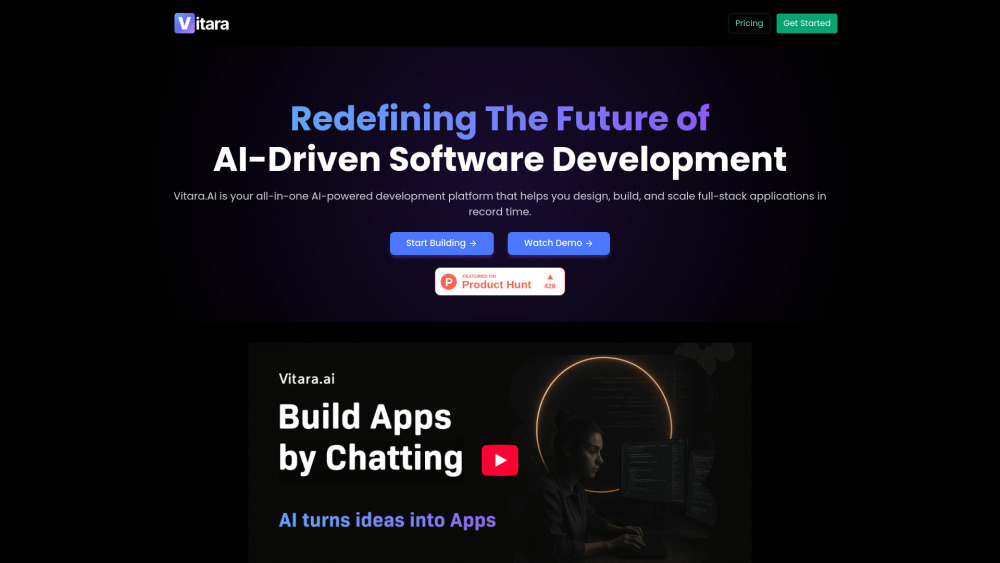
Vitara.ai website preview

Vitara.ai Website screenshot

Introducing Vitara.ai: The First True No-Code Full-Stack AI App Builder Powered by Natural Language

Vitara.ai redefines software development—not as a technical discipline reserved for engineers, but as an expressive, intent-driven process. It’s the world’s first full-stack AI application builder that transforms plain English (or any natural language) into production-grade, deployable web and mobile apps—no syntax, no setup, no compromises. With its intuitive ‘vibe coding’ interface, Vitara.ai bridges vision and execution in real time, empowering founders, designers, product managers, and developers alike to ship robust, scalable applications from idea to live URL—faster than ever before.

How Vitara.ai Works: From Prompt to Production in Seconds

Start by describing your app concept conversationally—e.g., “Build a fitness habit tracker with user profiles, workout logging, and weekly analytics dashboards.” Vitara.ai interprets your intent, auto-generates a complete tech stack (React frontend + Supabase backend), provisions cloud infrastructure, and delivers editable, version-controlled code—all within your browser. No local installs, no configuration files, no context switching—just pure, frictionless creation.

Why Vitara.ai Stands Apart: Core Capabilities

Natural language → full-stack code, instantly

Production-ready output: React frontend + Supabase backend + auth + database + APIs

Zero-config, browser-native 'vibe coding' environment—no IDE, no CLI, no devops overhead

One-click GitHub sync with CI/CD-ready workflows and automatic branch management

Intelligent architecture scaffolding: modular, testable, and extensible by design

AI-assisted refactoring, documentation generation, and performance optimization built-in

Who Uses Vitara.ai—and What They Build

Startup founders launching MVPs in hours—not weeks—without hiring engineers.

Product teams rapidly prototyping features, validating ideas, and iterating with stakeholders.

Developers accelerating boilerplate, augmenting complex logic, and focusing on innovation—not infrastructure.

Product source: Vitara.ai official website. Check the provider for current plans, limits and availability.

FAQ

Vitara.ai questions and answers

Product context and practical checks for evaluating Vitara.ai.

What is Vitara.ai used for?

Vitara.ai: Build full-stack apps effortlessly—just describe what you want. AI handles the rest. Fast, no-code, powerful.

How do I get started with Vitara.ai?

Start by describing your app concept conversationally—e.g., “Build a fitness habit tracker with user profiles, workout logging, and weekly analytics dashboards.” Vitara.ai interprets your intent, auto-generates a complete tech stack (React frontend + Supabase backend), provisions cloud infrastructure, and delivers editable, version-controlled code—all within your browser. No local installs, no configuration files, no context switching—just pure, frictionless creation.

Which capabilities are described for Vitara.ai?

Natural language → full-stack code, instantlyProduction-ready output: React frontend + Supabase backend + auth + database + APIsZero-config, browser-native 'vibe coding' environment—no IDE, no CLI, no devops overheadOne-click GitHub sync with CI/CD-ready workflows and automatic branch managementIntelligent architecture scaffolding: modular, testable, and extensible by designAI-assisted refactoring, documentation generation, and performance optimization built-in

What projects can I evaluate Vitara.ai for?

Startup founders launching MVPs in hours—not weeks—without hiring engineers.Product teams rapidly prototyping features, validating ideas, and iterating with stakeholders.Developers accelerating boilerplate, augmenting complex logic, and focusing on innovation—not infrastructure.

What should I compare before choosing a Vitara.ai plan?

Check Vitara.ai’s current pricing page for included usage, renewal terms and any credit charges. Compare the cost of a usable result, including retries, rather than assuming that account registration includes free usage.

What inputs should I prepare for a Vitara.ai trial?

Compare repository access, context limits, supported languages and tool permissions. Check whether the assistant can read relevant files and run your existing checks.

How can I check the quality of a Vitara.ai result?

Review the diff, run tests and inspect error handling and dependency changes. Generated code should meet the same review standard as a human contribution.

Which export options should I check in Vitara.ai?

Prefer changes you can inspect and keep in version control. Check whether code, tests and configuration can be exported without depending on a hosted preview.

What is a practical way to test Vitara.ai against alternatives?

Choose a small reproducible bug with an existing failing check. Measure whether the tool fixes the cause, preserves behavior and produces a reviewable change.

Where is the official Vitara.ai website?

The website linked from this profile is https://vitara.ai/%20%20. Use the provider’s own documentation, account area and support channels to confirm current product details.

Visit Vitara.ai