AI Product Description Generator

Vita

Vita: Food Scanner - Instantly scan or snap a photo to get a detailed nutritional breakdown and make healthier food choices with ease. Your guide to better eating!

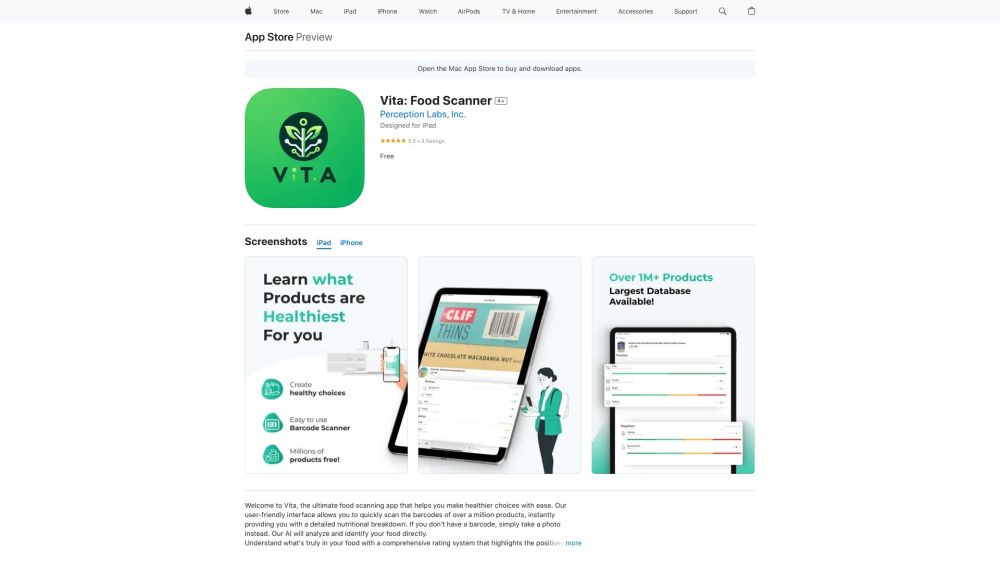
Vita website preview

Vita: Food Scanner Website screenshot

What is Vita: Food Scanner?

Vita: Food Scanner is your go-to app for making healthier dietary choices effortlessly. By scanning a barcode or taking a photo, the app delivers a comprehensive nutritional analysis of any food item.

How to Use Vita: Food Scanner?

Using Vita is straightforward. Simply scan the barcode of any food product or take a photo. The app will then analyze the item, providing a detailed health rating that outlines the pros and cons of the food.

Vita: Food Scanner's Core Features

Scan barcodes or capture photos of food

Receive instant, detailed nutritional information

Utilize a comprehensive health rating system

Access a vast food database

Get personalized health scores for better choices

Monitor nutritional history and favorite foods

Explore top brands and best food options

Vita: Food Scanner's Use Cases

Identify the healthiest foods for your diet

Make smart shopping decisions

Track and manage your nutrition intake

Find superior food choices in each category

Product source: Vita official website. Check the provider for current plans, limits and availability.

FAQ

Vita questions and answers

Product context and practical checks for evaluating Vita.

What is Vita used for?

Vita: Food Scanner - Instantly scan or snap a photo to get a detailed nutritional breakdown and make healthier food choices with ease. Your guide to better eating!

How do I get started with Vita?

Using Vita is straightforward. Simply scan the barcode of any food product or take a photo. The app will then analyze the item, providing a detailed health rating that outlines the pros and cons of the food.

Which capabilities are described for Vita?

Scan barcodes or capture photos of foodReceive instant, detailed nutritional informationUtilize a comprehensive health rating systemAccess a vast food databaseGet personalized health scores for better choicesMonitor nutritional history and favorite foodsExplore top brands and best food options

What projects can I evaluate Vita for?

Identify the healthiest foods for your dietMake smart shopping decisionsTrack and manage your nutrition intakeFind superior food choices in each category

What should I compare before choosing a Vita plan?

Check Vita’s current pricing page for included usage, renewal terms and any credit charges. Compare the cost of a usable result, including retries, rather than assuming that account registration includes free usage.

What inputs should I prepare for a Vita trial?

Look for text prompts, image references, masks or sketches as appropriate. Compare composition control, supported upload types and the ability to revise a selected area.

How can I check the quality of a Vita result?

Inspect text, hands, edges, reflections and repeated objects at full size. Check that important product or brand details survive editing.

Which export options should I check in Vita?

Compare pixel dimensions, transparency, file formats and any enlargement options. Confirm that the downloaded result works in your design or publishing software.

What is a practical way to test Vita against alternatives?

Prepare a brief with a subject, composition, lighting and required output size. Test a first generation and a targeted revision to see how much control you retain.

Where is the official Vita website?

The website linked from this profile is https://apps.apple.com/us/app/vita-food-scanner/id6473385005. Use the provider’s own documentation, account area and support channels to confirm current product details.

Visit Vita