AI Content Generator

VidMax

VidMax: AI-powered faceless video creator & distributor—boost engagement, save time, and scale content effortlessly. Try it today!

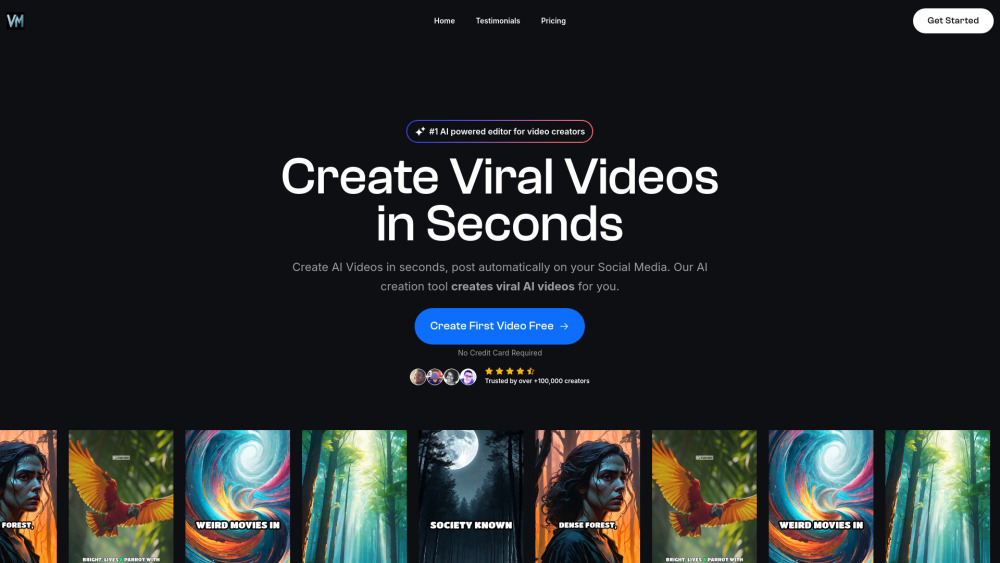
VidMax website preview

VidMax Website screenshot

Introducing VidMax: The All-in-One AI Faceless Video Engine

VidMax is a next-generation AI platform engineered for creators, marketers, and educators who want high-impact video content—without showing their face, recording voiceovers, or manually posting. It intelligently generates, refines, and deploys professional-grade faceless videos across YouTube, TikTok, Instagram Reels, and more—fully automated.

Getting Started with VidMax Is Effortless

Launch your first campaign in under 60 seconds: choose a template or prompt, let VidMax generate your script and visuals, fine-tune with AI-powered editing tools, then auto-publish—or queue for optimal timing.

Power-Packed Core Capabilities

Mass-scale video generation (100+ videos/hour)

Intelligent AI editor with drag-and-drop scene control

Cross-platform scheduling & smart repurposing

Natural-sounding, brand-aligned voice cloning

True faceless mode—no avatars, no stock presenters, just clean, authoritative visuals

Who’s Using VidMax—and Why?

TikTok growth hackers scaling to 30+ daily posts—zero filming required.

Local service businesses building trust and leads with branded explainer videos—no camera, no crew.

Online course creators launching modular, evergreen lessons—focused on value, not visibility.

Product source: VidMax official website. Check the provider for current plans, limits and availability.

FAQ

VidMax questions and answers

Product context and practical checks for evaluating VidMax.

What is VidMax used for?

VidMax: AI-powered faceless video creator & distributor—boost engagement, save time, and scale content effortlessly. Try it today!

How do I get started with VidMax?

Launch your first campaign in under 60 seconds: choose a template or prompt, let VidMax generate your script and visuals, fine-tune with AI-powered editing tools, then auto-publish—or queue for optimal timing.

Which capabilities are described for VidMax?

Mass-scale video generation (100+ videos/hour)Intelligent AI editor with drag-and-drop scene controlCross-platform scheduling & smart repurposingNatural-sounding, brand-aligned voice cloningTrue faceless mode—no avatars, no stock presenters, just clean, authoritative visuals

What should I compare before choosing a VidMax plan?

Check VidMax’s current pricing page for included usage, renewal terms and any credit charges. Compare the cost of a usable result, including retries, rather than assuming that account registration includes free usage.

What inputs should I prepare for a VidMax trial?

Compare text prompts, reference frames, source footage and audio support. Check duration, aspect ratio and whether the tool lets you keep a subject consistent between shots.

How can I check the quality of a VidMax result?

Watch the entire clip for motion errors, distorted objects, changing identities, lip-sync problems and abrupt transitions. Inspect the downloaded file as well as the preview.

Which export options should I check in VidMax?

Check export resolution, frame rate, aspect ratio, audio tracks and watermark rules. A good preview is not a substitute for an export that fits your publishing channel.

What is a practical way to test VidMax against alternatives?

Use a short shot with one subject and one camera movement. Keep the prompt and duration constant, then compare usable seconds and the number of regenerations.

What should I review before uploading material to VidMax?

Read the provider’s rules on access, retention, deletion and use of uploaded material. Start with a non-confidential sample that you have permission to use.

Where is the official VidMax website?

The website linked from this profile is https://www.vidmax.ai. Use the provider’s own documentation, account area and support channels to confirm current product details.

Visit VidMax