AI Video Generator

VideoTutor

VideoTutor: AI-powered personalized teaching videos for K12, SAT/AP prep, STEM & languages—adaptive, engaging, and effective.

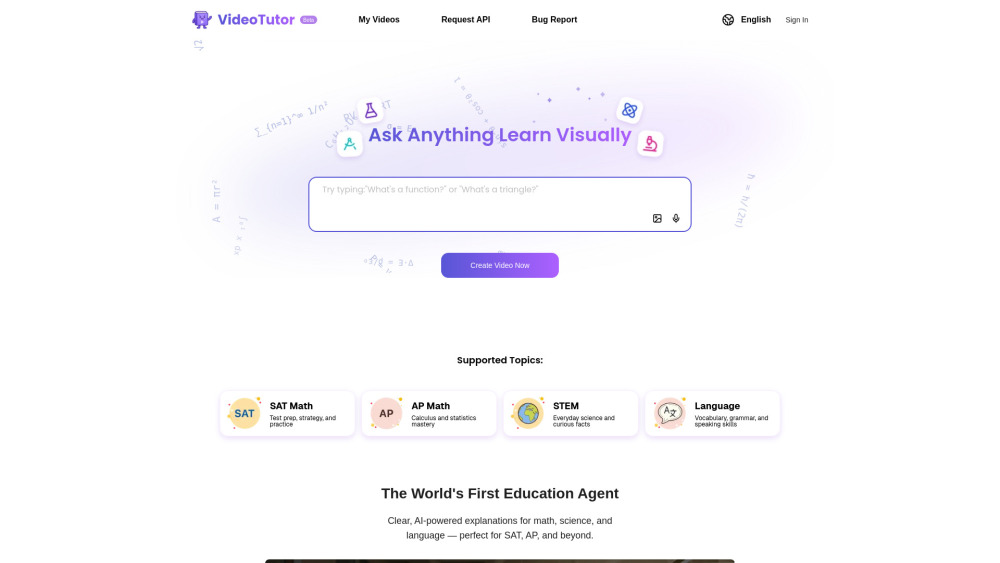
VideoTutor website preview

VideoTutor Website screenshot

Introducing VideoTutor: Your AI Teaching Assistant, Reimagined

VideoTutor is the world’s first generative AI education agent engineered exclusively for visual, conceptual learning. Instead of static answers or generic tutorials, it transforms your questions—whether typed, spoken, or captured as a screenshot—into dynamic, animated teaching videos with natural-sounding narration and step-by-step pedagogy. Designed from the ground up for learners in grades K–12, college-bound test takers (SAT, AP Calculus, AP Biology, AP Lang), and language learners, VideoTutor delivers intuitive, Khan Academy–inspired instruction that adapts to *how* you learn—not just what you ask.

How It Works: Learn in Seconds, Not Hours

Start by typing a question (“How do I solve quadratic inequalities?”), pasting a textbook screenshot, or selecting a topic like “Spanish subjunctive verbs.” VideoTutor’s multimodal AI interprets context, identifies learning gaps, and generates a custom video—complete with hand-drawn-style animations, on-screen annotations, voiceover explanations, and optional subtitles. No login required to begin; click “Ask Anything, Learn Visually” or “Create Video Now” to launch your first personalized lesson—anytime, anywhere.

Why Educators & Students Choose VideoTutor

Truly Adaptive Learning Videos

AI-Curated Explanations Built for Clarity

Synchronized Animation + Human-Like Voice Guidance

Comprehensive Coverage: K12 Core, SAT/AP STEM & Language Exams

Pedagogically Grounded—Not Just AI-Generated

Always-On Academic Support: SAT Math Tutor Mode (with strategy tips, common pitfalls, and timed practice framing)

Real-World Learning Scenarios

Mastering SAT Math sections—especially tricky word problems and function transformations

Preparing for AP Calculus BC exams with animated derivations and real-world applications

Exploring foundational STEM concepts—from Newton’s laws to DNA replication—with visual scaffolding

Building fluency in French, Spanish, or Mandarin through contextual grammar videos and pronunciation modeling

Breaking down complex algebraic concepts (e.g., completing the square, rationalizing denominators)

Demystifying interdisciplinary questions (e.g., “How does climate change affect ocean pH?”)

Reinforcing grade-level fluency—like 4th-grade fractions or middle-school cell biology—with age-appropriate pacing and visuals

Product source: VideoTutor official website. Check the provider for current plans, limits and availability.

FAQ

VideoTutor questions and answers

Product context and practical checks for evaluating VideoTutor.

What is VideoTutor used for?

VideoTutor: AI-powered personalized teaching videos for K12, SAT/AP prep, STEM & languages—adaptive, engaging, and effective.

How do I get started with VideoTutor?

Start by typing a question (“How do I solve quadratic inequalities?”), pasting a textbook screenshot, or selecting a topic like “Spanish subjunctive verbs.” VideoTutor’s multimodal AI interprets context, identifies learning gaps, and generates a custom video—complete with hand-drawn-style animations, on-screen annotations, voiceover explanations, and optional subtitles. No login required to begin; click “Ask Anything, Learn Visually” or “Create Video Now” to launch your first personalized lesson—anytime, anywhere.

What should I compare before choosing a VideoTutor plan?

Check VideoTutor’s current pricing page for included usage, renewal terms and any credit charges. Compare the cost of a usable result, including retries, rather than assuming that account registration includes free usage.

What inputs should I prepare for a VideoTutor trial?

Compare text prompts, reference frames, source footage and audio support. Check duration, aspect ratio and whether the tool lets you keep a subject consistent between shots.

How can I check the quality of a VideoTutor result?

Watch the entire clip for motion errors, distorted objects, changing identities, lip-sync problems and abrupt transitions. Inspect the downloaded file as well as the preview.

Which export options should I check in VideoTutor?

Check export resolution, frame rate, aspect ratio, audio tracks and watermark rules. A good preview is not a substitute for an export that fits your publishing channel.

What is a practical way to test VideoTutor against alternatives?

Use a short shot with one subject and one camera movement. Keep the prompt and duration constant, then compare usable seconds and the number of regenerations.

What should I review before uploading material to VideoTutor?

Read the provider’s rules on access, retention, deletion and use of uploaded material. Start with a non-confidential sample that you have permission to use.

How can I check whether VideoTutor fits my existing workflow?

List the steps before and after using VideoTutor, including preparation, review and export. Test that complete sequence and check whether handoffs require manual conversion or another paid service.

Where is the official VideoTutor website?

The website linked from this profile is https://videotutor.io. Use the provider’s own documentation, account area and support channels to confirm current product details.

Visit VideoTutor