AI Video Editor

Video Background Remover

Remove video backgrounds instantly with our free, AI-powered online tool—no downloads, no hassle!

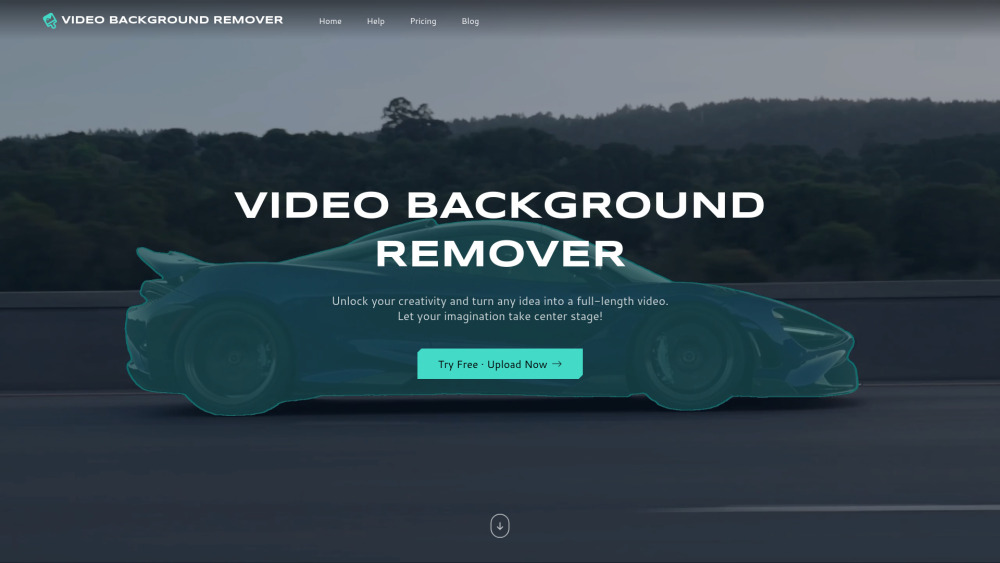
Video Background Remover website preview

Video Background Remover Website screenshot

What Is Video Background Remover?

Video Background Remover is a cutting-edge, browser-based AI tool that eliminates video backgrounds in seconds — completely free, zero installation required, and no green screen necessary. Leveraging state-of-the-art deep learning models, it precisely segments people, pets, products, and multiple subjects from complex backgrounds while preserving fine details like hair, motion blur, and transparency. Export your results in crisp Full HD (1080p), fully watermark-free, and optimized for social-first platforms including TikTok, Instagram Reels, YouTube Shorts, LinkedIn videos, and professional marketing content — all processed securely in your browser with no file uploads to external servers.

Key Capabilities of Video Background Remover

Smart AI Segmentation Engine

Trained on millions of video frames, our proprietary model adapts dynamically to lighting changes, fast movement, overlapping subjects, and semi-transparent objects — delivering studio-grade compositing quality without expert editing skills.

Who Uses Video Background Remover?

Creators, marketers, educators, and small businesses — instantly elevate video content with pro-level polish.

  • Support & Assistance

    Have questions? Need help troubleshooting or requesting a refund? Visit our dedicated Help & Support Center for live chat, email support, and detailed FAQs.

  • About Our Team

    Video Background Remover is developed by Videobackgroundremover — a team of AI engineers and UX designers focused on democratizing professional video tools.

    Company address: Not publicly disclosed (remote-first operation).

    Learn more about our mission and technology: About Us.

  • Access Your Account

    Log in to save projects, access history, and unlock priority processing: Video Background Remover Login.

  • Get Started in Seconds

    Create your free account and begin removing backgrounds instantly: Sign Up Now.

Common Questions

How does Video Background Remover work?

Using lightweight, privacy-respecting AI models that run entirely in your browser (WebAssembly + ONNX.js), the tool analyzes each frame in real time — identifying foreground subjects via pixel-level semantic segmentation. No video leaves your device, ensuring full data confidentiality and compliance with GDPR and CCPA standards.

Product source: Video Background Remover official website. Check the provider for current plans, limits and availability.

FAQ

Video Background Remover questions and answers

Product context and practical checks for evaluating Video Background Remover.

What is Video Background Remover used for?

Remove video backgrounds instantly with our free, AI-powered online tool—no downloads, no hassle!

How do I get started with Video Background Remover?

Open the official Video Background Remover website and identify the workflow that matches your task. Use a short shot with one subject and one camera movement. Keep the prompt and duration constant, then compare usable seconds and the number of regenerations.

Which capabilities are described for Video Background Remover?

Smart AI Segmentation Engine Trained on millions of video frames, our proprietary model adapts dynamically to lighting changes, fast movement, overlapping subjects, and semi-transparent objects — delivering studio-grade compositing quality without expert editing skills.

What projects can I evaluate Video Background Remover for?

Creators, marketers, educators, and small businesses — instantly elevate video content with pro-level polish. Support & Assistance Have questions? Need help troubleshooting or requesting a refund? Visit our dedicated Help & Support Center for live chat, email support, and detailed FAQs. About Our Team Video Background Remover is developed by Videobackgroundremover — a team of AI engineers and UX designers focused on democratizing professional video tools. Company address: Not publicly disclosed (remote-first operation). Learn more about our mission and technology: About Us. Access Your Account Log in to save projects, access history, and unlock priority processing: Video Background Remover Login. Get Started in Seconds Create your free account and begin removing backgrounds instantly: Sign Up Now.

How does Video Background Remover handle videobackgroundremover?

About Our Team Video Background Remover is developed by Videobackgroundremover — a team of AI engineers and UX designers focused on democratizing professional video tools. Company address: Not publicly disclosed (remote-first operation). Learn more about our mission and technology: About Us.

What should I compare before choosing a Video Background Remover plan?

Check Video Background Remover’s current pricing page for included usage, renewal terms and any credit charges. Compare the cost of a usable result, including retries, rather than assuming that account registration includes free usage.

What inputs should I prepare for a Video Background Remover trial?

Compare text prompts, reference frames, source footage and audio support. Check duration, aspect ratio and whether the tool lets you keep a subject consistent between shots.

How can I check the quality of a Video Background Remover result?

Watch the entire clip for motion errors, distorted objects, changing identities, lip-sync problems and abrupt transitions. Inspect the downloaded file as well as the preview.

Which export options should I check in Video Background Remover?

Check export resolution, frame rate, aspect ratio, audio tracks and watermark rules. A good preview is not a substitute for an export that fits your publishing channel.

Where is the official Video Background Remover website?

The website linked from this profile is https://video-background-remover.com. Use the provider’s own documentation, account area and support channels to confirm current product details.

Visit Video Background Remover