AI Chatbot

VERN AI

VERN AI is an advanced emotional AI technology that provides real-time predictions and analysis of a user's emotional state. It empowers businesses and applications to understand and respond to customer emotions, enabling empathy and improving customer experience.

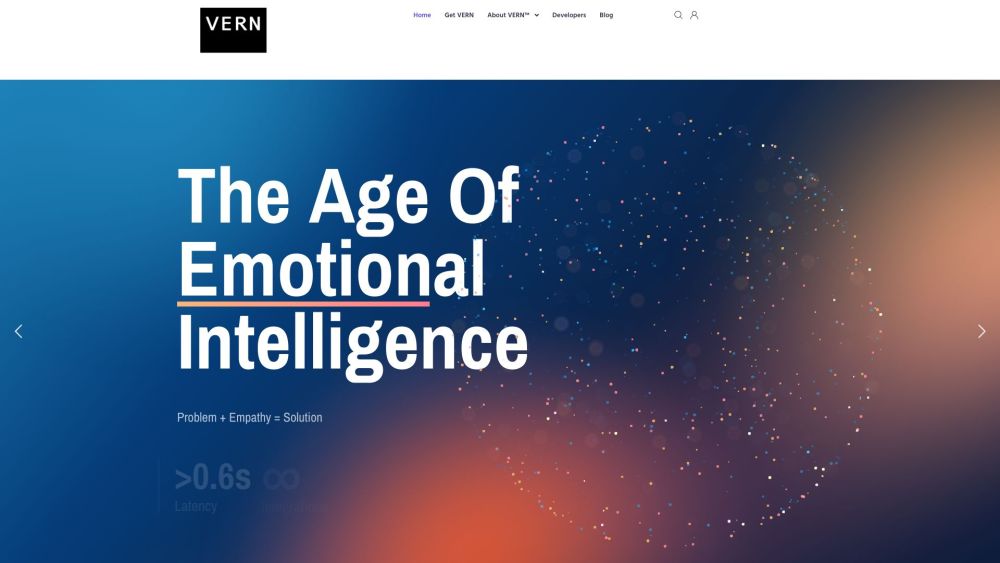
VERN AI website preview

VERN AI Website screenshot

What is VERN AI?

VERN AI is an innovative emotional intelligence technology designed to provide real-time insights into users' emotional states. This advanced AI enables businesses and applications to detect and respond to emotions, fostering empathy and enhancing the overall customer experience.

How to Use VERN AI?

Follow these steps to get started with VERN AI: 1. Sign up on the VERN AI website to receive your API key. 2. Select your application, whether it’s for a chatbot, content analysis, or social listening. 3. Integrate VERN AI with your chosen software or platform, such as Symbl.ai or Kore.ai. 4. Verify the results by reviewing the provided sample analyses. 5. Begin real-time emotion analysis to enhance empathy and improve user experiences.

Core Features of VERN AI

Real-time Emotional Analysis

Seamless API and ML Ops Integration

Comprehensive Emotion Detection

Superior Accuracy

Support for Voice and Text Analysis

Compatibility with Chatbots and Virtual Assistants

Detailed Documentation and 24/7 Support

Use Cases for VERN AI

Customer Service for Handling Upset Customers

HR Tools for Employee Engagement

Marketing for Public Sentiment Analysis

Healthcare for Enhanced Patient Care

Content Moderation for Positive Online Environments

Mental Health Tools for Better Support

Large-Scale Content Analysis

Product source: VERN AI official website. Check the provider for current plans, limits and availability.

FAQ

VERN AI questions and answers

Product context and practical checks for evaluating VERN AI.

What is VERN AI used for?

VERN AI is an advanced emotional AI technology that provides real-time predictions and analysis of a user's emotional state. It empowers businesses and applications to understand and respond to customer emotions, enabling empathy and improving customer experience.

How do I get started with VERN AI?

Follow these steps to get started with VERN AI: 1. Sign up on the VERN AI website to receive your API key. 2. Select your application, whether it’s for a chatbot, content analysis, or social listening. 3. Integrate VERN AI with your chosen software or platform, such as Symbl.ai or Kore.ai. 4. Verify the results by reviewing the provided sample analyses. 5. Begin real-time emotion analysis to enhance empathy and improve user experiences.

Which capabilities are described for VERN AI?

Real-time Emotional AnalysisSeamless API and ML Ops IntegrationComprehensive Emotion DetectionSuperior AccuracySupport for Voice and Text AnalysisCompatibility with Chatbots and Virtual AssistantsDetailed Documentation and 24/7 Support

What projects can I evaluate VERN AI for?

Customer Service for Handling Upset CustomersHR Tools for Employee EngagementMarketing for Public Sentiment AnalysisHealthcare for Enhanced Patient CareContent Moderation for Positive Online EnvironmentsMental Health Tools for Better SupportLarge-Scale Content Analysis VERN AI Support and Contact Information For more contact details, visit the contact us page. About VERN AI Company VERN AI, operated by Virtual Emotion Resource Network, LLC. Learn more at the about us page. VERN AI Login Login here: https://vernai.com/login/ VERN AI Sign Up Sign up here: https://vernai.com/login/ VERN AI on Social Media Follow VERN AI on: Facebook YouTube LinkedIn Twitter

What should I compare before choosing a VERN AI plan?

Check VERN AI’s current pricing page for included usage, renewal terms and any credit charges. Compare the cost of a usable result, including retries, rather than assuming that account registration includes free usage.

What inputs should I prepare for a VERN AI trial?

Compare text prompts, reference frames, source footage and audio support. Check duration, aspect ratio and whether the tool lets you keep a subject consistent between shots.

How can I check the quality of a VERN AI result?

Watch the entire clip for motion errors, distorted objects, changing identities, lip-sync problems and abrupt transitions. Inspect the downloaded file as well as the preview.

Which export options should I check in VERN AI?

Check export resolution, frame rate, aspect ratio, audio tracks and watermark rules. A good preview is not a substitute for an export that fits your publishing channel.

What is a practical way to test VERN AI against alternatives?

Use a short shot with one subject and one camera movement. Keep the prompt and duration constant, then compare usable seconds and the number of regenerations.

Where is the official VERN AI website?

The website linked from this profile is https://makebestmusic.com. Use the provider’s own documentation, account area and support channels to confirm current product details.

Visit VERN AI