Table of contents
Veo3Video : AI Video Gen with Lip-Sync & Audio Sync, Veo3-Powered
Veo3Video: Generate stunning AI videos with perfect lip-sync & audio sync—powered by Google’s cutting-edge Veo3. Create effortlessly.
Directory : Image to Video, Text to Video, AI Video Generator, AI Lip Sync Generator, AI Speech Synthesis, AI Movie Generator, AI Voice Generator, AI Sound Effect Generator, AI Animation Generator
Introducing Veo3Video: Where Text Meets Talking, Moving, Cinematic Reality
Veo3Video is the first production-ready platform built exclusively on Google’s groundbreaking Veo3 foundation model — engineered not just for video, but for *audiovisual storytelling with native synchronization*. Unlike legacy AI video tools that bolt on voiceovers or approximate lip movement, Veo3Video generates rich, multi-layered audio *in tandem* with every frame: dialogue that matches mouth shapes precisely, immersive ambient layers, context-aware sound effects — all co-created in real time by Veo3’s unified multimodal architecture. This isn’t post-sync editing; it’s physics-aware, prompt-guided, cinematic generation — where language, motion, sound, and timing converge seamlessly.
Getting Started with Veo3Video — Simple, Fast, Studio-Grade
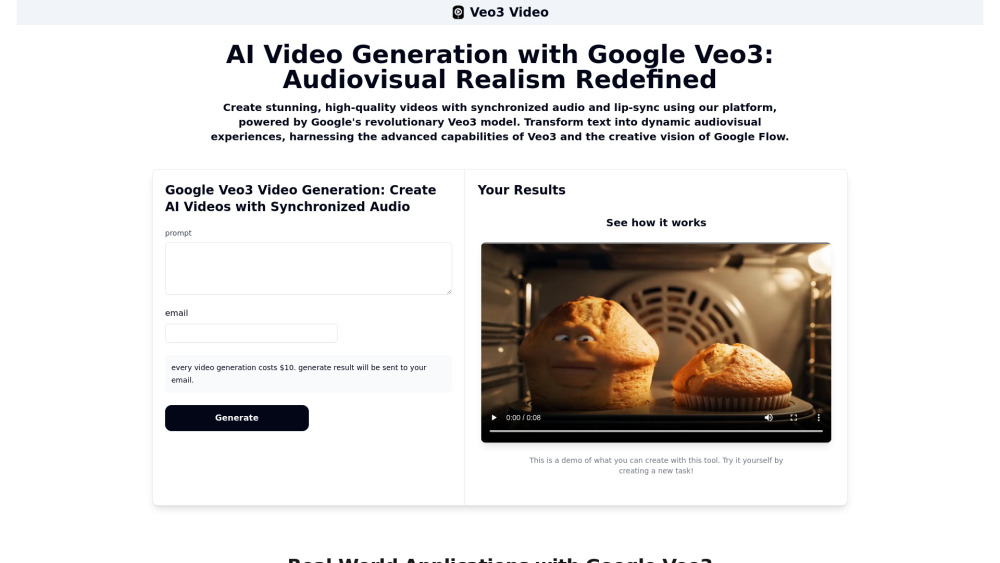
Creating your first Veo3-powered video takes under a minute: Step 1 — Describe with Intent: Enter a vivid, structured prompt — specify characters, emotions, camera movement (e.g., “slow dolly-in on smiling chef speaking warmly”), lighting (“golden-hour backlight”), audio cues (“sizzling pan sounds, light laughter”), and even lip-sync emphasis (“clear enunciation of ‘fresh basil’”). Step 2 — Confirm & Receive: Provide your email, complete secure checkout, and within minutes, receive a high-resolution MP4 with perfectly aligned audio — no manual syncing, no third-party tools, no compromise on fidelity.
Why Veo3Video Sets a New Standard: Core Capabilities
True Native Audio Generation — Not Added, But Born Together
Pixel-Perfect Lip-Sync — Driven by Phonetic-Aware Motion Modeling
Text-to-Video + Image-to-Video — With Consistent Style & Identity Retention
Physics-Infused Motion — Realistic weight, inertia, fluid dynamics, and object interaction
Cinematic Direction Tools — Dynamic camera paths, depth-of-field control, stylized grading presets
Prompt Intelligence — Interprets nuance, spatial logic, temporal sequencing, and emotional tone
Google Flow Integration — For scene chaining, character continuity, and narrative scaffolding
Reference-Guided Generation — Upload a portrait, product shot, or sketch to anchor visual identity
Pro-Level Camera Simulation — Smooth pans, tilts, crane shots, and focus pulls — all promptable
Smart Frame Editing — Inpaint/outpaint objects, extend scenes, replace elements — inside the timeline
Real-World Applications — From Concept to Broadcast
Filmmakers & Directors: Rapid pre-vis, dialogue-driven scene prototyping, and A/B testing of visual treatments
Marketing Teams: High-conversion ad variants — synced voiceover, branded sound design, localized lip movements
Content Creators: YouTube intros, TikTok explainers, and Instagram Reels — generated in seconds, not hours
Educators & Trainers: Animated simulations, multilingual training modules with accurate pronunciation modeling
Game Studios: NPC dialogue clips, environmental cutscenes, and dynamic UI animations — all with embedded audio
E-commerce Brands: Transform static catalogs into shoppable video — showing products in use, with spoken features
Accessibility Developers: Auto-generate caption-aligned sign-language avatars or descriptive audio overlays
Frequently Asked Questions (FAQ)
-
How does Veo3Video differ from earlier AI video generators?
-
Can I control which parts of the video have lip-sync — e.g., only for speaking characters?
-
How does Google Flow enhance Veo3Video for professional workflows?
-
What are the current resolution, frame rate, and duration limits?
-
How does Veo3Video address responsible AI use and content authenticity?
-
Support & Contact Information
For technical assistance, billing inquiries, or refund requests, please visit our dedicated support hub: Contact Us Page (https://veo3video.app/contact)
-
About Veo3Video
Veo3Video is a Google-developed platform — part of the Veo ecosystem, built and maintained by Google Research & DeepMind. Company Name: Google LLC Registered Address: 1600 Amphitheatre Parkway, Mountain View, CA 94043, USA Learn more about our mission, team, and technology roadmap at: About Veo3Video (https://veo3video.app/about)
-
Access Your Account
Log in to your Veo3Video workspace: https://veo3video.app/login
-
Get Started Today
Create your free account and generate your first Veo3-powered video: https://veo3video.app/register
-
Transparent Pricing Plans
Explore tiered plans — including pay-per-generation, monthly credits, and enterprise licensing: Veo3Video Pricing (https://veo3video.app/pricing)
FAQ from Veo3Video
What is Veo3Video?
Veo3Video is Google’s flagship AI video generation platform, powered end-to-end by the Veo3 model — the world’s first large multimodal foundation model designed for synchronized audiovisual synthesis. It goes beyond visual generation: Veo3Video produces videos where speech, soundscapes, motion, and expression emerge as a unified output — enabling creators to script, direct, and deliver cinematic-quality content directly from text — with zero audio post-production required.
How to use Veo3Video?
It’s purpose-built for speed and precision: Craft a descriptive prompt (include who’s speaking, what they’re saying, how it looks and sounds), submit with your email, and pay securely. Veo3Video processes your request using Veo3’s inference pipeline — generating a downloadable MP4 with frame-accurate lip-sync, contextual audio layers, and cinematic motion — delivered straight to your inbox.
How does this platform utilize Google Veo3?
Veo3Video doesn’t “use” Veo3 as an API wrapper — it *is* the Veo3 inference interface. Every video is rendered via Veo3’s native architecture, which jointly models visual tokens, acoustic waveforms, phoneme alignments, and temporal coherence. This enables true multimodal grounding — ensuring that “a dog barking” appears *and* sounds *and* moves like a real dog — all in one coherent generation pass.
What makes videos generated with Google Veo3 stand out?
Veo3 delivers three paradigm shifts: (1) Audio-native generation — no mismatched voiceovers or canned SFX libraries; (2) Lip-sync fidelity — trained on phoneme-to-viseme mappings across languages and accents; (3) Cinematic physics — cloth simulation, fluid dynamics, and realistic object interactions derived from real-world motion priors — not approximated motion blur.
What is the role of Google Flow in relation to Veo3 on this platform?
Google Flow acts as Veo3Video’s “director’s toolkit”: It lets users storyboard multi-scene narratives, maintain character consistency across clips, apply global style sheets, manage assets (‘Ingredients’), and chain Veo3 outputs into longer-form sequences — effectively turning 8-second Veo3 clips into cohesive minutes-long stories, with editorial control over pacing, transitions, and continuity.
What is the maximum length of videos I can generate?
Each standalone Veo3 generation produces up to 8 seconds of high-fidelity video at up to 1080p and 24/30fps. Using Google Flow, creators can compose extended narratives — with seamless cuts, crossfades, and persistent characters — scaling toward multi-minute productions while retaining Veo3’s audiovisual integrity.
Are there any ethical considerations with using Veo3?
Absolutely — and Veo3Video embeds Google’s strongest safeguards: All outputs carry invisible SynthID watermarks detectable by Google’s Content Credentials system. Strict content policies block harmful, deceptive, or non-consensual depictions. Additionally, Veo3Video enforces attribution requirements, prohibits impersonation of public figures without consent, and integrates real-time safety classifiers trained to flag bias, stereotypes, or unsafe scenarios — before generation begins.