AI Illustration Generator

Vectify

Vectify: Transform ideas into vector art with our AI-powered SVG tool. Effortlessly create professional illustrations—unleash your creativity today!

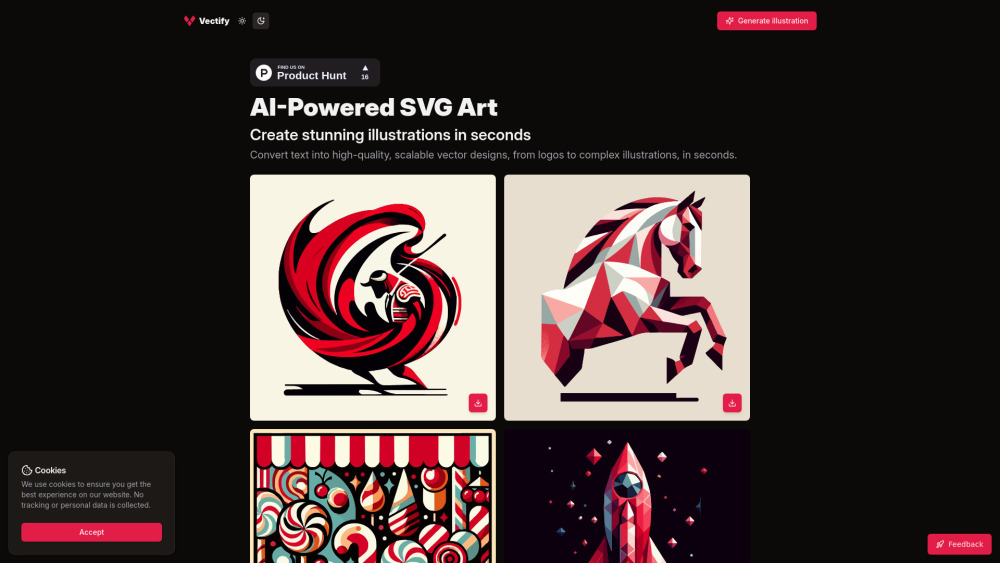
Vectify website preview

Vectify Website screenshot

Discover Vectify: Your AI-Powered Vector Art Companion

Vectify is an innovative platform powered by artificial intelligence that transforms textual ideas into stunning, scalable vector art. Whether you're designing a logo, creating custom icons, or crafting intricate illustrations, Vectify delivers high-quality results in mere seconds.

How Can You Utilize Vectify?

Using Vectify is as simple as typing your idea into the input field. The advanced AI system processes your description and generates a unique vector design tailored to your specifications.

Key Features of Vectify

Text-to-Art Conversion

AI-Driven Creativity

Effortless SVG Export

Lightning-Fast Design Creation

Practical Applications of Vectify

Craft Custom Logos and Icons from Text Inputs

Produce Detailed Illustrations for Various Projects

Streamline Design Workflows with Instant Vector Outputs

Common Queries Regarding Vectify

What is Vectify?

Vectify represents a cutting-edge platform utilizing AI technology to convert text-based inputs into top-tier, scalable vector designs ranging from logos to elaborate artwork within moments.

How Do I Operate Vectify?

Simply input your creative concept into Vectify's interface, and its intelligent algorithms will produce a distinctive vector graphic aligned with your vision.

What Mechanism Powers Vectify?

Vectify employs sophisticated machine learning techniques to interpret your text and fabricate corresponding vector graphics.

Which File Format Will I Obtain For My Designs?

Your creations will be delivered in the universally compatible SVG format, ensuring scalability and quality.

Can I Experience Vectify Prior To Purchase?

Absolutely, Vectify offers a demonstration feature allowing users to witness its capabilities firsthand.

What is the Speed Of Design Production With Vectify?

Vectify ensures rapid design generation, often completing the process in just a few seconds.

Are There Constraints On The Intricacy Of My Designs?

Vectify caters to a broad spectrum of design complexities; however, the level of detail may depend on the clarity and specificity of your input text.

Product source: Vectify official website. Check the provider for current plans, limits and availability.

FAQ

Vectify questions and answers

Product context and practical checks for evaluating Vectify.

What is Vectify used for?

Vectify: Transform ideas into vector art with our AI-powered SVG tool. Effortlessly create professional illustrations—unleash your creativity today!

How do I get started with Vectify?

Open the official Vectify website and identify the workflow that matches your task. Prepare a brief with a subject, composition, lighting and required output size. Test a first generation and a targeted revision to see how much control you retain.

Which capabilities are described for Vectify?

Text-to-Art ConversionAI-Driven CreativityEffortless SVG ExportLightning-Fast Design Creation

What projects can I evaluate Vectify for?

Craft Custom Logos and Icons from Text InputsProduce Detailed Illustrations for Various ProjectsStreamline Design Workflows with Instant Vector Outputs

What should I compare before choosing a Vectify plan?

To explore Vectify's pricing options, visit their official pricing page at https://vectify.app/pricing. Confirm current prices and allowances on the provider’s website before purchasing.

What inputs should I prepare for a Vectify trial?

Look for text prompts, image references, masks or sketches as appropriate. Compare composition control, supported upload types and the ability to revise a selected area.

How can I check the quality of a Vectify result?

Inspect text, hands, edges, reflections and repeated objects at full size. Check that important product or brand details survive editing.

Which export options should I check in Vectify?

Compare pixel dimensions, transparency, file formats and any enlargement options. Confirm that the downloaded result works in your design or publishing software.

What is a practical way to test Vectify against alternatives?

Prepare a brief with a subject, composition, lighting and required output size. Test a first generation and a targeted revision to see how much control you retain.

Where is the official Vectify website?

The website linked from this profile is https://vectify.app. Use the provider’s own documentation, account area and support channels to confirm current product details.

Visit Vectify