AI Presentation Generator

Varys AI

Varys AI is an artificial intelligence software designed specifically for interior design professionals. It offers instant interior rendering, an easy-to-use floorplan GPT (Generative Pre-trained Transformer) tool, and the ability to generate design solution documents with elegant and powerful wording. Varys AI aims to redefine the workflow of space design and provide a comprehensive and efficient design toolkit.

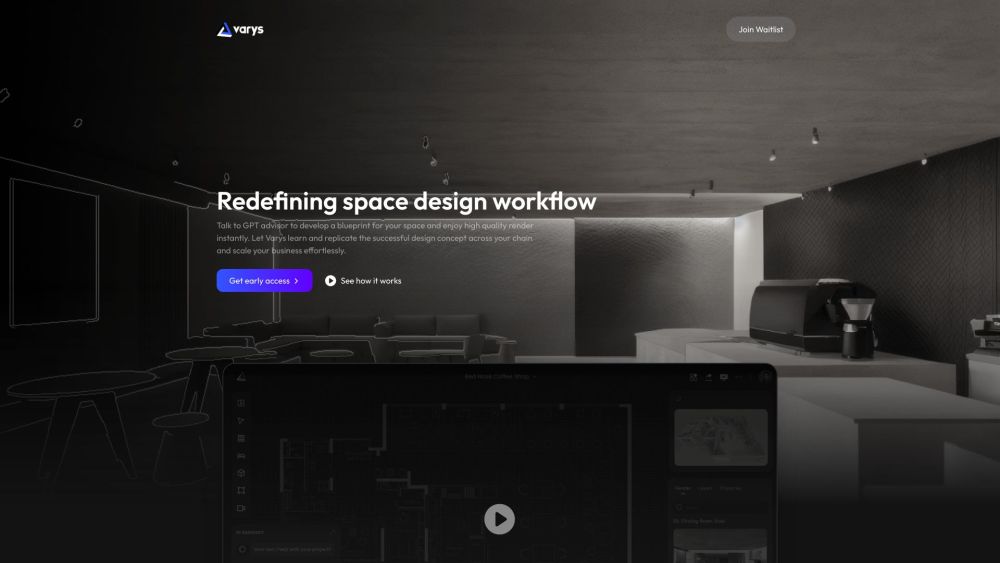
Varys AI website preview

Varys AI Website screenshot

Understanding Varys AI

Varys AI is an advanced artificial intelligence platform tailored for professionals in interior design. It simplifies the design process with features like instant interior rendering, a user-friendly floorplan GPT tool, and the ability to create sophisticated design solution documents. Varys AI is crafted to streamline the workflow of interior designers, providing a versatile and efficient design toolkit that enhances creativity and productivity.

Getting Started with Varys AI

To begin using Varys AI, sign up for early access or explore Varys Lite, which lets you complete a design project in under 30 minutes. You can start by uploading a .cad file or creating a wireframe in the intuitive editor. Varys AI will immediately generate design solutions from various perspectives for your property. Choose from a vast array of styles or craft your own, and use natural language to specify shapes, materials, and lighting. Additionally, you can consult Varys AI's GPT-powered design assistant for expert advice on space layout, furniture placement, and enhancing business performance. The images produced are fully customizable, allowing you to fine-tune them as needed. Furthermore, Varys AI generates comprehensive design solution documents, which can be easily edited within the platform's keynote editor.

Key Features of Varys AI

Instant interior rendering

User-friendly floorplan GPT

Sophisticated design solution document creation

Unlimited style customization options

GPT-powered design assistant for expert advice

Customizable and editable image rendering

Automated design document generation

Tailored AI training for specific design needs

Maintains consistency and brand identity across projects

Strategic guidance for retail business enhancement

Practical Applications of Varys AI

Professional interior design projects

Property renovation and refurbishment

Optimization of space layout

Strategic furniture arrangement

Enhancement of business performance

Expansion of commercial projects

Retail pedestrian flow optimization

Business orientation adjustments

Operational pattern enhancements

Product source: Varys AI official website. Check the provider for current plans, limits and availability.

FAQ

Varys AI questions and answers

Product context and practical checks for evaluating Varys AI.

What is Varys AI used for?

Varys AI is an artificial intelligence software designed specifically for interior design professionals. It offers instant interior rendering, an easy-to-use floorplan GPT (Generative Pre-trained Transformer) tool, and the ability to generate design solution documents with elegant and powerful wording. Varys AI aims to redefine the workflow of space design and provide a comprehensive and efficient design toolkit.

How do I get started with Varys AI?

To begin using Varys AI, sign up for early access or explore Varys Lite, which lets you complete a design project in under 30 minutes. You can start by uploading a .cad file or creating a wireframe in the intuitive editor. Varys AI will immediately generate design solutions from various perspectives for your property. Choose from a vast array of styles or craft your own, and use natural language to specify shapes, materials, and lighting. Additionally, you can consult Varys AI's GPT-powered design assistant for expert advice on space layout, furniture placement, and enhancing business performance. The images produced are fully customizable, allowing you to fine-tune them as needed. Furthermore, Varys AI generates comprehensive design solution documents, which can be easily edited within the platform's keynote editor.

Which capabilities are described for Varys AI?

Instant interior renderingUser-friendly floorplan GPTSophisticated design solution document creationUnlimited style customization optionsGPT-powered design assistant for expert adviceCustomizable and editable image renderingAutomated design document generationTailored AI training for specific design needsMaintains consistency and brand identity across projectsStrategic guidance for retail business enhancement

What projects can I evaluate Varys AI for?

Professional interior design projectsProperty renovation and refurbishmentOptimization of space layoutStrategic furniture arrangementEnhancement of business performanceExpansion of commercial projectsRetail pedestrian flow optimizationBusiness orientation adjustmentsOperational pattern enhancements Varys AI Support and Contact Information For customer support, reach out to Varys AI via email at [email protected]. About Varys AI Company Company Name: Varys Technology. Varys AI on YouTube Visit Varys AI's YouTube channel: https://www.youtube.com/watch?v=VKT6rMX6DIY&t=12s Varys AI on Twitter Follow Varys AI on Twitter: https://twitter.com/VarysAI Varys AI on Pinterest Check out Varys AI on Pinterest: https://www.pinterest.com/varysaimedia/

What should I compare before choosing a Varys AI plan?

Check Varys AI’s current pricing page for included usage, renewal terms and any credit charges. Compare the cost of a usable result, including retries, rather than assuming that account registration includes free usage.

What inputs should I prepare for a Varys AI trial?

Look for text prompts, image references, masks or sketches as appropriate. Compare composition control, supported upload types and the ability to revise a selected area.

How can I check the quality of a Varys AI result?

Inspect text, hands, edges, reflections and repeated objects at full size. Check that important product or brand details survive editing.

Which export options should I check in Varys AI?

Compare pixel dimensions, transparency, file formats and any enlargement options. Confirm that the downloaded result works in your design or publishing software.

What is a practical way to test Varys AI against alternatives?

Prepare a brief with a subject, composition, lighting and required output size. Test a first generation and a targeted revision to see how much control you retain.

Where is the official Varys AI website?

The website linked from this profile is https://www.varys.ai. Use the provider’s own documentation, account area and support channels to confirm current product details.

Visit Varys AI