AI Image Enhancer

Upscale.media

Upscale.media: AI-Powered Image Upscaling and Enhancement. Enlarge and enhance photos by 2x or 4x without losing textures or details. Superior quality with advanced AI.

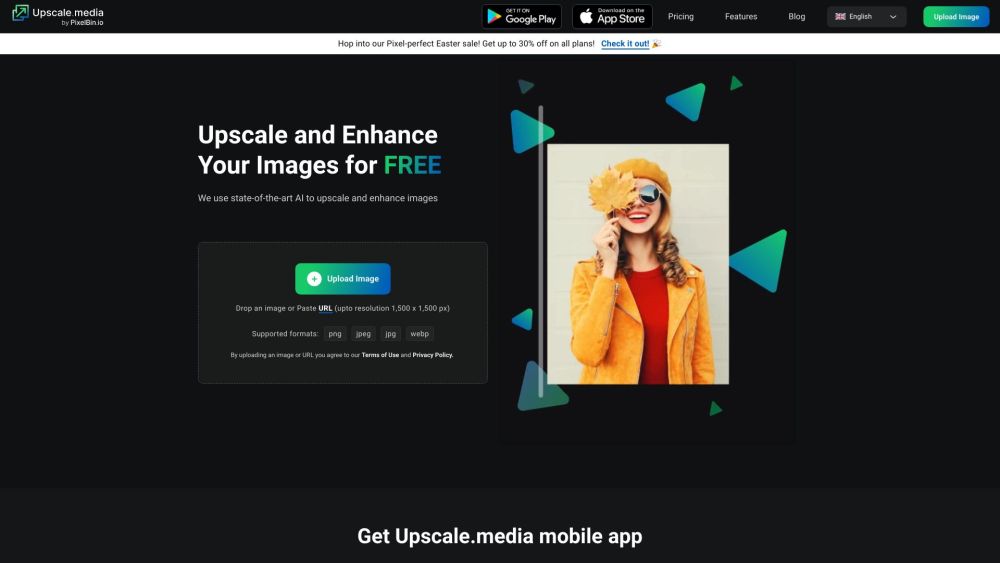
Upscale.media website preview

Upscale.media Website screenshot

What is Upscale.media?

Upscale.media is an advanced AI-driven image enhancement tool designed to upscale photos without compromising on quality. Utilizing state-of-the-art AI technology, it can increase image sizes by 2x or 4x, preserving intricate details and textures.

How to use Upscale.media?

Using Upscale.media is simple. Upload your image directly from your device or enter an image URL. The AI system then processes the image, offering options to upscale it to either 2x or 4x the original size. Once processing is finished, you can easily download the enhanced image.

Upscale.media's Core Features

AI-powered image upscaling

Maintains high-quality detail and texture

Upscales images by 2x or 4x

Supports multiple formats (PNG, JPEG, JPG, WEBP)

Fast and automatic processing

Realistic texture retention and enhancement

Upscale.media's Use Cases

Enhancing low-resolution images for personal or professional use

Improving visuals for social media and e-commerce

Upscaling artwork, portraits, logos, and product images

Boosting resolution and clarity of compressed social media photos

Transforming grainy selfies into clear, high-quality photos

  • Upscale.media Support Email & Customer Service Contact

    For support, you can reach out to Upscale.media customer service at: [email protected] .

  • Upscale.media Company

    The company behind Upscale.media is Shopsense Retail Technologies Limited.

    For more information, visit the About Us page.

  • Upscale.media Pricing

    For pricing details, visit: https://www.upscale.media/pricing

Product source: Upscale.media official website. Check the provider for current plans, limits and availability.

FAQ

Upscale.media questions and answers

Product context and practical checks for evaluating Upscale.media.

What is Upscale.media used for?

Upscale.media: AI-Powered Image Upscaling and Enhancement. Enlarge and enhance photos by 2x or 4x without losing textures or details. Superior quality with advanced AI.

How do I get started with Upscale.media?

Using Upscale.media is simple. Upload your image directly from your device or enter an image URL. The AI system then processes the image, offering options to upscale it to either 2x or 4x the original size. Once processing is finished, you can easily download the enhanced image.

Which capabilities are described for Upscale.media?

AI-powered image upscalingMaintains high-quality detail and textureUpscales images by 2x or 4xSupports multiple formats (PNG, JPEG, JPG, WEBP)Fast and automatic processingRealistic texture retention and enhancement

What projects can I evaluate Upscale.media for?

Enhancing low-resolution images for personal or professional useImproving visuals for social media and e-commerceUpscaling artwork, portraits, logos, and product imagesBoosting resolution and clarity of compressed social media photosTransforming grainy selfies into clear, high-quality photos Upscale.media Support Email & Customer Service Contact For support, you can reach out to Upscale.media customer service at: [email protected] . Upscale.media Company The company behind Upscale.media is Shopsense Retail Technologies Limited. For more information, visit the About Us page. Upscale.media Pricing For pricing details, visit: https://www.upscale.media/pricing

What should I compare before choosing a Upscale.media plan?

For pricing details, visit: https://www.upscale.media/pricing Confirm current prices and allowances on the provider’s website before purchasing.

What inputs should I prepare for a Upscale.media trial?

Look for text prompts, image references, masks or sketches as appropriate. Compare composition control, supported upload types and the ability to revise a selected area.

How can I check the quality of a Upscale.media result?

Inspect text, hands, edges, reflections and repeated objects at full size. Check that important product or brand details survive editing.

Which export options should I check in Upscale.media?

Compare pixel dimensions, transparency, file formats and any enlargement options. Confirm that the downloaded result works in your design or publishing software.

What is a practical way to test Upscale.media against alternatives?

Prepare a brief with a subject, composition, lighting and required output size. Test a first generation and a targeted revision to see how much control you retain.

Where is the official Upscale.media website?

The website linked from this profile is https://affiliates.pixelbin.io/gm4f98yc95eg. Use the provider’s own documentation, account area and support channels to confirm current product details.

Visit Upscale.media