Large Language Models (LLMs)

Typogram - Chrome Extension

Typogram - Chrome Extension: Automate typing on any website with ease. Save time and effort by letting Typogram type for you—fast, simple, and efficient!

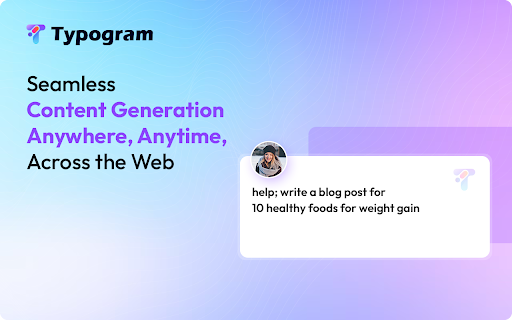
Typogram - Chrome Extension website preview

Typogram - Chrome Extension Website screenshot

What is Typogram AI Chrome Extension?

Typogram is an innovative Chrome extension designed to automate typing across a wide range of websites, making it a breeze to input text effortlessly.

How to Use Typogram AI Chrome Extension?

Using Typogram is simple: just instruct the extension to type live on any website, and it will handle the rest for you.

Core Features of Typogram AI Chrome Extension

Real-time typing in online content editors

Works seamlessly with platforms like Facebook, Reddit, Google Docs

No need for logging into separate AI tools or tedious copy-pasting

Key Use Cases for Typogram AI Chrome Extension

Create posts on Facebook instantly, even without prior preparation

Efficiently type comments or articles on Reddit with ease

Product source: Typogram - Chrome Extension official website. Check the provider for current plans, limits and availability.

FAQ

Typogram - Chrome Extension questions and answers

Product context and practical checks for evaluating Typogram - Chrome Extension.

What is Typogram - Chrome Extension used for?

Typogram - Chrome Extension: Automate typing on any website with ease. Save time and effort by letting Typogram type for you—fast, simple, and efficient!

How do I get started with Typogram - Chrome Extension?

Using Typogram is simple: just instruct the extension to type live on any website, and it will handle the rest for you.

Which capabilities are described for Typogram - Chrome Extension?

Real-time typing in online content editorsWorks seamlessly with platforms like Facebook, Reddit, Google DocsNo need for logging into separate AI tools or tedious copy-pasting

What projects can I evaluate Typogram - Chrome Extension for?

Create posts on Facebook instantly, even without prior preparationEfficiently type comments or articles on Reddit with ease

What should I compare before choosing a Typogram - Chrome Extension plan?

Check Typogram - Chrome Extension’s current pricing page for included usage, renewal terms and any credit charges. Compare the cost of a usable result, including retries, rather than assuming that account registration includes free usage.

What inputs should I prepare for a Typogram - Chrome Extension trial?

Identify the files, text or account connections your task needs. Confirm that the product accepts those inputs and offers controls for reviewing its work.

How can I check the quality of a Typogram - Chrome Extension result?

Test one representative task and inspect the result for accuracy and completeness. Record where manual corrections or extra tools are needed.

Which export options should I check in Typogram - Chrome Extension?

Check export formats, integrations and whether you can keep using your work outside the service. Test a real export before committing to a longer plan.

What is a practical way to test Typogram - Chrome Extension against alternatives?

Choose one task with a clear success condition. Keep the input consistent, record the time spent reviewing and compare the complete workflow cost.

Where is the official Typogram - Chrome Extension website?

The website linked from this profile is https://chromewebstore.google.com/detail/typogram/hdaifiiaeighbeglfjbpgljhlkgkaifp. Use the provider’s own documentation, account area and support channels to confirm current product details.

Visit Typogram - Chrome Extension