AI Productivity Tools

Typedesk

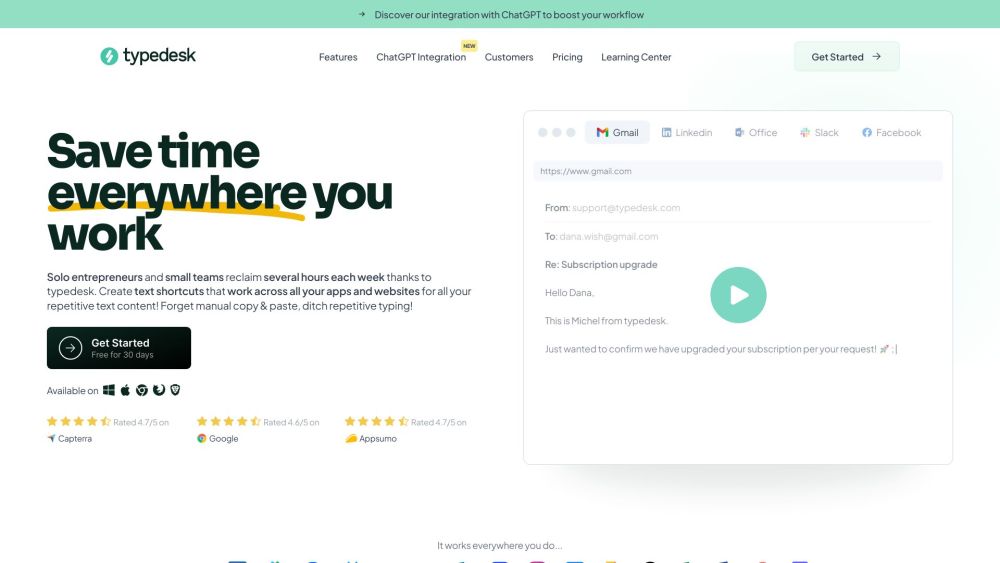
typedesk is a canned responses app that works everywhere. It allows users to automate keyboard typing and improve consistency across messages. With its text shortcuts, typedesk can be used on various apps and websites including Gmail, Zendesk, Helpscout, and Facebook.

Typedesk website preview

typedesk Website screenshot

What is typedesk?

typedesk is a versatile app designed to streamline your communication with canned responses. It helps automate typing tasks, ensuring uniformity in your messages. With typedesk's text shortcuts, you can efficiently manage responses across various platforms like Gmail, Zendesk, Helpscout, and Facebook.

How to use typedesk?

To utilize typedesk, create custom text shortcuts for the responses you use most frequently. These shortcuts can be adapted for all your applications and websites. Practice with the provided playground to explore its features. Install typedesk on Windows or Mac, or use it as a browser extension. Share your canned responses with your team to maintain consistency in your communications.

Core Features of typedesk

Customizable text shortcuts

Compatibility with major apps and websites

No integration required

Fast keyboard shortcuts for template management

Team sharing capabilities

Dynamic placeholders with powerful variables

Support for multiple platforms (Windows, Mac, major browsers)

Use Cases for typedesk

Customer Support & CSM - Enhance customer satisfaction with prompt responses, share templates with your team, and streamline onboarding.

Sales - Focus on selling, organize cold emails, and send booking links and quotes effortlessly.

Marketing Agencies & Consultants - Quickly send questions and briefs, create follow-up and email templates, and share them with your team.

Administration - Manage tasks efficiently, send customized contracts, and respond to emails faster.

Accountants & Bookkeepers - Accelerate filing processes, tailor payroll emails, and automate calculations.

Lawyers & Firms - Maintain consistent communications, easily send consultancy estimates, and draft legal notices with ease.

  • typedesk Support Email & Contact Information

    For customer service, email typedesk at: [email protected]. For more contact details, visit the contact us page.

  • typedesk Company

    Company name: typedesk.

  • typedesk Login

    Access your account via the login link: typedesk Login.

  • typedesk Sign Up

    Sign up for typedesk here: typedesk Sign Up.

  • typedesk Pricing

    For pricing details, visit: typedesk Pricing.

  • typedesk on Social Media

    Find typedesk on Facebook: typedesk Facebook.

  • typedesk on LinkedIn

    Connect on LinkedIn: typedesk LinkedIn.

  • typedesk on Twitter

    Follow on Twitter: typedesk Twitter.

Product source: Typedesk official website. Check the provider for current plans, limits and availability.

FAQ

Typedesk questions and answers

Product context and practical checks for evaluating Typedesk.

What is Typedesk used for?

typedesk is a canned responses app that works everywhere. It allows users to automate keyboard typing and improve consistency across messages. With its text shortcuts, typedesk can be used on various apps and websites including Gmail, Zendesk, Helpscout, and Facebook.

How do I get started with Typedesk?

To utilize typedesk, create custom text shortcuts for the responses you use most frequently. These shortcuts can be adapted for all your applications and websites. Practice with the provided playground to explore its features. Install typedesk on Windows or Mac, or use it as a browser extension. Share your canned responses with your team to maintain consistency in your communications.

Which capabilities are described for Typedesk?

Customizable text shortcutsCompatibility with major apps and websitesNo integration requiredFast keyboard shortcuts for template managementTeam sharing capabilitiesDynamic placeholders with powerful variablesSupport for multiple platforms (Windows, Mac, major browsers)

What projects can I evaluate Typedesk for?

Customer Support & CSM - Enhance customer satisfaction with prompt responses, share templates with your team, and streamline onboarding.Sales - Focus on selling, organize cold emails, and send booking links and quotes effortlessly.Marketing Agencies & Consultants - Quickly send questions and briefs, create follow-up and email templates, and share them with your team.Administration - Manage tasks efficiently, send customized contracts, and respond to emails faster.Accountants & Bookkeepers - Accelerate filing processes, tailor payroll emails, and automate calculations.Lawyers & Firms - Maintain consistent communications, easily send consultancy estimates, and draft legal notices with ease. typedesk Support Email & Contact Information For customer service, email typedesk at: [email protected]. For more contact details, visit the contact us page. typedesk Company Company name: typedesk. typedesk Login Access your account via the login link: typedesk Login. typedesk Sign Up Sign up for typedesk here: typedesk Sign Up. typedesk Pricing For pricing details, visit: typedesk Pricing. typedesk on Social Media Find typedesk on Facebook: typedesk Facebook. typedesk on LinkedIn Connect on LinkedIn: typedesk LinkedIn. typedesk on Twitter Follow on Twitter: typedesk Twitter.

What should I compare before choosing a Typedesk plan?

For pricing details, visit: typedesk Pricing. Confirm current prices and allowances on the provider’s website before purchasing.

What inputs should I prepare for a Typedesk trial?

Compare support for source documents, style instructions, outlines and length limits. Check whether citations link to real material rather than merely looking like references.

How can I check the quality of a Typedesk result?

Verify names, dates, quotations and factual claims against the original sources. Edit tone, remove repetition and make sure the text answers the intended reader’s question.

Which export options should I check in Typedesk?

Check export to plain text, Markdown, documents or your publishing system. Formatting, headings and working links matter when moving a draft into production.

What is a practical way to test Typedesk against alternatives?

Use a real brief and a short source document. Compare factual accuracy, structure and editing time rather than accepting the longest or most confident draft.

Where is the official Typedesk website?

The website linked from this profile is https://www.typedesk.com. Use the provider’s own documentation, account area and support channels to confirm current product details.

Visit Typedesk