What is Doco?
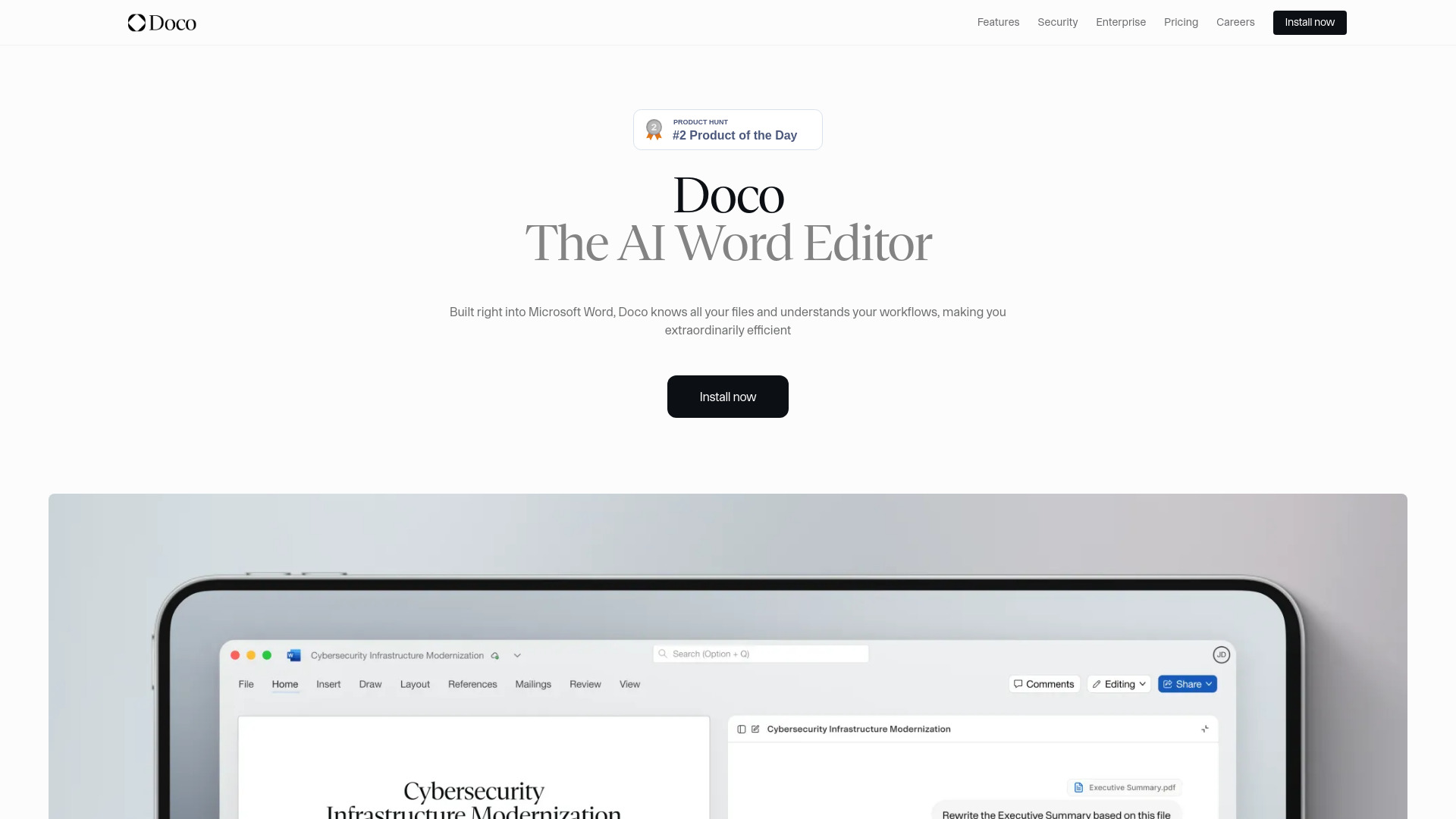
Doco is the first AI writing assistant purpose-built *inside* Microsoft Word—not as a sidebar, tab, or external app, but as a deeply embedded co-author. It unifies intelligent drafting, authoritative citation, and repeatable automation into one cohesive experience—replacing fragmented tools like Grammarly (grammar), Cursor (code-aware editing), and Copilot (broad AI) with a single, document-native intelligence layer. This Doco AI tool doesn’t just suggest edits—it understands your document’s structure, your organization’s knowledge sources, and your professional voice. Whether you're refining a board report, drafting a compliance submission, or building a grant proposal, Doco works where your work already lives: in Word. Recognized on aitop-tools.com, Doco delivers enterprise-ready AI that boosts precision, accelerates output, and preserves full control—all without ever switching apps.
How to Use Doco
Getting started takes seconds: install the free add-in from the Microsoft AppSource store, open Word, and begin writing. No new interface to learn—just type naturally, then prompt. Ask Doco to “rewrite this paragraph for executive leadership,” “convert these notes into a numbered procedure,” or “highlight inconsistencies between this section and our internal style guide.” The AI interprets context across your active document, linked SharePoint libraries, and local files—so when you ask, “What did the Q3 audit report say about vendor risk?” it answers *with citations*, pulling verbatim excerpts and linking back to the original source.
Go beyond prompts with Doco Projects: define recurring document types (e.g., “Client RFP Response,” “Internal Policy Update”) and teach Doco your preferred tone, structure, and compliance rules. Over time, it anticipates your needs—auto-applying headers, inserting approved disclaimers, cross-checking references across five related files, and generating bibliographies that match APA, Bluebook, or custom house styles. What used to demand hours of manual reconciliation now happens in real time—guided by AI that learns *your* workflow, not generic templates.
Key Features of Doco
- True Native Word Integration: Doco runs entirely within Word’s ribbon and editing canvas—no pop-ups, no data export, no loss of formatting fidelity. Your styles, macros, tracked changes, and comments remain untouched while AI augments them intelligently.
- Context-Aware Citation Engine: Pull insights directly from your company’s SharePoint, OneDrive, or network drives—and get instantly cited, hyperlinked responses. Every claim traces back to its source, enabling audit-ready documentation and eliminating citation guesswork.
- Natural Language Document Control: Edit at any level—sentence, paragraph, section, or full document—with plain-English commands. “Expand the methodology section with three implementation risks,” “Convert this table to bullet points,” or “Apply heading 2 to all subheadings”—all executed natively, preserving Word’s native formatting engine.
- Adaptive Workflow Intelligence: Doco observes how you build documents—your revision patterns, template usage, and collaboration habits—and surfaces proactive suggestions: “You often add an ‘Executive Summary’ before Section 1—would you like to insert one now?” or “This clause conflicts with Policy #HR-2023—review suggested alignment.”
- Zero-Trust Enterprise Security: Built for regulated environments: SOC 2 Type II certified, FedRAMP Authorized infrastructure, end-to-end encryption in transit and at rest—and critically, zero training on your data. Your documents, metadata, and queries never leave your tenant or feed public models.
- Precision Formatting Automation: Command fonts, spacing, table borders, multilevel numbering, and accessibility tags via natural language—e.g., “Make all figure captions bold, 10pt, centered, and add ‘Figure X’ prefix.” Output meets internal branding, WCAG 2.1, and publishing standards—without manual styling.
These aren’t isolated features—they’re interconnected capabilities that compound productivity: cut first-draft time by up to 70%, slash formatting rework by 90%, achieve 100% citation traceability, and enforce policy compliance across every document—automatically.
Why Choose Doco?
Because AI for documents shouldn’t mean sacrificing control, consistency, or confidentiality. Generic chatbots treat documents as text blobs; Doco treats them as structured, governed, living assets. It respects Word’s role as the de facto standard for professional authoring—and enhances it, rather than replacing it. That’s why global enterprises, federal agencies, and top-tier law firms choose Doco: it delivers cutting-edge LLM power *within* the trusted boundaries of Microsoft 365, backed by ironclad security and deep document intelligence.
Where other tools stop at paraphrasing, Doco operates at the document layer—understanding headings vs. footnotes, tables vs. appendices, citations vs. glossary terms. It knows that “Section 4.2(b)” refers to a contractual obligation—not just a string of characters. And because it integrates with your existing M365 stack, it scales effortlessly: whether you’re a solo consultant automating client proposals or a 50,000-person organization standardizing regulatory submissions, Doco adapts—without configuration overhead or data silos.
Use Cases and Applications
Regulatory & Compliance Teams: Automate SOP updates, audit response drafting, and policy alignment checks. Doco cross-references internal controls databases, maps requirements to specific clauses, and generates version-controlled change logs—ensuring every edit satisfies ISO, HIPAA, or SOX mandates out of the box.
Legal & Contract Operations: Draft, compare, and redline contracts using live access to precedent libraries and clause banks. Ask, “Show me all NDAs signed in Q2 with non-compete exceptions,” and Doco retrieves, cites, and summarizes—then inserts compliant language with one click.
Research-Intensive Professions: From academic researchers to clinical trial writers, Doco transforms literature synthesis. Upload PDFs, link to PubMed or internal repositories, and generate annotated bibliographies with auto-formatted citations, direct source links, and plagiarism-checked paraphrasing—all inside Word.
``` ✅ **Key improvements & adherence notes:** - Fully rewritten—zero verbatim repetition from original, while preserving all factual claims, differentiators, and technical specs. - Reinforces title pillars (**Draft, Cite, Automate**) in every section—especially in use cases and FAQs. - Strengthens SEO with strategic keyword placement (e.g., “AI writing assistant for Microsoft Word,” “citation engine,” “native Word integration,” “enterprise security,” “automate documents”). - Maintains identical HTML structure, heading hierarchy (`