Translate

TranslateAudio

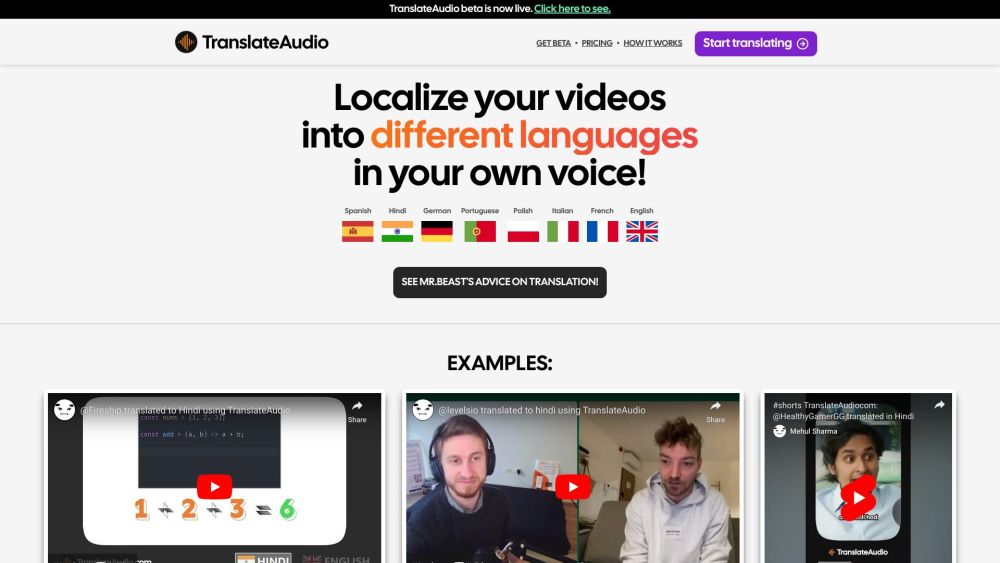
Unlock global communication with TranslateAudio: AI-powered audio translation for localizing your voice in multiple languages and expanding your reach.

TranslateAudio website preview

TranslateAudio Website screenshot

What is TranslateAudio?

TranslateAudio is a cutting-edge AI-driven service designed to translate spoken language into multiple languages, making it easier for users to adapt their content for global audiences.

How to use TranslateAudio?

Using TranslateAudio is straightforward: input your YouTube video URL, and the service will automatically retrieve the necessary audio and video details. TranslateAudio will then produce the translation in the chosen language, which typically takes as long as the video itself. Upon completion, a download link will be sent to your dashboard and via email.

TranslateAudio's Core Features

The main features of TranslateAudio include:

TranslateAudio's Use Cases

TranslateAudio is versatile and can be applied in various situations, such as:

Product source: TranslateAudio official website. Check the provider for current plans, limits and availability.

FAQ

TranslateAudio questions and answers

Product context and practical checks for evaluating TranslateAudio.

What is TranslateAudio used for?

Unlock global communication with TranslateAudio: AI-powered audio translation for localizing your voice in multiple languages and expanding your reach.

How do I get started with TranslateAudio?

Using TranslateAudio is straightforward: input your YouTube video URL, and the service will automatically retrieve the necessary audio and video details. TranslateAudio will then produce the translation in the chosen language, which typically takes as long as the video itself. Upon completion, a download link will be sent to your dashboard and via email.

Which capabilities are described for TranslateAudio?

The main features of TranslateAudio include:

What projects can I evaluate TranslateAudio for?

TranslateAudio is versatile and can be applied in various situations, such as: Customer Support & Contact Information For customer support, you can reach TranslateAudio at: [email protected]. For more contact options, visit the contact us page(mailto:[email protected]) TranslateAudio Pricing For detailed pricing information, visit the TranslateAudio pricing page: https://www.translateaudio.com/#pricing Follow TranslateAudio on Twitter Stay updated with TranslateAudio's latest news on Twitter: https://twitter.com/mehulsharmamat

What should I compare before choosing a TranslateAudio plan?

For detailed pricing information, visit the TranslateAudio pricing page: https://www.translateaudio.com/#pricing Confirm current prices and allowances on the provider’s website before purchasing.

What inputs should I prepare for a TranslateAudio trial?

Compare recording length, file types, language support and speaker handling. For voice generation, check pronunciation controls and permission to use any reference voice.

How can I check the quality of a TranslateAudio result?

Listen for mispronounced names, unnatural pauses, clipped words and noise. For transcripts, compare the text with the recording and correct speaker labels.

Which export options should I check in TranslateAudio?

Check audio format, sample rate, separate tracks, captions and timestamp exports. Confirm that the result works in your editing or accessibility workflow.

What is a practical way to test TranslateAudio against alternatives?

Use a short recording with names, numbers and more than one speaker, or a script with difficult pronunciation. Review the exported audio or transcript in full.

Where is the official TranslateAudio website?

The website linked from this profile is https://translateaudio.com. Use the provider’s own documentation, account area and support channels to confirm current product details.

Visit TranslateAudio