Text&ampWriting

Transcriptly

Transcriptly turns audio, video, and YouTube into 98.9% accurate text in 98+ languages with AI Whisper. Transcribe instantly

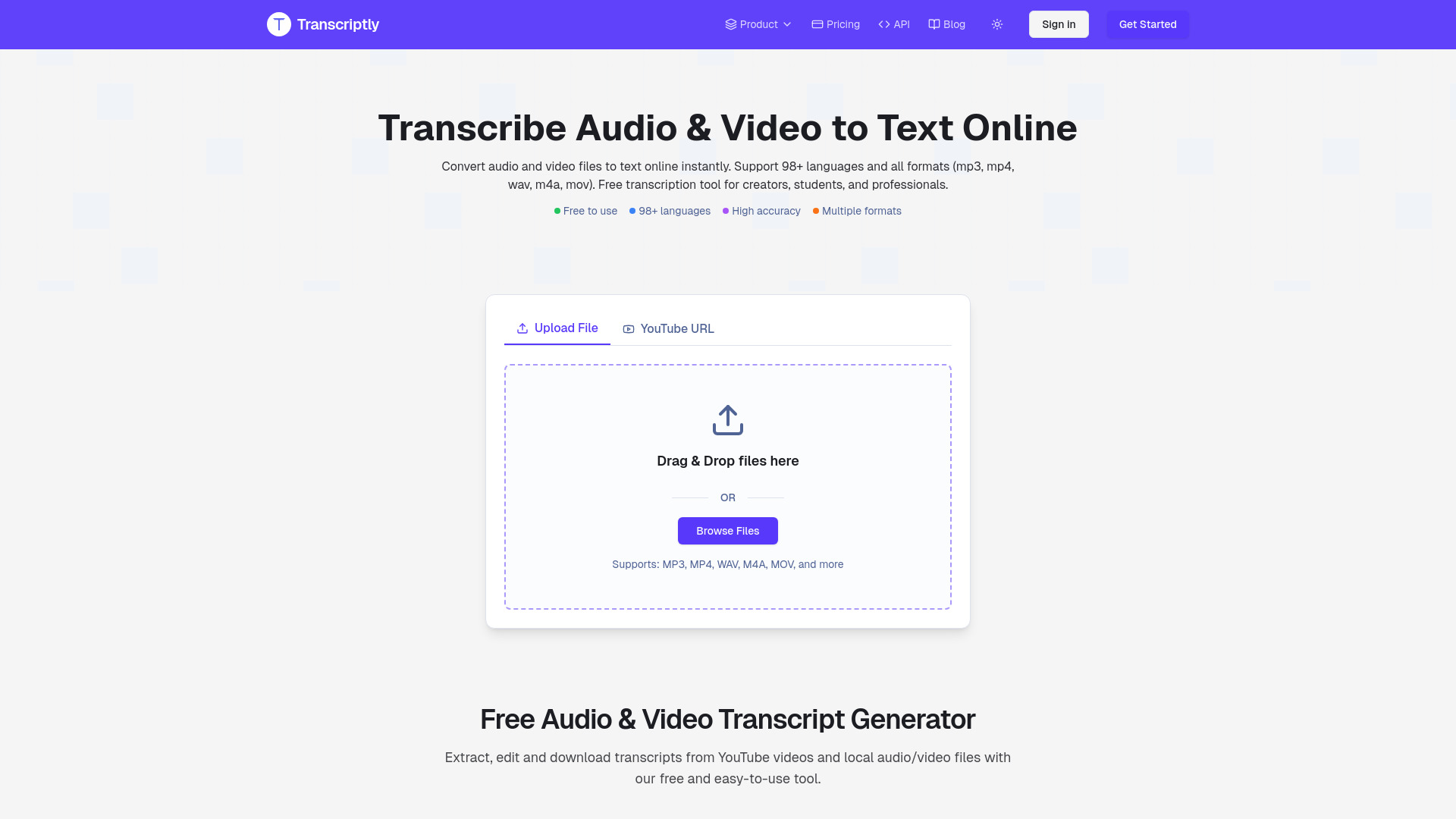
Transcriptly website preview

What is Transcriptly?

Transcriptly is an AI transcription platform that turns spoken audio and video into readable, searchable text. Built on OpenAI’s Whisper technology, it supports transcription in 98+ languages and reports accuracy of up to 98.9%. From podcast interviews and online lectures to business meetings and video tutorials, Transcriptly helps users create written records without typing every sentence manually. Its combination of automated transcription, editing tools, and flexible exports makes it useful for both occasional projects and ongoing content workflows.

How to Use Transcriptly

Start by uploading an audio or video file, or enter a YouTube URL to work directly with online video content. Once you begin transcription, Transcriptly processes the recording and produces a text version for review. Processing time depends on the recording’s length and other factors. Synchronized playback lets you follow the transcript while listening to the source, making it easier to check unfamiliar terms, correct unclear passages, and confirm what each speaker said.

After the initial transcript is ready, use the editor to refine wording, punctuation, and speaker labels as needed. You can also explore automated summaries and AI insights to identify central themes or review the main points of a longer recording. When your transcript is complete, export it as TXT, SRT, VTT, CSV, or DOCX. These options support everyday tasks such as preparing documents, adding video captions, organizing research, and sharing meeting notes.

Key Features of Transcriptly

  • Whisper-Based AI Transcription: Uses OpenAI’s Whisper technology to convert speech into text, with reported accuracy of up to 98.9%. Speaker detection helps organize conversations involving multiple participants.
  • Transcription in 98+ Languages: Supports a broad range of spoken languages, helping creators, students, and international teams work with recordings from different regions and audiences.
  • Direct YouTube Transcription: Accepts YouTube links so users can generate transcripts from online videos. Synchronized playback makes it easier to review the text alongside the original content.
  • Automated Summaries and Insights: Helps users navigate lengthy transcripts by highlighting key ideas, identifying discussion topics, and producing concise summaries for faster review.
  • Multiple Download Formats: Offers TXT, SRT, VTT, CSV, and DOCX exports, giving users practical options for written documentation, subtitle creation, data organization, and content production.

These features bring transcription and review into one workflow. Users can move from a recording to an editable document, then prepare the result for publication, collaboration, or reference.

Why Choose Transcriptly?

Transcriptly combines multilingual speech recognition with tools that help users check and organize the results. Instead of spending hours writing out recordings, users can begin with an AI-generated draft and focus their effort on reviewing the details. The ability to listen while reading is especially helpful when a recording contains technical vocabulary, unfamiliar names, or several speakers. This approach can reduce repetitive work while keeping human judgment involved in the final transcript.

The platform also accommodates different sources and output needs. Local file uploads support recorded interviews, lectures, and meetings, while YouTube transcription provides a convenient starting point for working with online videos. Export choices make it easier to move the finished text into document editors, captioning workflows, and content management systems. For projects that require exact wording, users should review the transcript against the recording before relying on it or sharing it as a final document.

Use Cases and Applications

Podcasters and video creators can use Transcriptly to develop written versions of their recordings, prepare captions, and find passages to reuse in articles or newsletters. Publishing a carefully edited transcript can also make spoken content searchable on a website and provide readers with another way to access it. Students can turn recorded classes into study notes, while researchers can organize interview material into text that is easier to search, annotate, and compare.

In business settings, transcripts can support meeting documentation, training resources, and follow-up planning. Journalists can locate potential quotations in recorded interviews and verify them against the original audio. Captioning teams can use subtitle exports as a starting point for accessible video content. Professionals handling legal or medical recordings may also use transcription drafts to assist their work, with appropriate review for accuracy, confidentiality, and any requirements that apply to their documentation.

Product source: Transcriptly official website. Check the provider for current plans, limits and availability.

FAQ

Transcriptly questions and answers

Product context and practical checks for evaluating Transcriptly.

What is Transcriptly used for?

Transcriptly turns audio, video, and YouTube into 98.9% accurate text in 98+ languages with AI Whisper. Transcribe instantly

How do I get started with Transcriptly?

Start by uploading an audio or video file, or enter a YouTube URL to work directly with online video content. Once you begin transcription, Transcriptly processes the recording and produces a text version for review. Processing time depends on the recording’s length and other factors. Synchronized playback lets you follow the transcript while listening to the source, making it easier to check unfamiliar terms, correct unclear passages, and confirm what each speaker said.After the initial transcript is ready, use the editor to refine wording, punctuation, and speaker labels as needed. You can also explore automated summaries and AI insights to identify central themes or review the main points of a longer recording. When your transcript is complete, export it as TXT, SRT, VTT, CSV, or DOCX. These options support everyday tasks such as preparing documents, adding video captions, organizing research, and sharing meeting notes.

Which capabilities are described for Transcriptly?

Whisper-Based AI Transcription: Uses OpenAI’s Whisper technology to convert speech into text, with reported accuracy of up to 98.9%. Speaker detection helps organize conversations involving multiple participants. Transcription in 98+ Languages: Supports a broad range of spoken languages, helping creators, students, and international teams work with recordings from different regions and audiences. Direct YouTube Transcription: Accepts YouTube links so users can generate transcripts from online videos. Synchronized playback makes it easier to review the text alongside the original content. Automated Summaries and Insights: Helps users navigate lengthy transcripts by highlighting key ideas, identifying discussion topics, and producing concise summaries for faster review. Multiple Download Formats: Offers TXT, SRT, VTT, CSV, and DOCX exports, giving users practical options for written documentation, subtitle creation, data organization, and content production. These features bring transcription and review into one workflow. Users can move from a recording to an editable document, then prepare the result for publication, collaboration, or reference.

What projects can I evaluate Transcriptly for?

Podcasters and video creators can use Transcriptly to develop written versions of their recordings, prepare captions, and find passages to reuse in articles or newsletters. Publishing a carefully edited transcript can also make spoken content searchable on a website and provide readers with another way to access it. Students can turn recorded classes into study notes, while researchers can organize interview material into text that is easier to search, annotate, and compare.In business settings, transcripts can support meeting documentation, training resources, and follow-up planning. Journalists can locate potential quotations in recorded interviews and verify them against the original audio. Captioning teams can use subtitle exports as a starting point for accessible video content. Professionals handling legal or medical recordings may also use transcription drafts to assist their work, with appropriate review for accuracy, confidentiality, and any requirements that apply to their documentation.

How does Transcriptly handle whisper-based ai transcription?

Whisper-Based AI Transcription: Uses OpenAI’s Whisper technology to convert speech into text, with reported accuracy of up to 98.9%. Speaker detection helps organize conversations involving multiple participants.

How does Transcriptly handle transcription in 98+ languages?

Transcription in 98+ Languages: Supports a broad range of spoken languages, helping creators, students, and international teams work with recordings from different regions and audiences.

What should I compare before choosing a Transcriptly plan?

Check Transcriptly’s current pricing page for included usage, renewal terms and any credit charges. Compare the cost of a usable result, including retries, rather than assuming that account registration includes free usage.

What inputs should I prepare for a Transcriptly trial?

Compare text prompts, reference frames, source footage and audio support. Check duration, aspect ratio and whether the tool lets you keep a subject consistent between shots.

How can I check the quality of a Transcriptly result?

Watch the entire clip for motion errors, distorted objects, changing identities, lip-sync problems and abrupt transitions. Inspect the downloaded file as well as the preview.

Where is the official Transcriptly website?

The website linked from this profile is https://transcriptly.org. Use the provider’s own documentation, account area and support channels to confirm current product details.

Visit Transcriptly