AI Chatbot

trai.ai

Get instant answers on WhatsApp with trai.ai! No registration needed. Just chat and get quick responses from our smart AI chatbot.

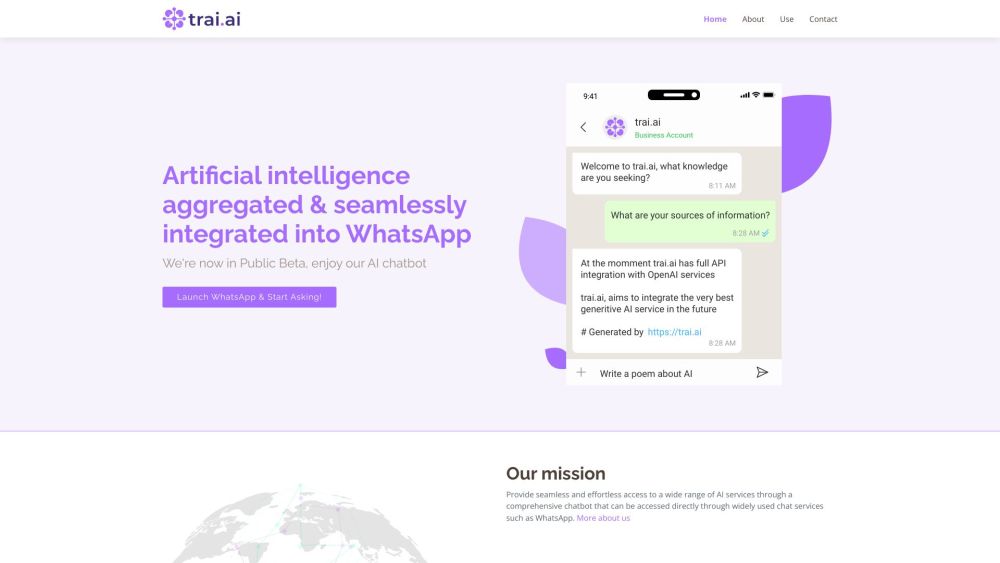
trai.ai website preview

trai.ai Website screenshot

What is trai.ai?

trai.ai is an advanced AI chatbot that instantly connects users to a vast array of AI-driven services through platforms like WhatsApp. This service allows users to receive immediate, accurate responses to their queries without the need for any registration or software downloads, making it both accessible and user-friendly.

How to use trai.ai?

1. Open WhatsApp and initiate a conversation with trai.ai. 2. Pose your questions or provide prompts, such as "Create a report on renewable energy" or "Act as a legal consultant and provide advice." 3. Receive instant, informative replies directly within your chat, streamlining your access to AI capabilities.

trai.ai's Core Features

1. AI Aggregator Chatbot: trai.ai combines information from various sources to deliver comprehensive answers in one seamless interaction. 2. User-Friendly Interface: Engage in natural, conversational exchanges with trai.ai, making it easy and intuitive to use. 3. No Barriers to Access: Gain immediate access to a wealth of knowledge without the hassle of signing up or downloading additional apps. 4. Enhanced Productivity: Get direct, actionable answers without the need to navigate through external links.

trai.ai's Use Cases

1. Generate Content: Quickly create essays, reports, and other written materials on diverse topics. 2. Produce Images: Use the '/image' command to generate custom visuals based on your creative input. 3. Summarize Information: Send text or PDFs and receive concise summaries, or simply type 'summarize' followed by the content. 4. Role-Playing Prompts: Experience expert-level advice by beginning prompts with 'Act as' followed by a profession, such as 'Act as a financial advisor and give investment tips.'

Product source: trai.ai official website. Check the provider for current plans, limits and availability.

FAQ

trai.ai questions and answers

Product context and practical checks for evaluating trai.ai.

What is trai.ai used for?

Get instant answers on WhatsApp with trai.ai! No registration needed. Just chat and get quick responses from our smart AI chatbot.

How do I get started with trai.ai?

1. Open WhatsApp and initiate a conversation with trai.ai. 2. Pose your questions or provide prompts, such as "Create a report on renewable energy" or "Act as a legal consultant and provide advice." 3. Receive instant, informative replies directly within your chat, streamlining your access to AI capabilities.

Which capabilities are described for trai.ai?

1. AI Aggregator Chatbot: trai.ai combines information from various sources to deliver comprehensive answers in one seamless interaction. 2. User-Friendly Interface: Engage in natural, conversational exchanges with trai.ai, making it easy and intuitive to use. 3. No Barriers to Access: Gain immediate access to a wealth of knowledge without the hassle of signing up or downloading additional apps. 4. Enhanced Productivity: Get direct, actionable answers without the need to navigate through external links.

What projects can I evaluate trai.ai for?

1. Generate Content: Quickly create essays, reports, and other written materials on diverse topics. 2. Produce Images: Use the '/image' command to generate custom visuals based on your creative input. 3. Summarize Information: Send text or PDFs and receive concise summaries, or simply type 'summarize' followed by the content. 4. Role-Playing Prompts: Experience expert-level advice by beginning prompts with 'Act as' followed by a profession, such as 'Act as a financial advisor and give investment tips.'

What should I compare before choosing a trai.ai plan?

Check trai.ai’s current pricing page for included usage, renewal terms and any credit charges. Compare the cost of a usable result, including retries, rather than assuming that account registration includes free usage.

What inputs should I prepare for a trai.ai trial?

Look for text prompts, image references, masks or sketches as appropriate. Compare composition control, supported upload types and the ability to revise a selected area.

How can I check the quality of a trai.ai result?

Inspect text, hands, edges, reflections and repeated objects at full size. Check that important product or brand details survive editing.

Which export options should I check in trai.ai?

Compare pixel dimensions, transparency, file formats and any enlargement options. Confirm that the downloaded result works in your design or publishing software.

What is a practical way to test trai.ai against alternatives?

Prepare a brief with a subject, composition, lighting and required output size. Test a first generation and a targeted revision to see how much control you retain.

Where is the official trai.ai website?

The website linked from this profile is https://trai.ai. Use the provider’s own documentation, account area and support channels to confirm current product details.

Visit trai.ai