AI tool profile

Tovuti LMS Software

Fast and simple way to create courses and engage learners

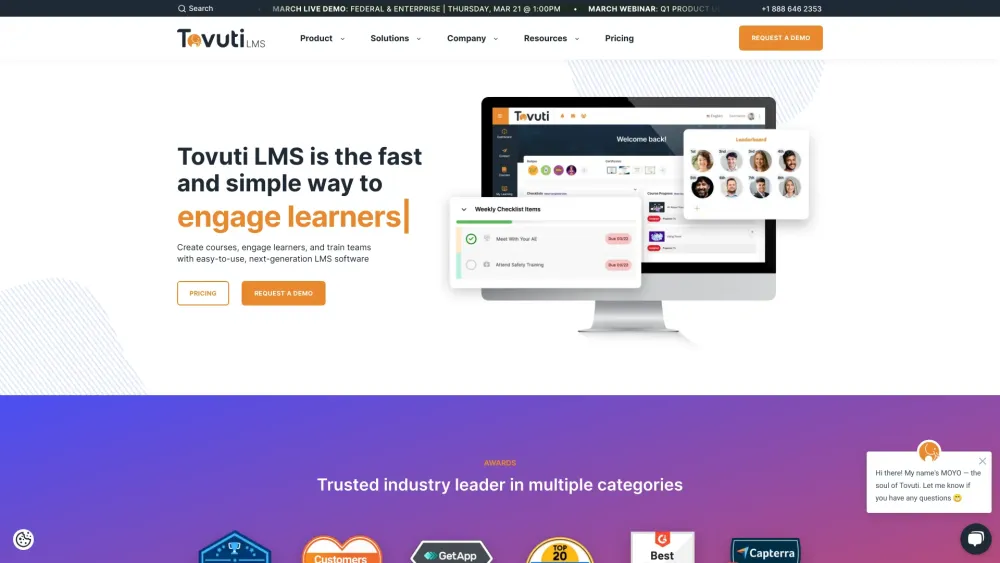
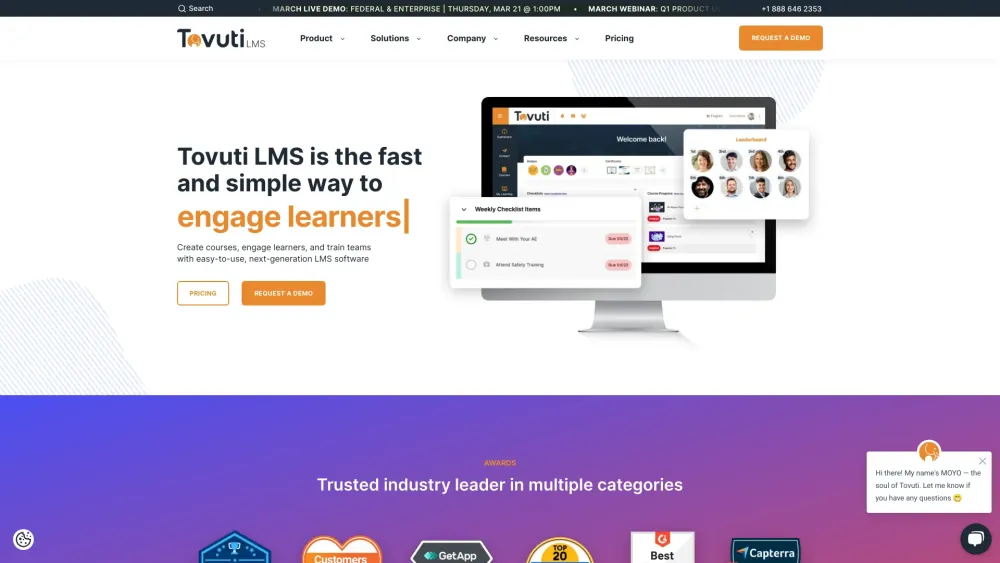
Tovuti LMS Software website preview

Tovuti LMS Software Website screenshot

What is Tovuti LMS Software?

Create Courses, Engage Learners & Train Teams

How to use Tovuti LMS Software?

Manage training with an easy-to-use, all-in-one LMS software

Tovuti LMS Software's Core Features

Create Content

Engage Learners

Security & Compliance

Track & Report

Integrations

Tovuti LMS Software's Use Cases

Blended Learning

Compliance Training

Customer Training

Employee Onboarding

Sales Training

Product source: Tovuti LMS Software official website. Check the provider for current plans, limits and availability.

FAQ

Tovuti LMS Software questions and answers

Product context and practical checks for evaluating Tovuti LMS Software.

What is Tovuti LMS Software used for?

Fast and simple way to create courses and engage learners

How do I get started with Tovuti LMS Software?

Manage training with an easy-to-use, all-in-one LMS software

Which capabilities are described for Tovuti LMS Software?

Create ContentEngage LearnersSecurity & ComplianceTrack & ReportIntegrations

What projects can I evaluate Tovuti LMS Software for?

Blended LearningCompliance TrainingCustomer TrainingEmployee OnboardingSales Training Tovuti LMS Software Support Email & Customer service contact & Refund contact etc. Here is the Tovuti LMS Software support email for customer service: [email protected] . More Contact, visit the contact us page(https://www.tovutilms.com/contact-us) Tovuti LMS Software Company Tovuti LMS Software Company name: Tovuti LMS . More about Tovuti LMS Software, Please visit the about us page(https://www.tovutilms.com/about-tovuti). Tovuti LMS Software Pricing Tovuti LMS Software Pricing Link: https://www.tovutilms.com/lms-pricing Tovuti LMS Software Facebook Tovuti LMS Software Facebook Link: https://www.facebook.com/TovutiLMSTovuti LMS Software Youtube Tovuti LMS Software Youtube Link: https://www.youtube.com/channel/UCGZ70IaEZ6YanLm_8zvzCrATovuti LMS Software Linkedin Tovuti LMS Software Linkedin Link: https://www.linkedin.com/company/tovutilmsTovuti LMS Software Twitter Tovuti LMS Software Twitter Link: https://twitter.com/LearnTOVUTI

What should I compare before choosing a Tovuti LMS Software plan?

Tovuti LMS Software Pricing Link: https://www.tovutilms.com/lms-pricing Confirm current prices and allowances on the provider’s website before purchasing.

What inputs should I prepare for a Tovuti LMS Software trial?

Compare repository access, context limits, supported languages and tool permissions. Check whether the assistant can read relevant files and run your existing checks.

How can I check the quality of a Tovuti LMS Software result?

Review the diff, run tests and inspect error handling and dependency changes. Generated code should meet the same review standard as a human contribution.

Which export options should I check in Tovuti LMS Software?

Prefer changes you can inspect and keep in version control. Check whether code, tests and configuration can be exported without depending on a hosted preview.

What is a practical way to test Tovuti LMS Software against alternatives?

Choose a small reproducible bug with an existing failing check. Measure whether the tool fixes the cause, preserves behavior and produces a reviewable change.

Where is the official Tovuti LMS Software website?

The website linked from this profile is https://tovutilms.com. Use the provider’s own documentation, account area and support channels to confirm current product details.

Visit Tovuti LMS Software